AI agent for it managers
Network Capacity Planning Agent
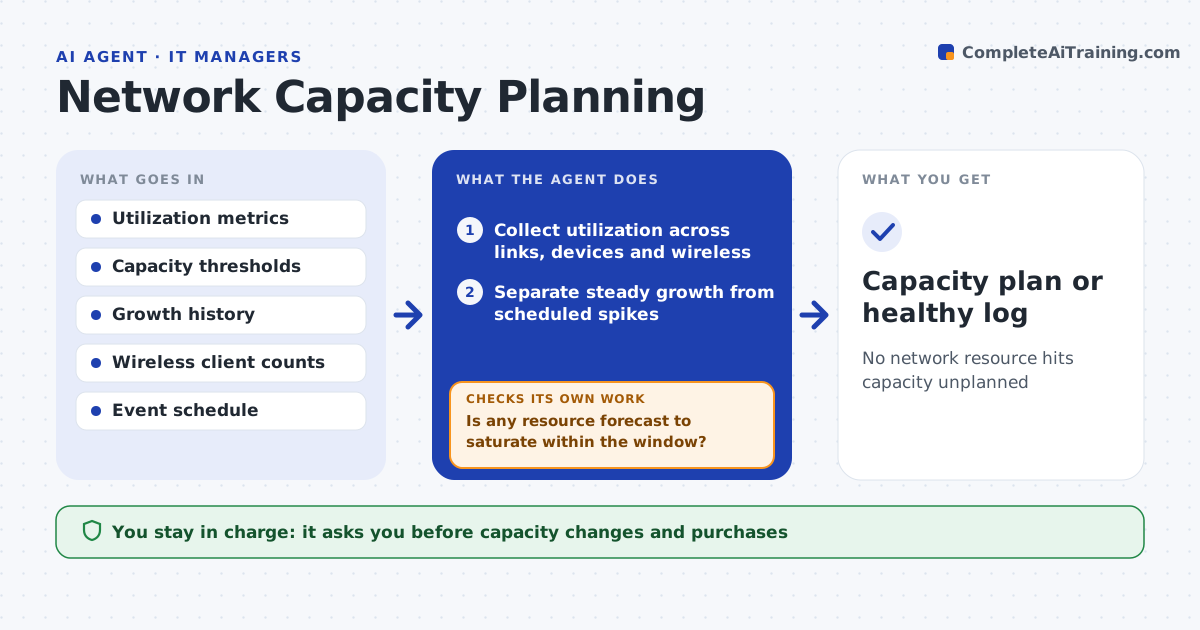
No network resource hits capacity unplanned
What it does
Network traffic grows, and without planning a link or device saturates at the worst time. Each week this agent collects utilization for links, device interfaces, wireless access points and firewalls. It separates steady growth from scheduled spikes, such as a nightly backup window, so forecasts are not skewed. It then forecasts when each resource will reach its capacity threshold. Where one is forecast to saturate inside the planning window, it checks whether the load is scheduled work that could move. If so, it proposes rescheduling. If not, it proposes options such as a link upgrade, traffic balancing or an extra access point, with lead times. It flags wireless areas where client counts regularly exceed what the access points handle well. You approve capacity changes and purchases.
How it works
Follow the arrows from top to bottom. The orange dashed arrow is the loop: when a check fails, the agent goes back and tries again.
Read the steps as a list
- Weekly capacity check
- Collect utilization across links, devices and wireless
- Separate steady growth from scheduled spikes
- Forecast time to threshold for each resource
- Is any resource forecast to saturate within the window?If not: log a healthy result and wait for next week's data. Back to step 2.
- Is the load something other than movable scheduled work?If not: propose rescheduling the work instead of an upgrade. Back to step 3.
- Propose upgrade or balancing options with lead times
- Network lead approves capacity changesThe agent waits here for your OK.
- Capacity plan or healthy log
How it decides
It forecasts from steady growth, excluding scheduled spikes, and recommends action when saturation is forecast within the window.
- Exclude scheduled spikes from the trend
- Warn when saturation is within the window
- Suggest scheduling over upgrade when load is time-bound
Make it yours
Every agent is a starting point. You choose these settings for your own situation.
- Capacity thresholds
- Planning window
- Resources in scope
- Event schedule to exclude
What keeps you in control
It always asks you first
- Capacity changes and purchases
Hard limits
- Does not make network changes itself
- Bases forecasts on real trends
It stops when
- Done: capacity healthy or plan approved
- Stop: utilization history is too short to forecast
Set it up
We guide you through the set-up, step by step
Members get the full set-up guide for this agent. No technical skills needed: you copy, paste and upload.
- One set of instructions to paste into your AI, with the clicks for ChatGPT, Claude, Microsoft 365 Copilot, Gemini and Grok
- The agent then walks you through connecting your own data, one source at a time
- A downloadable copy with the flow chart, the rules and the full guide