AI agent for preschool teachers
New Child Settling-In Plan Agent
Help each new child settle within two weeks with a plan adjusted to real daily results
What it does
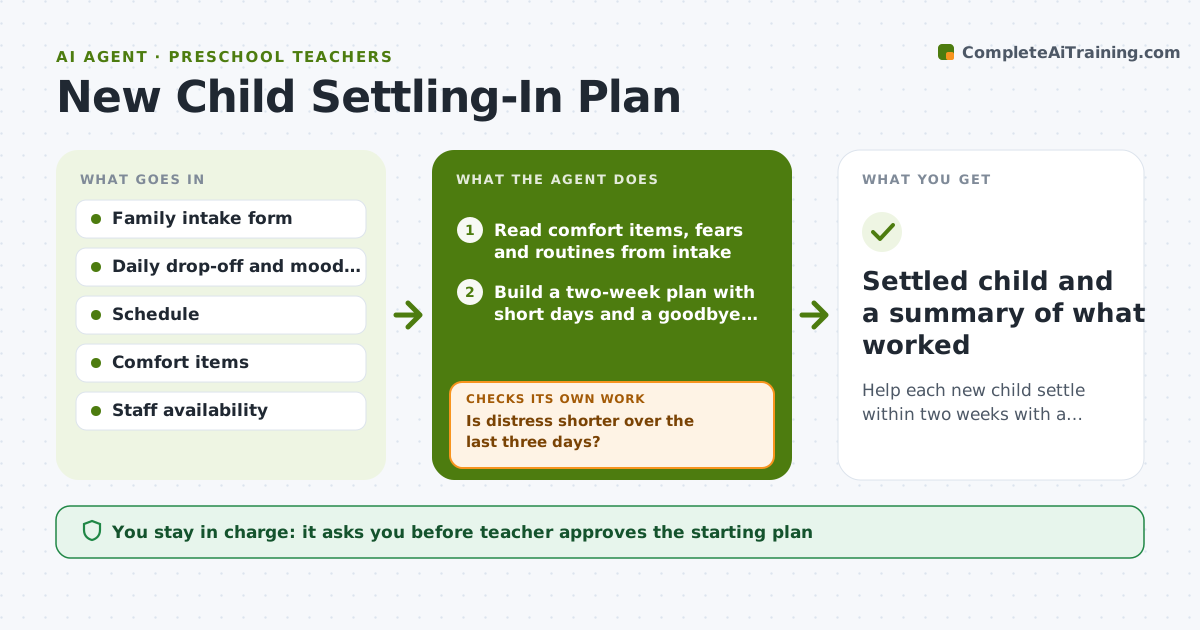
A new child cries at drop-off and the teacher improvises each day. This agent starts from the family's intake form: comfort items, routines, fears and who does the drop-off. It builds a two-week settling plan with short first days, a goodbye routine and a buddy. Each day the teacher adds a short drop-off and mood note. The agent checks whether distress is getting shorter. If it is not, it adjusts one thing, such as a shorter day, a different greeter or a visual goodbye card, and checks again the following days. It prepares a brief for the family after each change. The teacher approves each change shared with the family. Edge case: if a child settles at school but cries only at home, it flags that for the family conversation.
How it works
Follow the arrows from top to bottom. The orange dashed arrow is the loop: when a check fails, the agent goes back and tries again.
Read the steps as a list
- New child enrolled and intake form received
- Read comfort items, fears and routines from intake
- Build a two-week plan with short days and a goodbye routine
- Teacher approves the plan and family messageThe agent waits here for your OK.
- Log each day's drop-off time and mood note
- Is distress shorter over the last three days?If not: Choose one change, such as a shorter day or buddy, and update the plan. Back to step 5.
- Draft a family update on what changed and why
- Does the child settle within 10 minutes for three days?If not: Extend the plan another week and flag to the teacher for a family call. Back to step 6.
- Teacher approves each change shared with the familyThe agent waits here for your OK.
- Settled child and a summary of what worked
How it decides
It compares minutes of distress at drop-off day to day. If the three-day trend does not fall, it changes one factor and observes again.
- Count a child as settling when distress lasts under 10 minutes for 3 days
- Change only one factor at a time
- Shorten the day when distress exceeds 30 minutes on two days
- Flag a family call when no progress appears after 5 school days
Make it yours
Every agent is a starting point. You choose these settings for your own situation.
- Length of the settling plan (default 14 days)
- Settled threshold (default 10 minutes for 3 days)
- Allowed changes list (default buddy, shorter day, goodbye card)
- Update frequency to the family (default twice a week)
What keeps you in control
It always asks you first
- Teacher approves the starting plan
- Teacher approves each change shared with the family
Hard limits
- Never advise on medical or behavioral diagnosis
- Never share notes with other families
- Never message a family without teacher approval
It stops when
- Done: Child settles within 10 minutes for 3 days in a row
- Stop: Family requests a change or a health concern appears, then hand to the teacher
Set it up
We guide you through the set-up, step by step
Members get the full set-up guide for this agent. No technical skills needed: you copy, paste and upload.
- One set of instructions to paste into your AI, with the clicks for ChatGPT, Claude, Microsoft 365 Copilot, Gemini and Grok
- The agent then walks you through connecting your own data, one source at a time
- A downloadable copy with the flow chart, the rules and the full guide