AI agent for preschool teachers
Preschool Daily Activity Rotation Agent
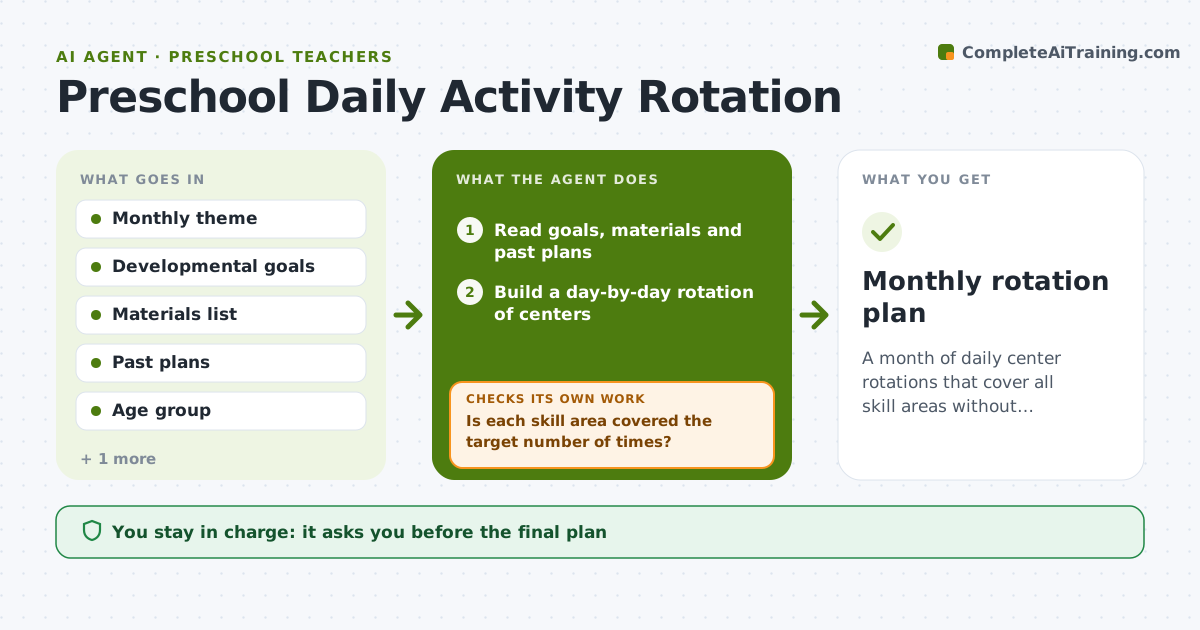
A month of daily center rotations that cover all skill areas without repeating.
What it does
The monthly plan has three art days and no counting activities, and by week three the children are doing the same sensory table again. This agent reads your monthly theme, developmental goals, available materials and past weeks, and builds a rotation of centers for each day. It checks skill coverage across the month, such as fine motor, early math and language, and safety limits like adult ratios and small parts for young children. Weak days are swapped. Edge case: a messy activity planned for a day with a field trip is moved. The teacher approves the plan.
How it works
Follow the arrows from top to bottom. The orange dashed arrow is the loop: when a check fails, the agent goes back and tries again.
Read the steps as a list
- Teacher shares the monthly theme and goals
- Read goals, materials and past plans
- Build a day-by-day rotation of centers
- Count skill-area coverage across the month
- Is each skill area covered the target number of times?If not: swap days or add activities for the weak areas. Back to step 3.
- Check safety limits, ratios and age suitability
- Does every activity pass the safety check?If not: replace the activity with a safer option. Back to step 3.
- Write the final plan with materials per day
- Teacher approves the planThe agent waits here for your OK.
- Monthly rotation plan
How it decides
It rotates centers so no center repeats within a week and each skill area appears at least the target number of times.
- No center repeats twice in a week.
- Each skill area appears at least 8 times a month.
- Avoid small parts for children under 3.
- Messy activities are not placed on trip or event days.
Make it yours
Every agent is a starting point. You choose these settings for your own situation.
- Skill areas and target counts
- Age group
- Available materials
- Class size and ratios
- Plan format
What keeps you in control
It always asks you first
- The final plan
- Any new material purchase
Hard limits
- Do not buy materials.
- Do not remove safety checks.
It stops when
- Done: coverage and safety pass and the teacher approved
- Stop: available materials cannot support coverage, so the agent lists what is missing
Set it up
We guide you through the set-up, step by step
Members get the full set-up guide for this agent. No technical skills needed: you copy, paste and upload.
- One set of instructions to paste into your AI, with the clicks for ChatGPT, Claude, Microsoft 365 Copilot, Gemini and Grok
- The agent then walks you through connecting your own data, one source at a time
- A downloadable copy with the flow chart, the rules and the full guide