AI agent for financial advisors
New Client Onboarding File Agent
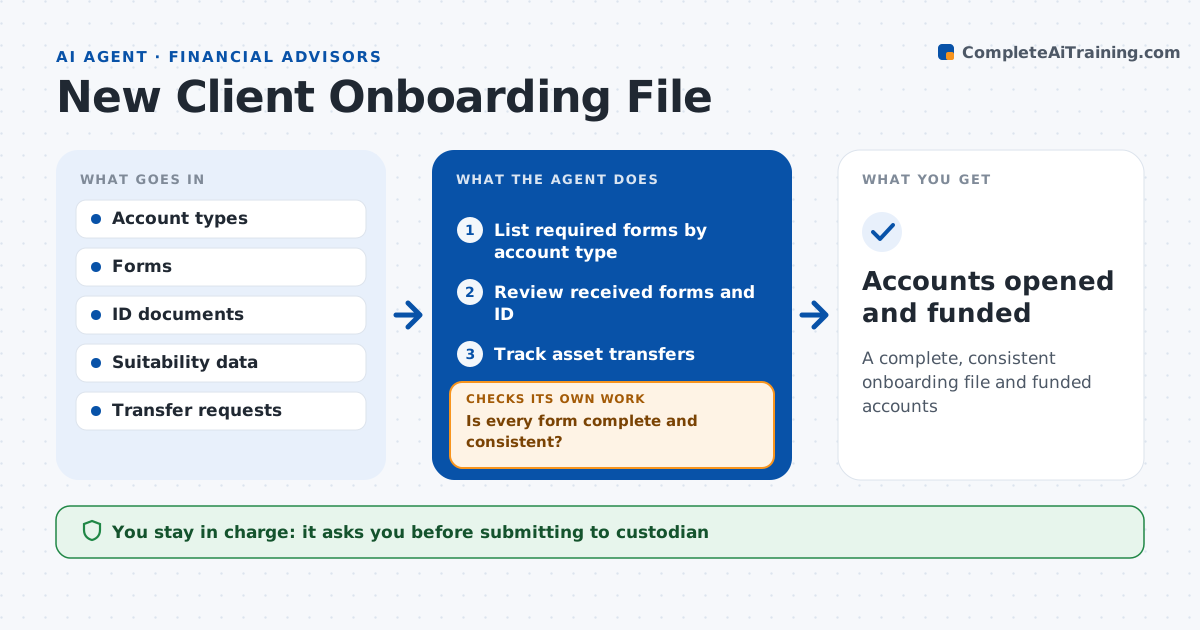
A complete, consistent onboarding file and funded accounts
What it does
New client paperwork often bounces back from the custodian for a missing signature or a blank field, which delays funding by weeks. When a client signs on, this agent manages the onboarding file. It lists the forms and documents needed for each account type, checks what has been received, and reviews each form for missing signatures, mismatched names and incomplete suitability fields. It drafts reminders to the client for missing items and rechecks documents when they come back. It flags any conflict between the client's risk answers and the chosen strategy. It then tracks asset transfers and checks that amounts arrive within 5% of what was expected. The advisor approves the file before it goes to the custodian, and compliance reviews as required. Edge case: the form says conservative but the requested model is aggressive, so the agent flags it.
How it works
Follow the arrows from top to bottom. The orange dashed arrow is the loop: when a check fails, the agent goes back and tries again.
Read the steps as a list
- Client agreement signed
- List required forms by account type
- Review received forms and ID
- Is every form complete and consistent?If not: draft client reminders and recheck new documents. Back to step 3.
- Track asset transfers
- Advisor and compliance approve the fileThe agent waits here for your OK.
- Accounts opened and funded
How it decides
It tests each form against a required field list and checks that suitability answers fit the chosen strategy.
- Missing signature: return to client
- Suitability conflicts with strategy: flag to advisor
- Transfer amount differs by over 5%: investigate
Make it yours
Every agent is a starting point. You choose these settings for your own situation.
- Forms by account type
- Reminder schedule
- Compliance review rules
- Status update format
What keeps you in control
It always asks you first
- Submitting to custodian
- Sending reminders to the client
Hard limits
- Never submits forms
- Never stores ID images outside the secure system
It stops when
- Done: accounts funded
- Stop: identity cannot be verified
Set it up
We guide you through the set-up, step by step
Members get the full set-up guide for this agent. No technical skills needed: you copy, paste and upload.
- One set of instructions to paste into your AI, with the clicks for ChatGPT, Claude, Microsoft 365 Copilot, Gemini and Grok
- The agent then walks you through connecting your own data, one source at a time
- A downloadable copy with the flow chart, the rules and the full guide