AI agent for payroll administrators
New Hire Payroll Setup Check Agent
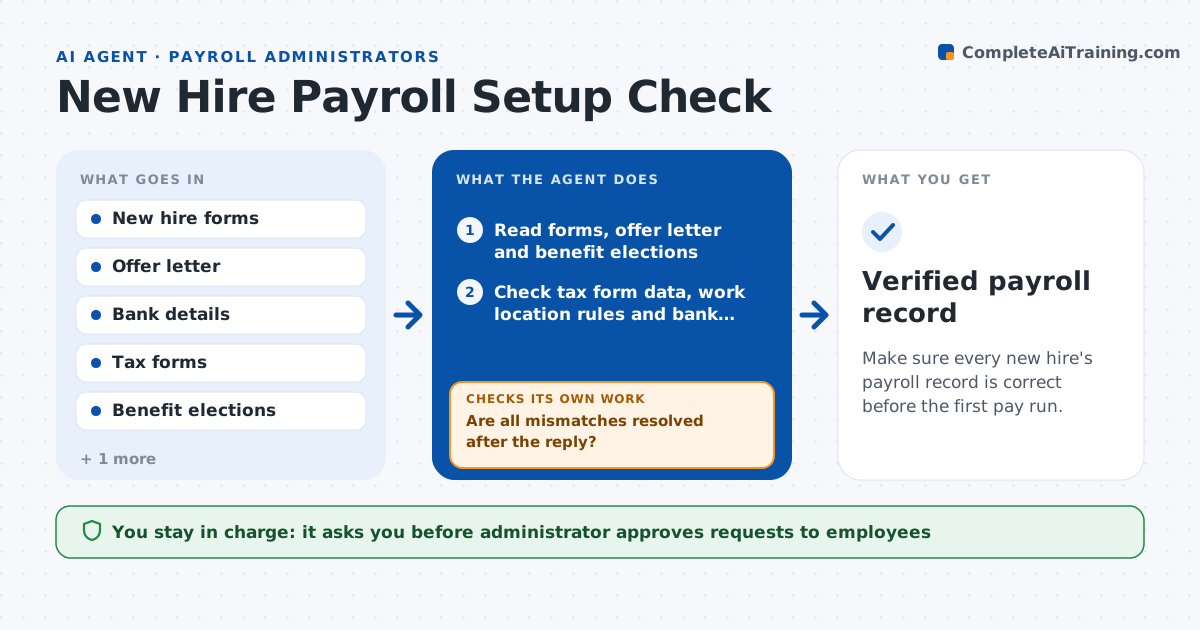
Make sure every new hire's payroll record is correct before the first pay run.
What it does
A new hire's first paycheck depends on forms, bank details, tax choices and an offer letter that do not always agree. This agent reads the new hire forms and checks tax withholding data, bank details, pay rate and benefit elections. It compares the pay rate, start date and pay frequency with the offer letter and flags any mismatch. For each problem it drafts a short request to the employee or the hiring manager. After each reply, it rechecks the record. When all checks pass, it builds a test paycheck calculation to verify the net pay looks right. The administrator approves the setup. The agent never activates it.
How it works
Follow the arrows from top to bottom. The orange dashed arrow is the loop: when a check fails, the agent goes back and tries again.
Read the steps as a list
- New hire ready for payroll
- Read forms, offer letter and benefit elections
- Check tax form data, work location rules and bank details
- Compare pay rate, start date and frequency with the offer letter
- Draft requests for each mismatch or gap
- Administrator approves requests sent to hires or managersThe agent waits here for your OK.
- Are all mismatches resolved after the reply?If not: send one follow-up and escalate to HR before the cutoff. Back to step 3.
- Calculate a test paycheck
- Is the test net pay within the expected range?If not: review deductions and withholding for errors and correct them. Back to step 3.
- Administrator approves setupThe agent waits here for your OK.
- Verified payroll record
How it decides
It accepts a record only when each data point matches the offer letter and passes format checks, and a test paycheck is sensible.
- Require the bank account holder name to match the employee name
- Treat any pay rate difference from the offer letter as an error
- Flag a net pay below 50 percent or above 90 percent of gross
- Escalate 3 days before the payroll cutoff if unresolved
Make it yours
Every agent is a starting point. You choose these settings for your own situation.
- Cutoff day before pay run
- Net pay range (default 50 to 90 percent of gross)
- Documents required
- Escalation contact
What keeps you in control
It always asks you first
- Administrator approves requests to employees
- Administrator approves final setup
Hard limits
- Never activates payroll records or pays anyone
- Never shares bank details in messages
It stops when
- Done: record verified and approved before the cutoff
- Stop: offer letter is missing or unsigned
Set it up
We guide you through the set-up, step by step
Members get the full set-up guide for this agent. No technical skills needed: you copy, paste and upload.
- One set of instructions to paste into your AI, with the clicks for ChatGPT, Claude, Microsoft 365 Copilot, Gemini and Grok
- The agent then walks you through connecting your own data, one source at a time
- A downloadable copy with the flow chart, the rules and the full guide