AI agent for production planners
New Product Ramp Plan Agent
Ramp a new product with a plan that follows actual results.
What it does
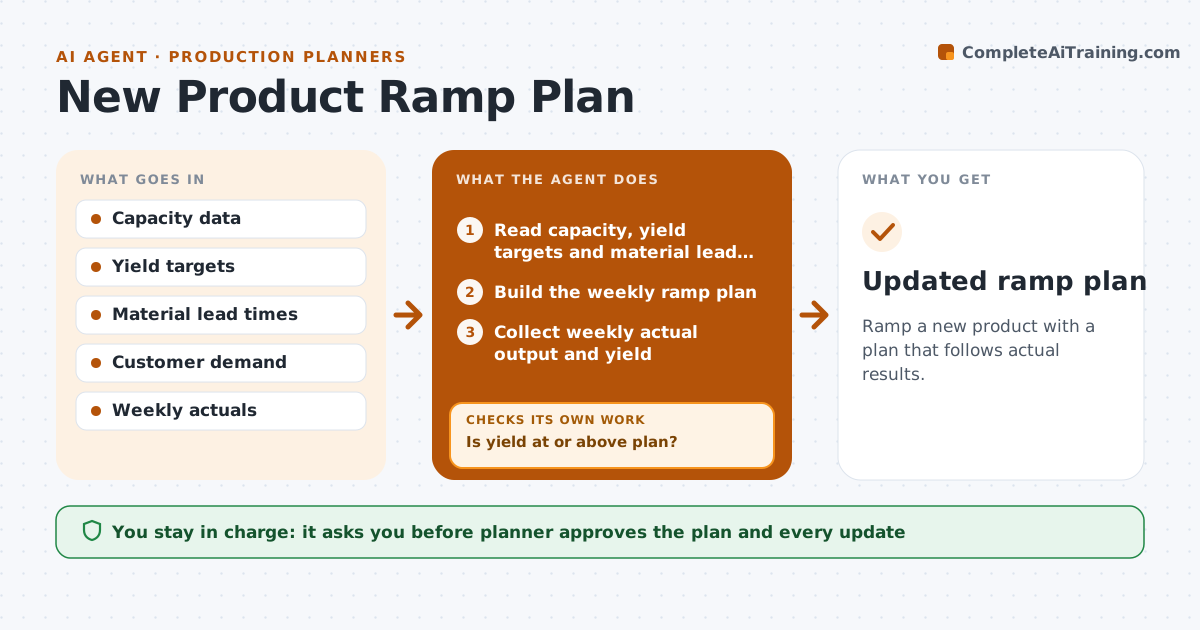
New products ramp up with surprises, such as low yield, a material shortage or too few trained operators. This agent builds a ramp plan from capacity, expected yields and material lead times. It then tracks actual output each week against the plan. When actual yield falls below plan, it adjusts the next weeks' ramp and checks material cover for the new numbers. It tells the planner what changes in orders and shipments. The planner approves the plan updates. Edge case: if yield is below plan but rising, the agent shows both the weekly gap and the trend, rather than cutting the ramp too hard.
How it works
Follow the arrows from top to bottom. The orange dashed arrow is the loop: when a check fails, the agent goes back and tries again.
Read the steps as a list
- New product approved
- Read capacity, yield targets and material lead times
- Build the weekly ramp plan
- Planner approves the planThe agent waits here for your OK.
- Collect weekly actual output and yield
- Compare actuals with the plan
- Is yield at or above plan?If not: Adjust the next weeks' targets using the actual and the trend. Back to step 5.
- Check material cover for the adjusted plan
- Does material cover the new plan?If not: Expedite or reduce the plan and tell the planner. Back to step 8.
- Report changes to orders and shipments
- Updated ramp plan
How it decides
It sets weekly targets from capacity and yield and updates them when actual yield differs from plan for two weeks.
- Update the plan after two weeks of variance over 5 percent
- Use trend as well as the last week's yield
- Check material cover 4 weeks ahead
- Alert when customer promises are at risk
Make it yours
Every agent is a starting point. You choose these settings for your own situation.
- Yield variance that triggers an update (default 5 percent)
- Material look-ahead (default 4 weeks)
- Ramp length
- Weekly review day
What keeps you in control
It always asks you first
- Planner approves the plan and every update
Hard limits
- Never promise dates to customers
- Never change the plan without approval
It stops when
- Done: the ramp reaches the target rate
- Stop: yield stays far below plan and the planner calls engineering
Set it up
We guide you through the set-up, step by step
Members get the full set-up guide for this agent. No technical skills needed: you copy, paste and upload.
- One set of instructions to paste into your AI, with the clicks for ChatGPT, Claude, Microsoft 365 Copilot, Gemini and Grok
- The agent then walks you through connecting your own data, one source at a time
- A downloadable copy with the flow chart, the rules and the full guide