
AI agent for media relations specialists
Newsjacking Opportunity Screening Agent
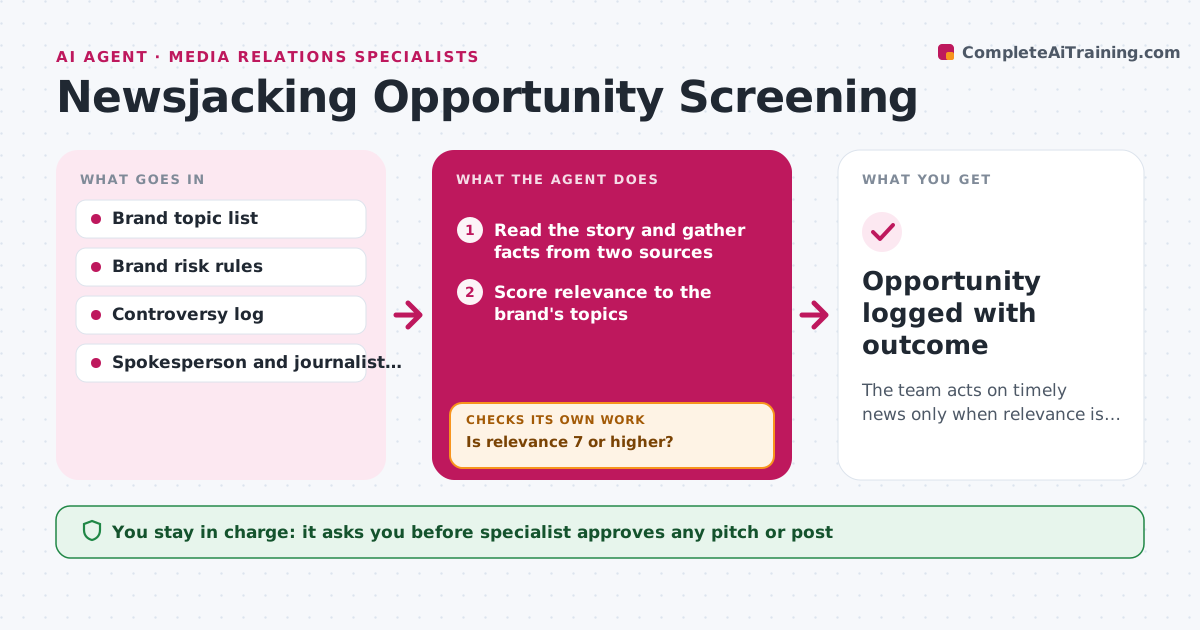
The team acts on timely news only when relevance is high and risk is understood.
What it does
A news story breaks, and either the team misses the window or jumps in with a tone deaf post. This agent watches news and trends for topics in the brand's area and scores each story for relevance. Before suggesting anything, it checks the story for sensitivity, such as a tragedy, a lawsuit or a politically charged angle, and checks recent brand controversies that could make the tie-in look opportunistic. It finds which spokespeople and journalists would fit the topic and drafts an angle. When risk is unclear, it escalates instead of guessing. The specialist approves any pitch or post. Edge case: a story about a data breach fits the brand's security topic, but a similar breach hit the brand last year, so the agent marks it high risk.
How it works
Follow the arrows from top to bottom. The orange dashed arrow is the loop: when a check fails, the agent goes back and tries again.
Read the steps as a list
- New story or trend spike detected
- Read the story and gather facts from two sources
- Score relevance to the brand's topics
- Is relevance 7 or higher?If not: check one more source and rescore, then drop the story. Back to step 2.
- Check sensitivity, brand controversy log and platform rules
- Is the risk clear and low?If not: gather more context on the story and escalate unclear cases to the specialist. Back to step 5.
- Find fitting spokespeople and journalists
- Draft the angle, timing window and pitch or post outline
- Specialist approves any pitch or postThe agent waits here for your OK.
- Opportunity logged with outcome
How it decides
It surfaces stories scoring 7 or more of 10 for relevance, and blocks any that touch a sensitive category or recent brand controversy without approval.
- Surface stories at 7 of 10 relevance or higher.
- Block stories involving injury, death or active legal cases by default.
- Block any story linked to a brand controversy in the last 12 months until approved.
- Set the response window by story age, usually within 4 hours.
Make it yours
Every agent is a starting point. You choose these settings for your own situation.
- Brand topics and scoring
- Sensitive categories list
- Relevance threshold (default 7)
- Monitoring hours
What keeps you in control
It always asks you first
- Specialist approves any pitch or post
Hard limits
- Never post or send a pitch itself
- Block sensitive categories by default
It stops when
- Done: pitch approved or story dropped with a reason.
- Stop: window closes.
Set it up
We guide you through the set-up, step by step
Members get the full set-up guide for this agent. No technical skills needed: you copy, paste and upload.
- One set of instructions to paste into your AI, with the clicks for ChatGPT, Claude, Microsoft 365 Copilot, Gemini and Grok
- The agent then walks you through connecting your own data, one source at a time
- A downloadable copy with the flow chart, the rules and the full guide



