AI agent for notaries
Notary Appointment Pre-Check Agent
Appointments that go ahead without surprises
What it does
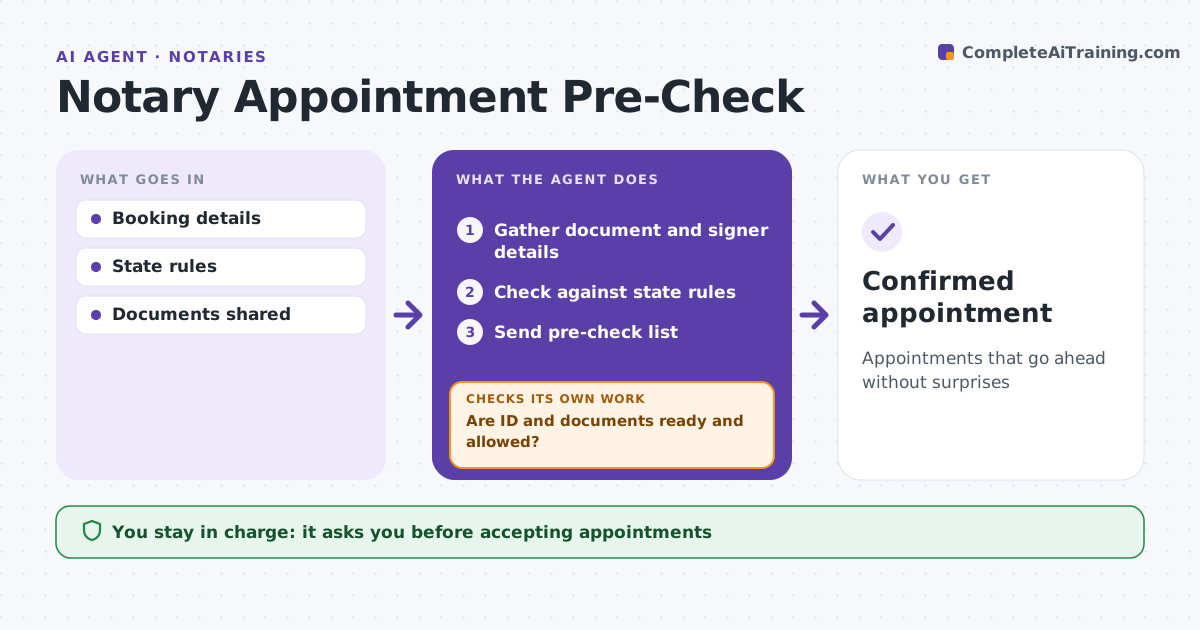
Notary appointments fail when signers arrive with expired ID, blank documents or a request the notary is not allowed to perform. When a signer books, this agent gathers the document type, number of signers, notarial act needed and ID available. It checks the request against state rules, such as whether the act is allowed and which IDs are acceptable. It sends a pre-check list to the signer once the notary approves. If the signer shares documents, it checks for blanks that must be completed or struck. When anything fails, it explains what to bring or why the notary cannot proceed, and checks again after the signer responds. It confirms the day before. The notary decides whether to accept each appointment. Edge case: a document is in a language the notary cannot read, and state rules require understanding, so the agent flags it.
How it works
Follow the arrows from top to bottom. The orange dashed arrow is the loop: when a check fails, the agent goes back and tries again.
Read the steps as a list
- Appointment booked
- Gather document and signer details
- Check against state rules
- Send pre-check list
- Are ID and documents ready and allowed?If not: explain what is needed and recheck. Back to step 4.
- Notary accepts appointmentThe agent waits here for your OK.
- Confirmed appointment
How it decides
It checks requested acts and ID against state rules.
- Expired ID: not acceptable unless state allows
- Blank spaces: must be completed or struck
- Act not allowed: decline
Make it yours
Every agent is a starting point. You choose these settings for your own situation.
- State rules
- Pre-check list
- Confirmation timing
- Message tone
What keeps you in control
It always asks you first
- Accepting appointments
- Messages
Hard limits
- Never gives legal advice
- Never drafts legal documents
It stops when
- Done: confirmed
- Stop: request outside notary authority
Set it up
We guide you through the set-up, step by step
Members get the full set-up guide for this agent. No technical skills needed: you copy, paste and upload.
- One set of instructions to paste into your AI, with the clicks for ChatGPT, Claude, Microsoft 365 Copilot, Gemini and Grok
- The agent then walks you through connecting your own data, one source at a time
- A downloadable copy with the flow chart, the rules and the full guide