AI agent for notaries
Notary Client Follow-Up and Repeat Business Agent
Win back and grow repeat clients using timely, relevant follow-ups.
What it does
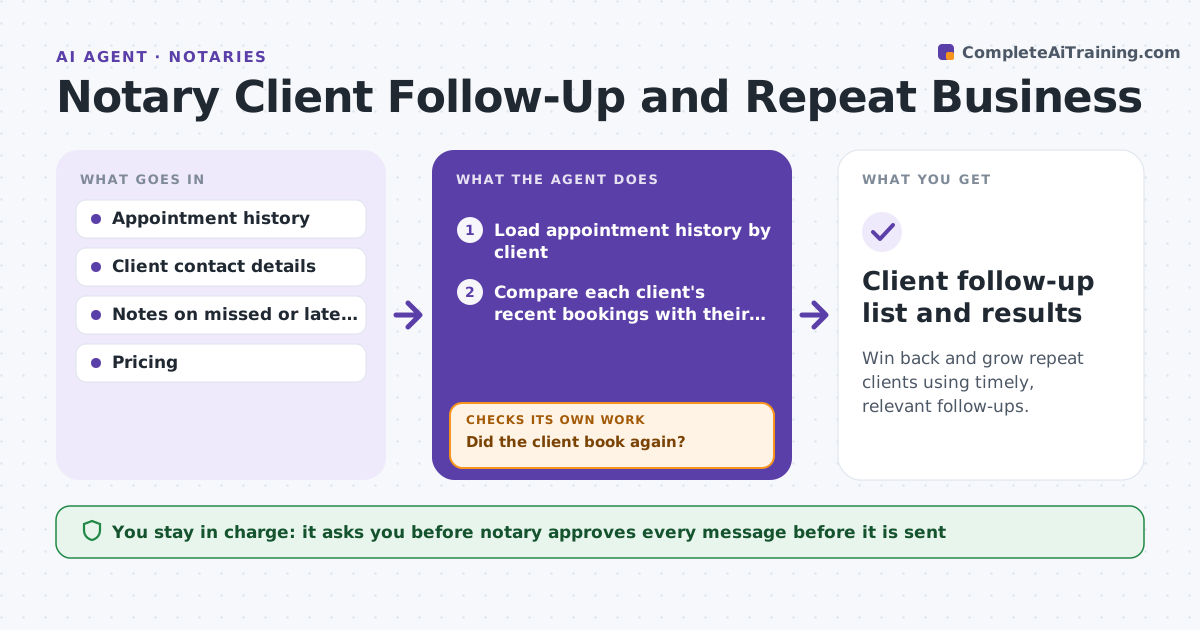
Notaries often rely on chance for repeat business and rarely follow up with title companies and law offices. The agent tracks clients by their last appointment and volume, identifies those who have stopped booking, and checks for likely reasons such as a missed call, a late arrival or a pricing complaint. It proposes a follow-up plan matched to each pattern and drafts messages. It checks the next month's bookings to see whether the follow-up worked and changes the approach if not. The notary approves each message before it is sent. Edge case: a title company that booked weekly has not booked in 5 weeks, and the last appointment was cancelled by the notary, so the message apologizes and offers priority.
How it works
Follow the arrows from top to bottom. The orange dashed arrow is the loop: when a check fails, the agent goes back and tries again.
Read the steps as a list
- Month starts
- Load appointment history by client
- Compare each client's recent bookings with their usual rate
- Find clients who slowed or stopped
- Look for a reason in notes (missed call, late, cancelled, price)
- Choose a follow-up and draft a message
- Notary approves each messageThe agent waits here for your OK.
- Send the approved messages
- Check bookings after 30 days
- Did the client book again?If not: Change the approach, such as a call instead of a message, and retry once. Back to step 5.
- Client follow-up list and results
How it decides
It flags a client as slipping when bookings fall more than 50 percent below their usual rate. It picks the follow-up by likely reason and checks results the next month.
- Bookings down more than 50 percent from the usual rate triggers follow-up
- A reason from the notes sets the message type
- Clients are contacted at most once a month
- Stop after two attempts
Make it yours
Every agent is a starting point. You choose these settings for your own situation.
- Slowdown threshold (default 50 percent)
- Maximum attempts (default 2)
- Contact frequency
- Client types included
What keeps you in control
It always asks you first
- Notary approves every message before it is sent
Hard limits
- Never sends a message without approval
- Never contacts someone who opted out
It stops when
- Done: client rebooks or two attempts made
- Stop: client asks not to be contacted
Set it up
We guide you through the set-up, step by step
Members get the full set-up guide for this agent. No technical skills needed: you copy, paste and upload.
- One set of instructions to paste into your AI, with the clicks for ChatGPT, Claude, Microsoft 365 Copilot, Gemini and Grok
- The agent then walks you through connecting your own data, one source at a time
- A downloadable copy with the flow chart, the rules and the full guide