AI agent for notaries
Notary Schedule and Route Agent
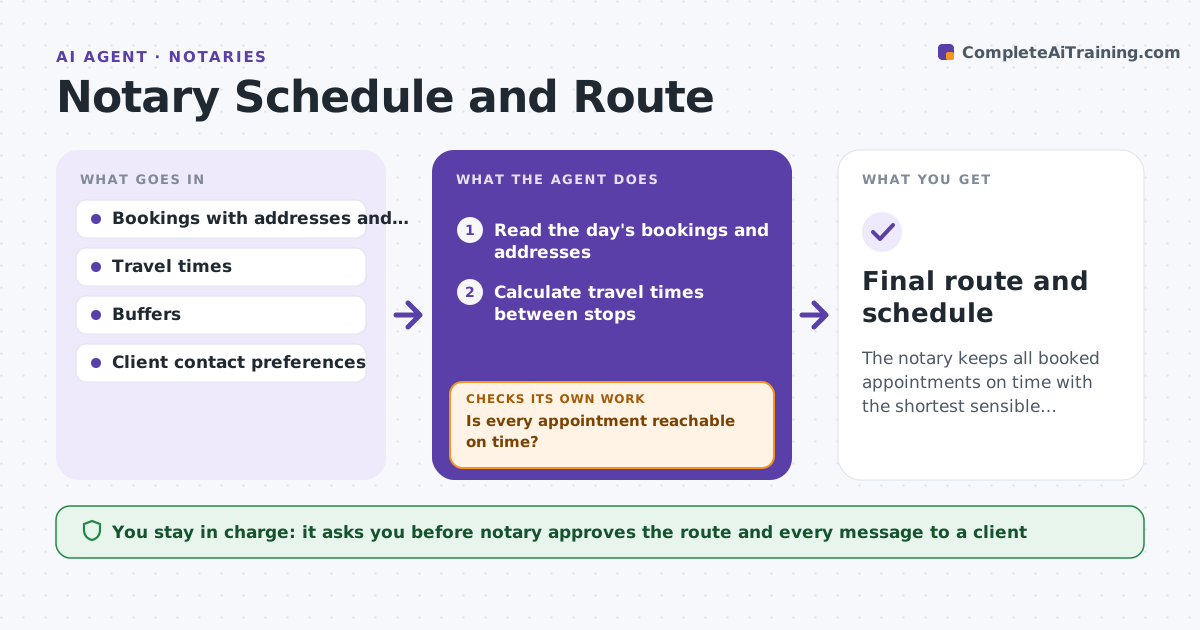
The notary keeps all booked appointments on time with the shortest sensible route.
What it does
A mobile notary's day depends on tight bookings. When appointments are far apart, one running late breaks the rest. This agent reads the day's bookings, sorts them by location and time, checks travel time and proposes a route. When a booking changes or traffic shifts, it rebuilds the route and checks that no appointment becomes unreachable. It drafts messages to clients when times move. The notary approves messages. It decides by a simple rule: keep each appointment on time with a buffer and shorten the total travel. Edge case: a client cancels a 2 pm signing and a new 1:30 pm request arrives across town, so the agent checks whether the new one fits before proposing it.
How it works
Follow the arrows from top to bottom. The orange dashed arrow is the loop: when a check fails, the agent goes back and tries again.
Read the steps as a list
- Evening before or a booking change
- Read the day's bookings and addresses
- Calculate travel times between stops
- Propose a route that keeps every time window with buffers
- Is every appointment reachable on time?If not: move the booking to another time or propose a different order. Back to step 2.
- Draft client messages for changed times
- Notary approves the route and messagesThe agent waits here for your OK.
- Recalculate after any change
- Final route and schedule
How it decides
It orders appointments by time window first, then by shortest travel, and keeps a buffer of 15 minutes. It rejects a booking if no route keeps all others on time.
- Keep a 15 minute buffer between stops
- Never move a booking without client approval
- Reject a new booking that breaks another
- Add traffic time for peak hours
Make it yours
Every agent is a starting point. You choose these settings for your own situation.
- Buffer minutes (default 15)
- Traffic hours
- Maximum daily travel
- Client message wording
- Service area
What keeps you in control
It always asks you first
- Notary approves the route and every message to a client
Hard limits
- Never message a client without approval
- Never double-book a time
It stops when
- Done: the route is fixed and all clients confirmed
- Stop: a booking cannot fit and the notary must decide
Set it up
We guide you through the set-up, step by step
Members get the full set-up guide for this agent. No technical skills needed: you copy, paste and upload.
- One set of instructions to paste into your AI, with the clicks for ChatGPT, Claude, Microsoft 365 Copilot, Gemini and Grok
- The agent then walks you through connecting your own data, one source at a time
- A downloadable copy with the flow chart, the rules and the full guide