AI agent for ux writers
Notification and Email Copy Inventory Agent
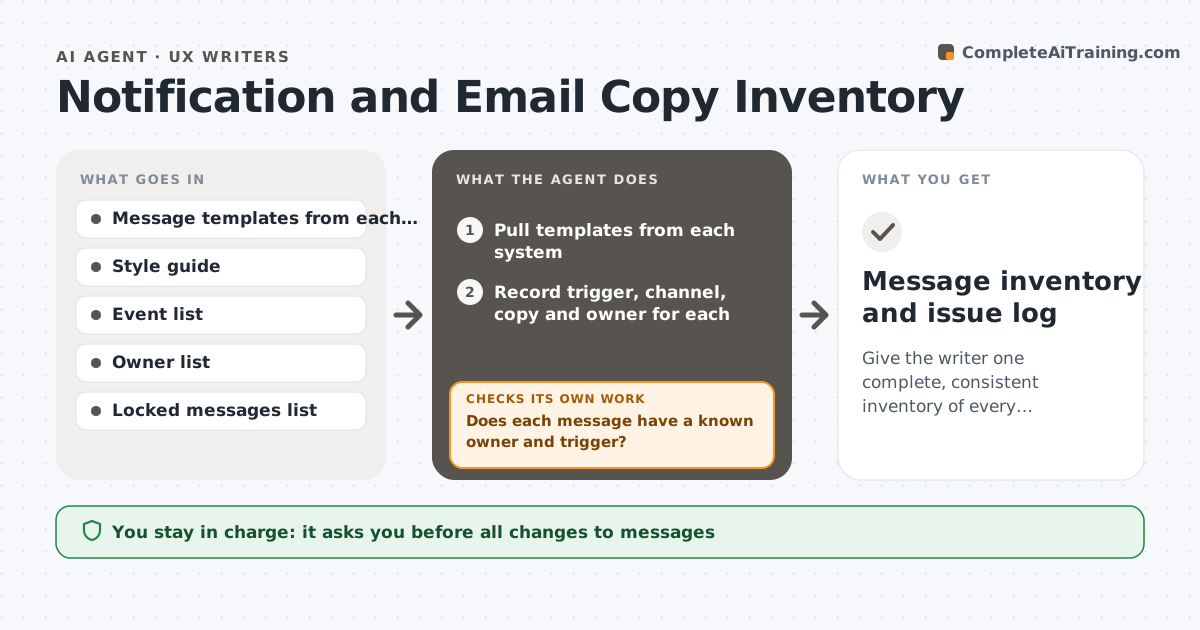
Give the writer one complete, consistent inventory of every automated message.
What it does
A product sends emails, push notifications, in-app messages and texts from several systems, and nobody has the full list. Tone and terms differ, and duplicates fire for the same event. This agent builds an inventory by pulling from each system: the trigger, channel, subject, body and owner. It checks each message against the style guide for tone and terms, and finds duplicates, conflicts and messages that send for the same event on several channels. It lists the issues with a suggested fix and the people to ask. After edits, it rereads the live messages to confirm the fixes and checks for new conflicts. It never edits a message. The writer approves changes. Edge case: a legally required message is flagged as locked.
How it works
Follow the arrows from top to bottom. The orange dashed arrow is the loop: when a check fails, the agent goes back and tries again.
Read the steps as a list
- Quarterly review or new message
- Pull templates from each system
- Record trigger, channel, copy and owner for each
- Check tone, terms and length against the style guide
- Find duplicates and overlapping events across channels
- Does each message have a known owner and trigger?If not: list the unknowns and ask the system owners. Back to step 2.
- Propose fixes and merges
- Writer approves the changesThe agent waits here for your OK.
- Reread the live templates after edits
- Are the fixes live with no new conflicts?If not: list what remains and new conflicts. Back to step 4.
- Message inventory and issue log
How it decides
It marks a message as conflicting when it breaks a style rule or another message covers the same event and audience. It keeps locked messages as they are.
- Flag two messages firing for the same event within 10 minutes
- Flag any message with a term from the banned list
- Mark legally required messages as locked
- Treat a message with no owner as an open item
Make it yours
Every agent is a starting point. You choose these settings for your own situation.
- Systems included
- Duplicate window (default 10 minutes)
- Banned terms
- Locked messages list
- Review schedule
What keeps you in control
It always asks you first
- All changes to messages
- Any merging or retiring of messages
Hard limits
- Never edit or turn off a message
- Never change a locked legal message
It stops when
- Done: inventory complete and issues resolved
- Stop: system access is not available
Set it up
We guide you through the set-up, step by step
Members get the full set-up guide for this agent. No technical skills needed: you copy, paste and upload.
- One set of instructions to paste into your AI, with the clicks for ChatGPT, Claude, Microsoft 365 Copilot, Gemini and Grok
- The agent then walks you through connecting your own data, one source at a time
- A downloadable copy with the flow chart, the rules and the full guide