AI agent for plant managers
Odor and Noise Complaint Investigation Agent
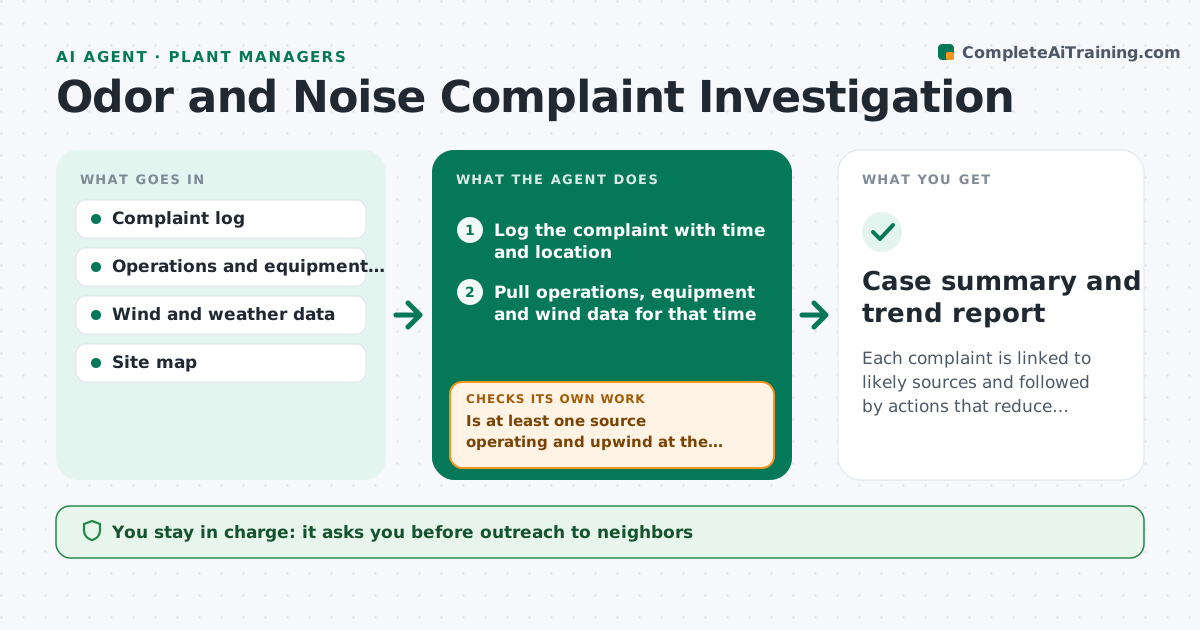
Each complaint is linked to likely sources and followed by actions that reduce repeat complaints
What it does
Neighbors complain about odor or noise, and the facility often answers without checking what was running or which way the wind blew. This agent logs each complaint with its time and location. It matches the report to operations records, wind speed and direction, and equipment status, so the facility can see which sources were upwind. It tests likely causes in order and proposes actions, such as changing a process step or a vent. After a change, it watches for new complaints and checks whether they continue. The manager approves any outreach to neighbors. Edge case: three complaints arrive from the east while the wind blew from the west, so the agent looks for a source other than the plant.
How it works
Follow the arrows from top to bottom. The orange dashed arrow is the loop: when a check fails, the agent goes back and tries again.
Read the steps as a list
- Complaint received
- Log the complaint with time and location
- Pull operations, equipment and wind data for that time
- Identify upwind sources and what they were doing
- Is at least one source operating and upwind at the time?If not: widen the time window and look for other sources. Back to step 3.
- Rank likely sources and propose actions
- Manager approves actions and any neighbor outreachThe agent waits here for your OK.
- Track new complaints after each change
- Have complaints stopped or dropped for the area?If not: test the next likely source and revise actions. Back to step 5.
- Update the case record
- Case summary and trend report
How it decides
A source is likely when it was operating, upwind of the complainant and consistent with the described odor or noise.
- Treat a source as upwind within 45 degrees of the wind direction
- Widen the time window by 2 hours when no source matches
- Group complaints within 1 km and 24 hours into one case
- Escalate after 3 complaints in a week
Make it yours
Every agent is a starting point. You choose these settings for your own situation.
- Upwind angle (default 45 degrees)
- Time window for matching
- Complaint grouping rules
- Escalation count
What keeps you in control
It always asks you first
- Outreach to neighbors
- Process changes
Hard limits
- Never contacts neighbors
- Never states a cause as certain
It stops when
- Done: complaints resolved or no repeat for 30 days
- Stop: no operations data available
Set it up
We guide you through the set-up, step by step
Members get the full set-up guide for this agent. No technical skills needed: you copy, paste and upload.
- One set of instructions to paste into your AI, with the clicks for ChatGPT, Claude, Microsoft 365 Copilot, Gemini and Grok
- The agent then walks you through connecting your own data, one source at a time
- A downloadable copy with the flow chart, the rules and the full guide