AI agent for compensation analysts
Offer Compa-Ratio Pre-Check Agent
Make every offer fit the band and internal peers before it goes to the candidate
What it does
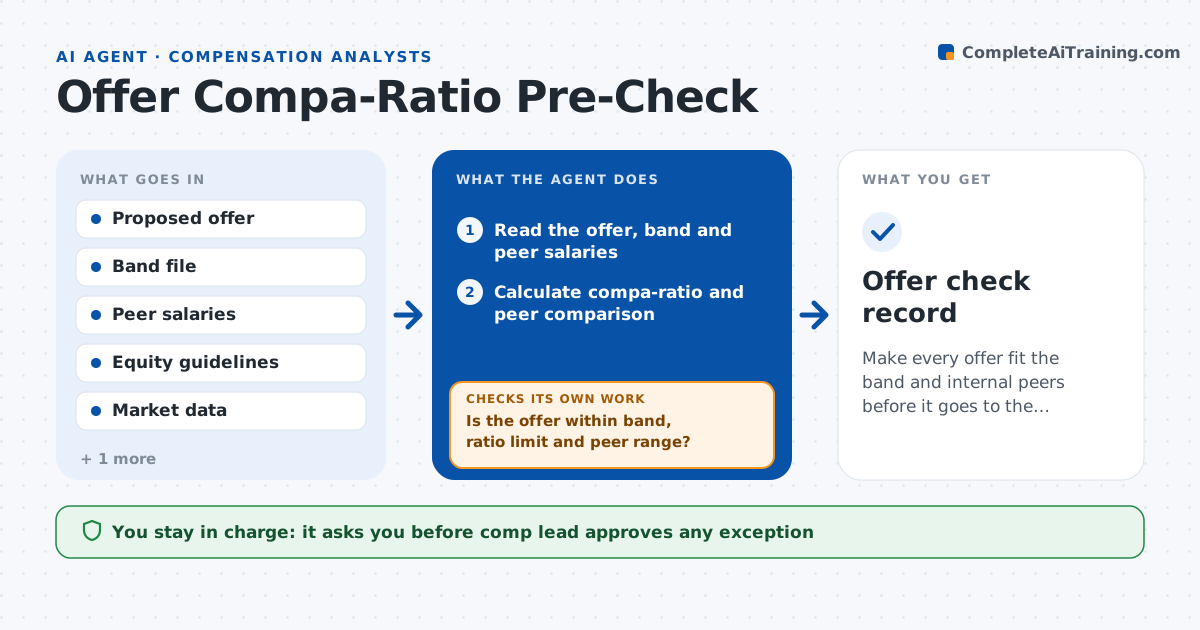
A hiring manager wants to offer $140,000 for a role with a band maximum of $130,000 and two current employees paid $122,000. This agent reads each proposed offer and calculates the compa-ratio against the band midpoint. It compares the offer with peers in the same role and level, checking for internal equity problems. It also checks the effect on equity grants and sign-on terms. It flags outliers above the band or more than 10 percent above peers. When an offer is out of range, it proposes an alternative, such as a lower base with a sign-on, and rechecks the new numbers against the same rules. It repeats until the offer passes or goes for an exception. The comp lead approves exceptions. Edge case: a role with fewer than 3 peers uses the market data instead.
How it works
Follow the arrows from top to bottom. The orange dashed arrow is the loop: when a check fails, the agent goes back and tries again.
Read the steps as a list
- Offer submitted for review
- Read the offer, band and peer salaries
- Calculate compa-ratio and peer comparison
- Check equity and sign-on effects
- Is the offer within band, ratio limit and peer range?If not: Propose an alternative mix of base and sign-on. Back to step 3.
- Recompute the alternative offer
- Does the alternative pass all checks?If not: Prepare an exception request with reasons for the comp lead. Back to step 6.
- Comp lead approves exceptionsThe agent waits here for your OK.
- Return the cleared offer to the hiring manager
- Offer check record
How it decides
It flags an offer when compa-ratio is over 1.15 or the base is above the band maximum or more than 10 percent over peers.
- Flag an offer above the band maximum
- Flag a compa-ratio over 1.15
- Flag a base more than 10 percent above peers
- Use market data when fewer than 3 peers exist
Make it yours
Every agent is a starting point. You choose these settings for your own situation.
- Compa-ratio limit (default 1.15)
- Peer variance limit (default 10 percent)
- Peer group definition (default same role and level)
- Sign-on guidelines (default company policy)
What keeps you in control
It always asks you first
- Comp lead approves any exception
Hard limits
- Never extend an offer or contact a candidate
- Never reveal other employees' pay to the manager in detail
- Document every exception
It stops when
- Done: Cleared offer returned to the hiring manager
- Stop: Exception is denied, so return the offer for a lower amount
Set it up
We guide you through the set-up, step by step
Members get the full set-up guide for this agent. No technical skills needed: you copy, paste and upload.
- One set of instructions to paste into your AI, with the clicks for ChatGPT, Claude, Microsoft 365 Copilot, Gemini and Grok
- The agent then walks you through connecting your own data, one source at a time
- A downloadable copy with the flow chart, the rules and the full guide