AI agent for office managers
Office Supply Reorder Agent
Supplies never run out and orders stay on budget
What it does
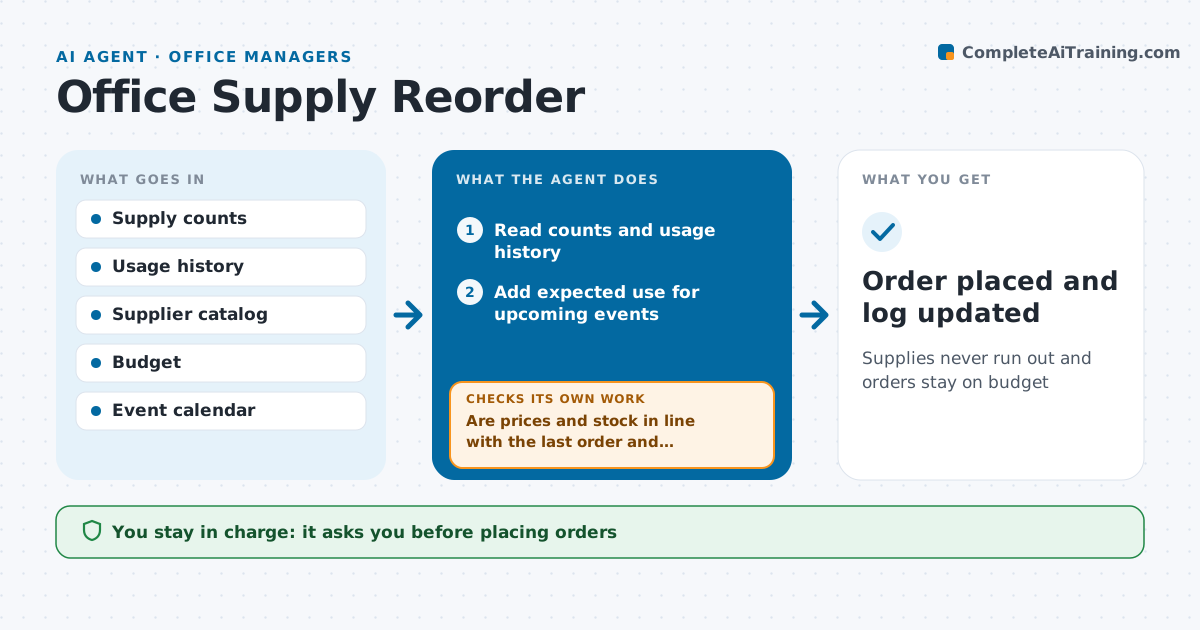
Running out of coffee or printer paper is a small thing that annoys a whole office, and ordering by memory leads to waste. Each week this agent reads the supply count, either from a quick count the receptionist enters or from a shelf log, and compares it with average use. It works out what will run out before the next order and drafts an order with the preferred supplier. It checks prices against the last order and the budget. If a price jumped or an item is out of stock, it finds an alternative from approved suppliers and updates the draft. Orders over the spending limit or with new items go to the office manager. The receptionist approves every order. Edge case: before a big event, it adds the expected extra use.
How it works
Follow the arrows from top to bottom. The orange dashed arrow is the loop: when a check fails, the agent goes back and tries again.
Read the steps as a list
- Weekly supply check
- Read counts and usage history
- Add expected use for upcoming events
- Find items that will run out before the next order
- Draft an order with the preferred supplier
- Are prices and stock in line with the last order and budget?If not: find an alternative from approved suppliers and redraft. Back to step 5.
- Is the order under the spending limit with no new items?If not: route the order to the office manager. Back to step 6.
- Receptionist approves; manager approves over the limitThe agent waits here for your OK.
- Order placed and log updated
How it decides
It orders enough to cover use until the next order plus a buffer, at the lowest acceptable price.
- Buffer of one week's use
- Price rises over 15% trigger a search for alternatives
- New items need manager approval
Make it yours
Every agent is a starting point. You choose these settings for your own situation.
- Buffer length
- Spending limit
- Approved suppliers
- Check day
What keeps you in control
It always asks you first
- Placing orders
- Orders over limit
Hard limits
- Only uses approved suppliers
- Never pays without approval
It stops when
- Done: order placed
- Stop: budget for the month used up
Set it up
We guide you through the set-up, step by step
Members get the full set-up guide for this agent. No technical skills needed: you copy, paste and upload.
- One set of instructions to paste into your AI, with the clicks for ChatGPT, Claude, Microsoft 365 Copilot, Gemini and Grok
- The agent then walks you through connecting your own data, one source at a time
- A downloadable copy with the flow chart, the rules and the full guide