AI agent for ux writers
Onboarding Flow Copy Test Agent
Improve onboarding completion with copy changes that are tested and either kept or reverted.
What it does
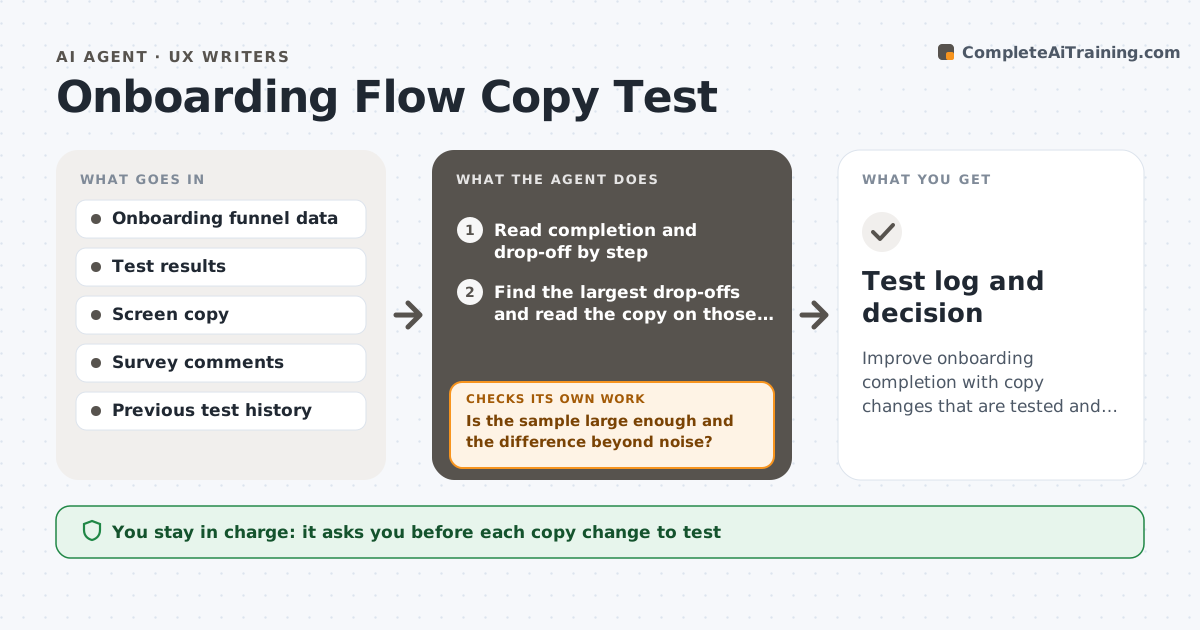
Onboarding copy is written once and rarely tested, even though most people leave there. This agent reads onboarding analytics and test results by step: views, completion, drop-off and any survey comments. It links the biggest drop-offs to the specific copy on each screen, such as a headline, a button or an explanation, and proposes copy changes with a reason. After the writer approves and the test runs, it reads the next results, compares the variant with the control and decides whether the change helped. If it did not, it recommends reverting to the earlier version or trying a different proposal. It never publishes a change. The writer approves each change. Edge case: a result with too few users is reported as inconclusive, not as a win.
How it works
Follow the arrows from top to bottom. The orange dashed arrow is the loop: when a check fails, the agent goes back and tries again.
Read the steps as a list
- New funnel or test data
- Read completion and drop-off by step
- Find the largest drop-offs and read the copy on those screens
- Link survey comments to specific copy
- Propose copy changes with the reason for each
- Writer approves the changes to testThe agent waits here for your OK.
- Read the next results for variant and control
- Is the sample large enough and the difference beyond noise?If not: report inconclusive and keep collecting data. Back to step 7.
- Did the variant improve completion?If not: recommend reverting and propose a different change. Back to step 4.
- Writer approves keeping or reverting the changeThe agent waits here for your OK.
- Test log and decision
How it decides
It judges a change by the difference in completion between variant and control, and counts it only when the sample is large enough and the difference is beyond the noise.
- Call a result only with at least 1,000 users per variant
- Treat a difference under 2 points as noise unless it repeats
- Revert when the variant is worse than control by 1 point or more
- Test one change per screen at a time
Make it yours
Every agent is a starting point. You choose these settings for your own situation.
- Minimum users per variant (default 1,000)
- Noise threshold (default 2 points)
- Metrics tracked
- Test length
- Survey sources
What keeps you in control
It always asks you first
- Each copy change to test
- Keeping or reverting
Hard limits
- Never publish copy changes
- Never call a result with too few users
It stops when
- Done: change kept or reverted with a documented result
- Stop: not enough traffic to test
Set it up
We guide you through the set-up, step by step
Members get the full set-up guide for this agent. No technical skills needed: you copy, paste and upload.
- One set of instructions to paste into your AI, with the clicks for ChatGPT, Claude, Microsoft 365 Copilot, Gemini and Grok
- The agent then walks you through connecting your own data, one source at a time
- A downloadable copy with the flow chart, the rules and the full guide