AI agent for real estate agents
Open House Follow-up Agent
Follow up every open house visitor and give sellers useful feedback
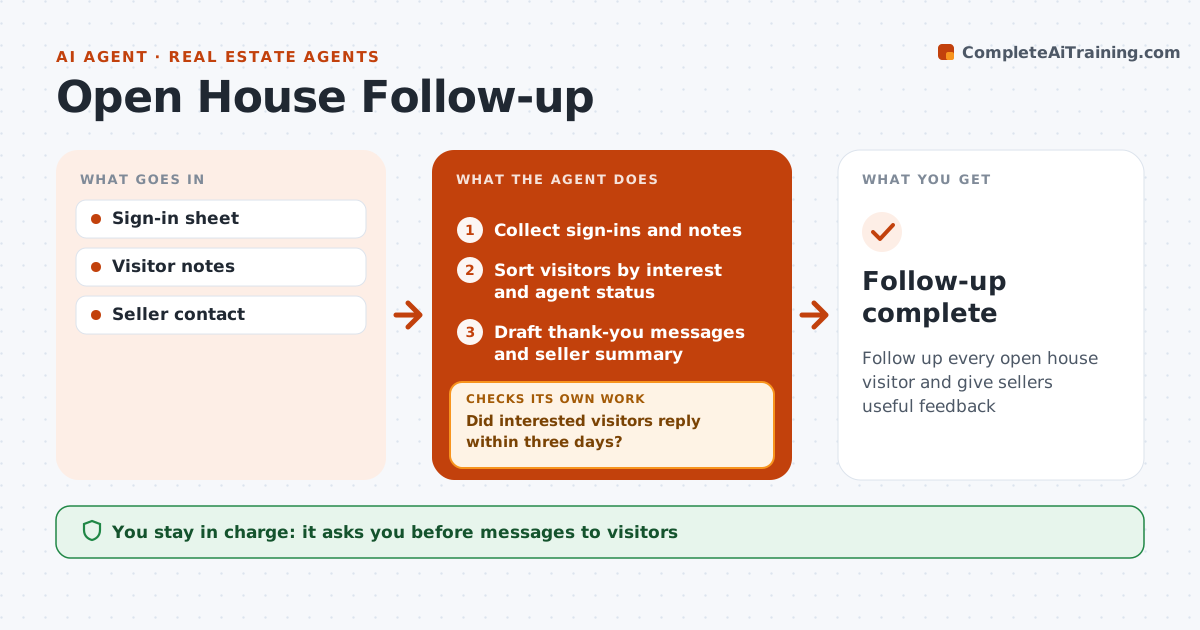
What it does
Open houses produce visitors, feedback and potential buyers, but follow-up often slips once the weekend ends. After each open house, this agent collects sign-in data and notes and sorts visitors by interest and whether they already have an agent. Visitors with their own agent get a simple thank-you only. For others, it drafts a thank-you tailored to what they said, and interested buyers get an offer of a private showing. It also gathers comments on price and condition into a summary for the seller. The real estate agent approves every visitor message and the seller summary. Three days later, the agent checks who has not replied and sends one more follow-up, then stops. Edge case: visitors who did not give consent are not added to any email list, even if they left an address on the sheet.
How it works
Follow the arrows from top to bottom. The orange dashed arrow is the loop: when a check fails, the agent goes back and tries again.
Read the steps as a list
- Open house ends
- Collect sign-ins and notes
- Sort visitors by interest and agent status
- Draft thank-you messages and seller summary
- Agent approves messagesThe agent waits here for your OK.
- Did interested visitors reply within three days?If not: send one more message. Back to step 4.
- Follow-up complete
How it decides
Interested visitors get a showing offer. Visitors with an agent get a thank-you only.
- Visitors with an agent get a thank-you only
- One extra follow-up at three days
- Consent required for email lists
Make it yours
Every agent is a starting point. You choose these settings for your own situation.
- Follow-up timing
- Message tone
- Seller summary format
What keeps you in control
It always asks you first
- Messages to visitors
- Seller summary
Hard limits
- Never contacts visitors with an agent beyond a thank-you
- Never shares visitor data with the seller
It stops when
- Done: follow-ups sent
- Stop: listing withdrawn
Set it up
We guide you through the set-up, step by step
Members get the full set-up guide for this agent. No technical skills needed: you copy, paste and upload.
- One set of instructions to paste into your AI, with the clicks for ChatGPT, Claude, Microsoft 365 Copilot, Gemini and Grok
- The agent then walks you through connecting your own data, one source at a time
- A downloadable copy with the flow chart, the rules and the full guide