AI agent for music producers
Song Arrangement Energy Map Agent
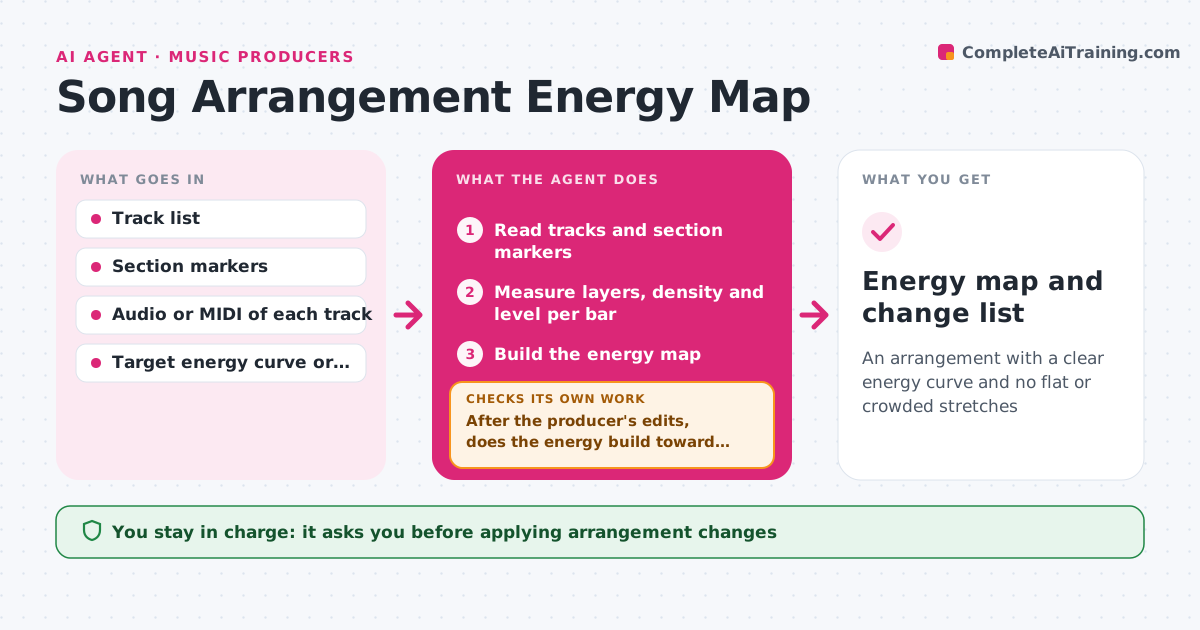
An arrangement with a clear energy curve and no flat or crowded stretches
What it does
Songs lose energy in the middle or repeat sections without change, and it is hard to see why. This agent reads the track list and section markers and builds a map of layers, density and dynamics per bar. It flags flat stretches, where nothing changes for 16 bars, and crowded stretches, where too many parts compete. It proposes arrangement changes such as dropouts, fills, a thinned verse or a new layer in the second chorus. After the producer edits, it remaps and checks that the new energy curve builds toward the end. It also checks that a fix in one section did not flatten another. The producer approves the final arrangement. Edge case: a drone-based track is checked against its own style, not a pop curve.
How it works
Follow the arrows from top to bottom. The orange dashed arrow is the loop: when a check fails, the agent goes back and tries again.
Read the steps as a list
- Rough arrangement finished
- Read tracks and section markers
- Measure layers, density and level per bar
- Build the energy map
- Flag flat and crowded stretches
- Propose changes such as dropouts, fills or new layers
- After the producer's edits, does the energy build toward the end?If not: remap and propose different changes. Back to step 3.
- Did the changes leave any other section flat or crowded?If not: propose a smaller change for that section. Back to step 3.
- Producer approves the final arrangementThe agent waits here for your OK.
- Energy map and change list
How it decides
A stretch is flat when layer count and level stay the same for more than 16 bars. It is crowded when more than the target number of parts share one frequency range.
- Flag 16 bars with no change in layers
- Flag 5 or more parts in one frequency range
- Check that the last chorus is at least as dense as the first
- Judge by the track's own style
Make it yours
Every agent is a starting point. You choose these settings for your own situation.
- Flat stretch length (default 16 bars)
- Crowding limit
- Style reference
- Sections to map
What keeps you in control
It always asks you first
- Applying arrangement changes
- Final arrangement
Hard limits
- Never edits the session
- Never decides what the song should feel like
It stops when
- Done: map clean and the producer approved
- Stop: stems or markers are missing
Set it up
We guide you through the set-up, step by step
Members get the full set-up guide for this agent. No technical skills needed: you copy, paste and upload.
- One set of instructions to paste into your AI, with the clicks for ChatGPT, Claude, Microsoft 365 Copilot, Gemini and Grok
- The agent then walks you through connecting your own data, one source at a time
- A downloadable copy with the flow chart, the rules and the full guide