AI agent for academic advisors
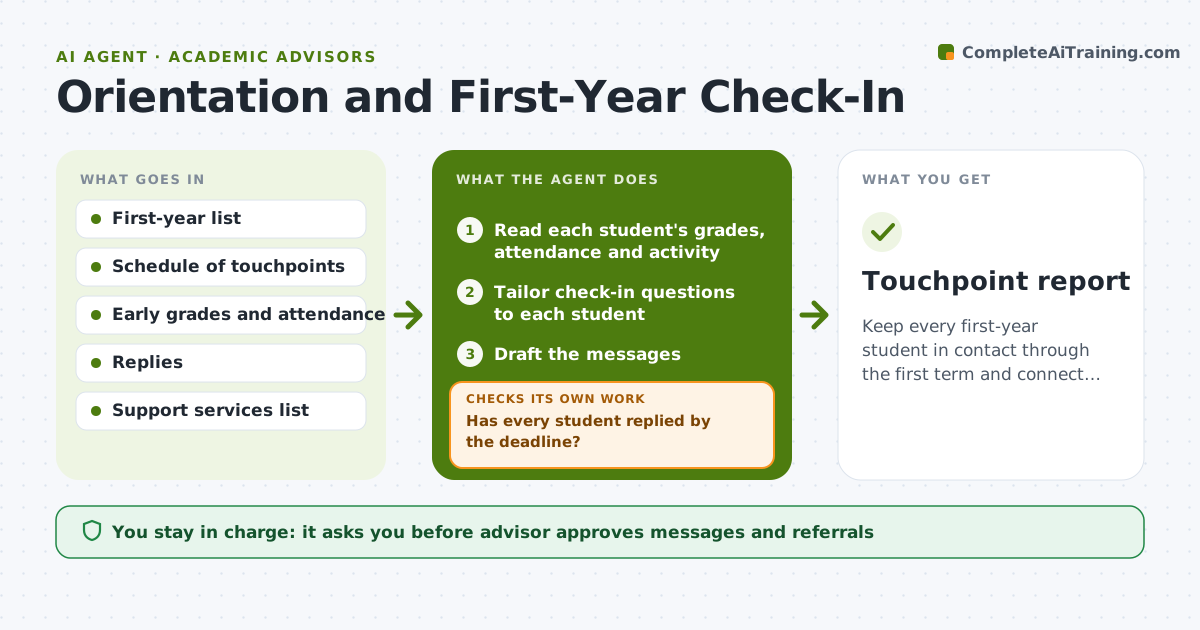
Orientation and First-Year Check-In Agent
Keep every first-year student in contact through the first term and connect struggling ones to support.
What it does
First-year students are told to book an advising meeting, and by week eight a third have not been seen and have not been noticed. This agent schedules touchpoints through the first term, such as the first week, week four, midterms and registration. For each touchpoint it reads the student's early grades, attendance and activity, tailors short check-in questions and drafts the message. When a reply comes in, it summarizes it and sorts the student into on track, needs a nudge or needs a person. For the third group it proposes a referral, such as tutoring or counseling, and a meeting slot. It checks that every student has had each touchpoint by its deadline and chases those who have not. The advisor approves messages and referrals. Edge case: a reply mentions a mental health concern, so the agent flags it to the advisor at once.
How it works
Follow the arrows from top to bottom. The orange dashed arrow is the loop: when a check fails, the agent goes back and tries again.
Read the steps as a list
- Touchpoint date arrives
- Read each student's grades, attendance and activity
- Tailor check-in questions to each student
- Draft the messages
- Advisor approves the messagesThe agent waits here for your OK.
- Send the messages and collect replies
- Summarize replies and sort the students
- Has every student replied by the deadline?If not: send a reminder and, after two, flag them for a personal call. Back to step 6.
- Propose referrals and meeting slots for students who need help
- Advisor approves referralsThe agent waits here for your OK.
- Touchpoint report
How it decides
It sorts students by replies and signals. A student needs a person when they mention a problem, miss two check-ins or show failing grades or absences.
- Send check-ins in weeks 1, 4, 8 and before registration
- Mark a student as needing a person after two missed check-ins
- Flag any mention of crisis or safety to the advisor at once
- Match referrals to the issue stated
Make it yours
Every agent is a starting point. You choose these settings for your own situation.
- Touchpoint weeks
- Check-in questions
- Reply deadline (default 5 days)
- Support services list
- Message tone
What keeps you in control
It always asks you first
- Advisor approves messages and referrals
Hard limits
- Never send a message or referral without advisor approval
- Never handle a crisis alone, always hand to a person
It stops when
- Done: all students have completed the touchpoint or have a plan
- Stop: a safety concern appears, which is handed to the advisor
Set it up
We guide you through the set-up, step by step
Members get the full set-up guide for this agent. No technical skills needed: you copy, paste and upload.
- One set of instructions to paste into your AI, with the clicks for ChatGPT, Claude, Microsoft 365 Copilot, Gemini and Grok
- The agent then walks you through connecting your own data, one source at a time
- A downloadable copy with the flow chart, the rules and the full guide