AI agent for embedded systems engineers
OTA Update Safety Check Agent
Prove an update recovers safely from every failure mode before it reaches the field
What it does
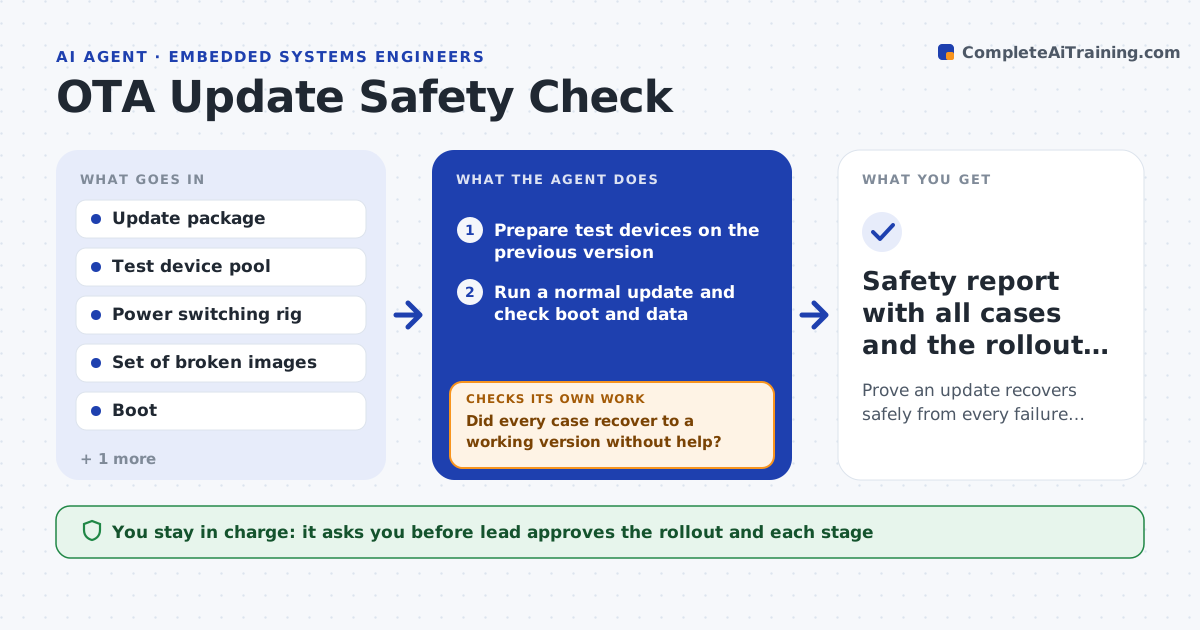
One bad over-the-air update can leave thousands of devices stuck. Before a release, this agent runs the update on a pool of test devices and breaks it on purpose. It cuts power at several points during download, writing and reboot. It sends corrupted and truncated images, an image signed with the wrong key and one for the wrong hardware version. It tries a rollback from the new version to the old. After each run it checks that the device boots to a working version and that stored data is intact, and it lists every failure. When a fix is made it reruns the whole matrix. The lead approves the rollout and each stage. Edge case: a device recovers only after a second reboot, so the agent counts it as a failure.
How it works
Follow the arrows from top to bottom. The orange dashed arrow is the loop: when a check fails, the agent goes back and tries again.
Read the steps as a list
- Release candidate update package ready
- Prepare test devices on the previous version
- Run a normal update and check boot and data
- Cut power at set points during download, write and reboot
- Send corrupt, truncated, wrong-key and wrong-hardware images
- Test rollback to the previous version
- Record boot result, data check and recovery time for each case
- Did every case recover to a working version without help?If not: list failures for the developer, wait for a fix, and rerun the entire matrix. Back to step 4.
- Lead approves the staged rollout planThe agent waits here for your OK.
- Safety report with all cases and the rollout plan
How it decides
It marks a case as failed unless the device returns to a working version on its own with data intact within the allowed time.
- Count a case as failed if manual intervention is needed
- Count a case as failed if recovery takes over 3 reboots
- Require every power-cut point to be tested at least 3 times
- Block release if stored settings change after a failed update
Make it yours
Every agent is a starting point. You choose these settings for your own situation.
- Failure cases in the matrix
- Number of test devices (default 6)
- Repeats per power-cut point (default 3)
- Maximum reboots allowed (default 3)
- Rollout stage sizes
What keeps you in control
It always asks you first
- Lead approves the rollout and each stage
- Lead approves any exception for a known failure
Hard limits
- Never push test images to field devices
- Never skip the rollback test
It stops when
- Done: all cases pass and the rollout plan is approved
- Stop: a case bricks a device and no fix is ready
Set it up
We guide you through the set-up, step by step
Members get the full set-up guide for this agent. No technical skills needed: you copy, paste and upload.
- One set of instructions to paste into your AI, with the clicks for ChatGPT, Claude, Microsoft 365 Copilot, Gemini and Grok
- The agent then walks you through connecting your own data, one source at a time
- A downloadable copy with the flow chart, the rules and the full guide