AI agent for preschool teachers
Outdoor Play Safety and Weather Agent
Make a documented, rule-based outdoor decision every day and keep families informed
What it does
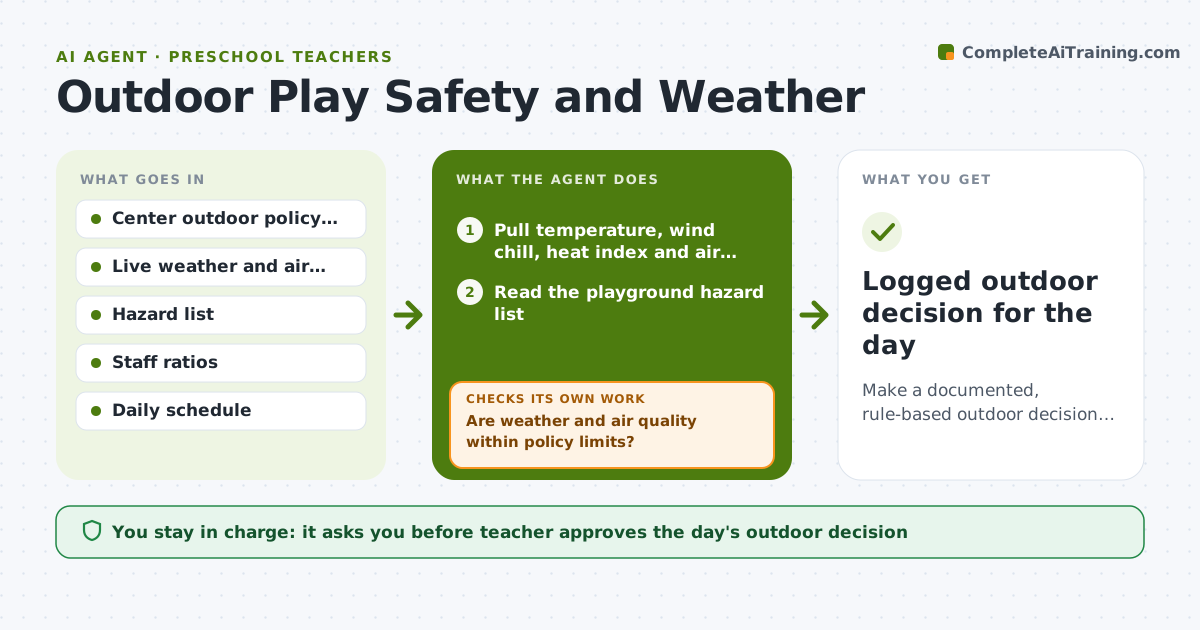
Every morning the teacher has to decide whether outdoor play is safe. This agent pulls the day's temperature, wind chill, heat index and air quality for the center's location and checks them against the center's written outdoor rules. It also reads the playground hazard list, such as wet equipment or broken items, and checks staff ratios for the outdoor group. If any check fails, it replaces the plan with a shorter outdoor block or an indoor active plan and checks again. It repeats at midday if conditions change. The teacher approves the day's outdoor decision and any parent notice. Edge case: if air quality is fine but a hazard on the climber is open, it keeps outdoor play but closes that area.
How it works
Follow the arrows from top to bottom. The orange dashed arrow is the loop: when a check fails, the agent goes back and tries again.
Read the steps as a list
- School morning begins
- Pull temperature, wind chill, heat index and air quality
- Read the playground hazard list
- Are weather and air quality within policy limits?If not: Refresh readings; if still out of range, shorten or move play indoors. Back to step 2.
- Check staff ratio for the outdoor group
- Are ratio and hazards acceptable for the planned area?If not: Close the hazard area or reduce the group size and recheck. Back to step 3.
- Draft the day's outdoor plan and any parent notice
- Teacher approves the decision and noticeThe agent waits here for your OK.
- Recheck conditions at midday and revise if needed
- Logged outdoor decision for the day
How it decides
It compares each reading with the policy thresholds. Any reading outside range triggers a shorter or indoor plan, and it recomputes after the plan changes.
- Move indoors when the heat index or wind chill passes the center's limit
- Move indoors when air quality passes the policy limit for sensitive groups
- Close any play area on the hazard list
- Cap the outdoor group when the ratio falls below the licensing minimum
Make it yours
Every agent is a starting point. You choose these settings for your own situation.
- Temperature and heat limits (default the center's policy)
- Air quality limit (default sensitive-group threshold)
- Midday recheck time (default 11:30)
- Parent notice wording (default short and friendly)
What keeps you in control
It always asks you first
- Teacher approves the day's outdoor decision
- Teacher approves any parent notice
Hard limits
- Never override the center's written limits
- Never send a notice without teacher approval
- Always default to the safer option when data is missing
It stops when
- Done: Day's decision logged and approved
- Stop: Severe weather alert, so stop and follow the emergency plan
Set it up
We guide you through the set-up, step by step
Members get the full set-up guide for this agent. No technical skills needed: you copy, paste and upload.
- One set of instructions to paste into your AI, with the clicks for ChatGPT, Claude, Microsoft 365 Copilot, Gemini and Grok
- The agent then walks you through connecting your own data, one source at a time
- A downloadable copy with the flow chart, the rules and the full guide