AI agent for sales development representatives
Outreach Metrics Improvement Agent
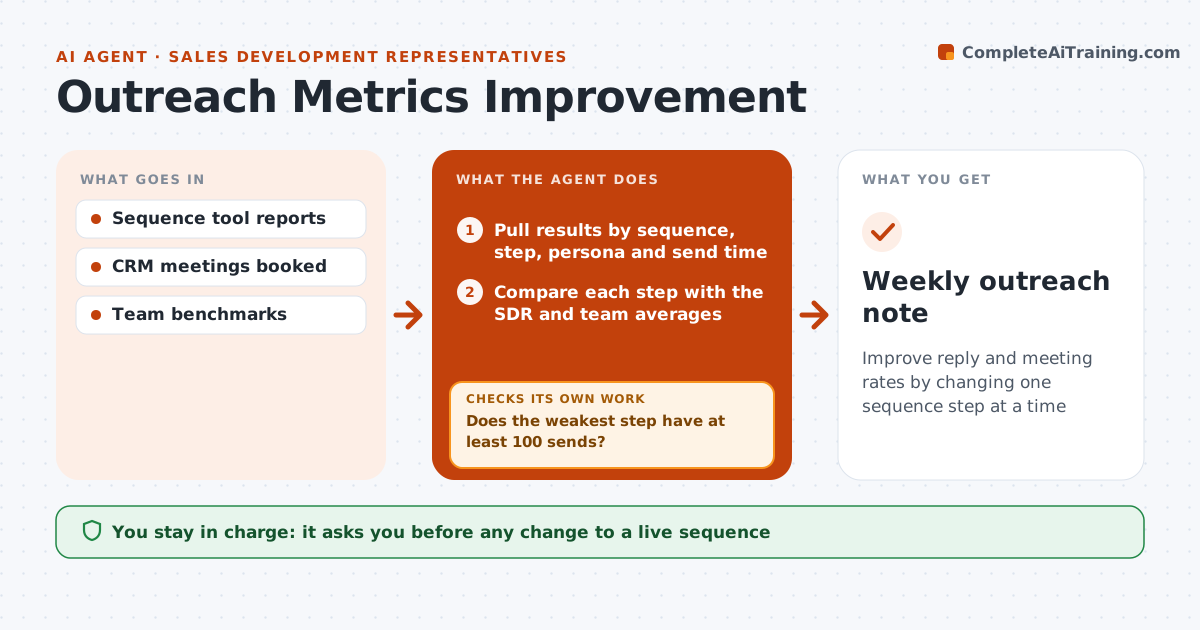
Improve reply and meeting rates by changing one sequence step at a time
What it does
SDRs are measured on meetings booked, but sequence reports show only totals, so it is hard to know what to fix. Every Monday this agent breaks results down by sequence, step, subject line, persona and send time. It finds the step with the biggest gap to the team average that has at least 100 sends, since smaller samples are not judged. It drafts one change for that step, such as a new subject line or moving a call earlier, and sets up the test version. Only one change runs per sequence at a time. The SDR approves the change to the live sequence. After at least 100 sends on the new version, it checks whether it beat the old one; if not, it reverts and picks the next weakest step. Edge case: steps with under 100 sends are not judged.
How it works
Follow the arrows from top to bottom. The orange dashed arrow is the loop: when a check fails, the agent goes back and tries again.
Read the steps as a list
- Monday metrics review
- Pull results by sequence, step, persona and send time
- Compare each step with the SDR and team averages
- Does the weakest step have at least 100 sends?If not: skip it and pick the next weakest step. Back to step 3.
- Draft one change and set up the test version
- SDR approves the change to the live sequenceThe agent waits here for your OK.
- Did the new version beat the old one over at least 100 sends?If not: revert the change and pick the next weakest step. Back to step 3.
- Weekly outreach note
How it decides
It picks the step with the biggest gap to the team average that has at least 100 sends, and keeps a change only if it beats the old version over at least 100 sends.
- Judge only steps with 100 or more sends
- One change at a time per sequence
- Revert changes that do not beat the old version
Make it yours
Every agent is a starting point. You choose these settings for your own situation.
- Minimum sends to judge (default 100)
- Metric to optimize (reply or meeting rate)
- Review day
- Sequences in scope
What keeps you in control
It always asks you first
- Any change to a live sequence
Hard limits
- Never edits live sequences without approval
- Never runs more than one test per sequence
It stops when
- Done: change kept or reverted
- Stop: fewer than 100 sends in the week
Set it up
We guide you through the set-up, step by step
Members get the full set-up guide for this agent. No technical skills needed: you copy, paste and upload.
- One set of instructions to paste into your AI, with the clicks for ChatGPT, Claude, Microsoft 365 Copilot, Gemini and Grok
- The agent then walks you through connecting your own data, one source at a time
- A downloadable copy with the flow chart, the rules and the full guide