AI agent for legal operations managers
Outside Counsel Rate Increase Review Agent
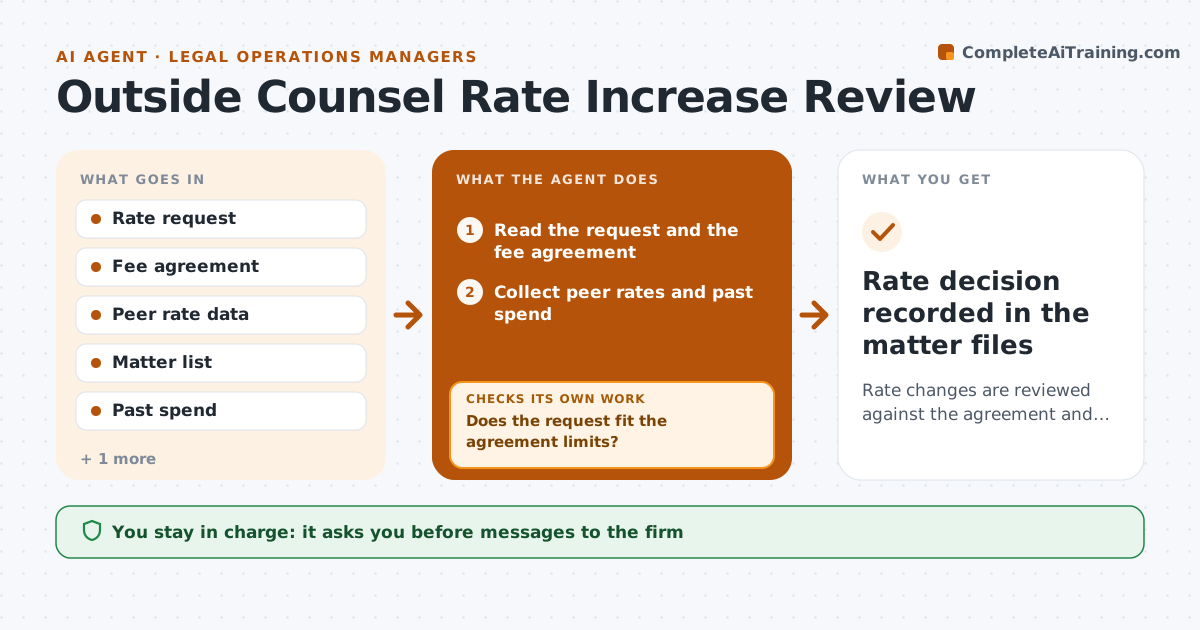
Rate changes are reviewed against the agreement and handled with a clear counter position
What it does
Law firms raise rates and add timekeepers to matters, often without anyone reviewing the change. This agent compares each requested rate with the agreement, peer rates and past spend. It finds the open matters affected and calculates the cost of accepting the request. It then prepares a counter position, such as a smaller increase, a delayed date or a cap. After the firm replies, it rechecks the new terms against the agreement and the budget. The manager approves any message to the firm. Edge case: the firm asks for a raise on a promoted lawyer, so the agent tests it against the agreed rate table, not the general increase.
How it works
Follow the arrows from top to bottom. The orange dashed arrow is the loop: when a check fails, the agent goes back and tries again.
Read the steps as a list
- A firm sends a rate or staffing request
- Read the request and the fee agreement
- Collect peer rates and past spend
- Calculate the cost impact on open matters
- Does the request fit the agreement limits?If not: mark the clauses that are breached and prepare a counter position. Back to step 2.
- Draft the counter and the reasons
- Manager approves the message to the firmThe agent waits here for your OK.
- Read the firm's reply
- Does the new offer meet the agreed limit and budget?If not: recalculate the impact and draft the next counter. Back to step 4.
- Rate decision recorded in the matter files
How it decides
A request is accepted without question only if it fits the agreement. Otherwise a counter is built from the contract limit, peer rate and impact on open matters.
- Accept increases within the contract cap
- Counter at the peer median for the same seniority
- Flag matters where the impact exceeds 5 percent of budget
- Never apply a new rate before it is approved
Make it yours
Every agent is a starting point. You choose these settings for your own situation.
- Cap and peer sources
- Budget impact threshold (default 5 percent)
- Firms covered
- Counter position style
What keeps you in control
It always asks you first
- Messages to the firm
- Rate approval
Hard limits
- Never send a message to a firm
- Never agree to a rate
It stops when
- Done: rates agreed and recorded
- Stop: the agreement has expired
Set it up
We guide you through the set-up, step by step
Members get the full set-up guide for this agent. No technical skills needed: you copy, paste and upload.
- One set of instructions to paste into your AI, with the clicks for ChatGPT, Claude, Microsoft 365 Copilot, Gemini and Grok
- The agent then walks you through connecting your own data, one source at a time
- A downloadable copy with the flow chart, the rules and the full guide