AI agent for librarians
Overdue and Lost Item Recovery Agent
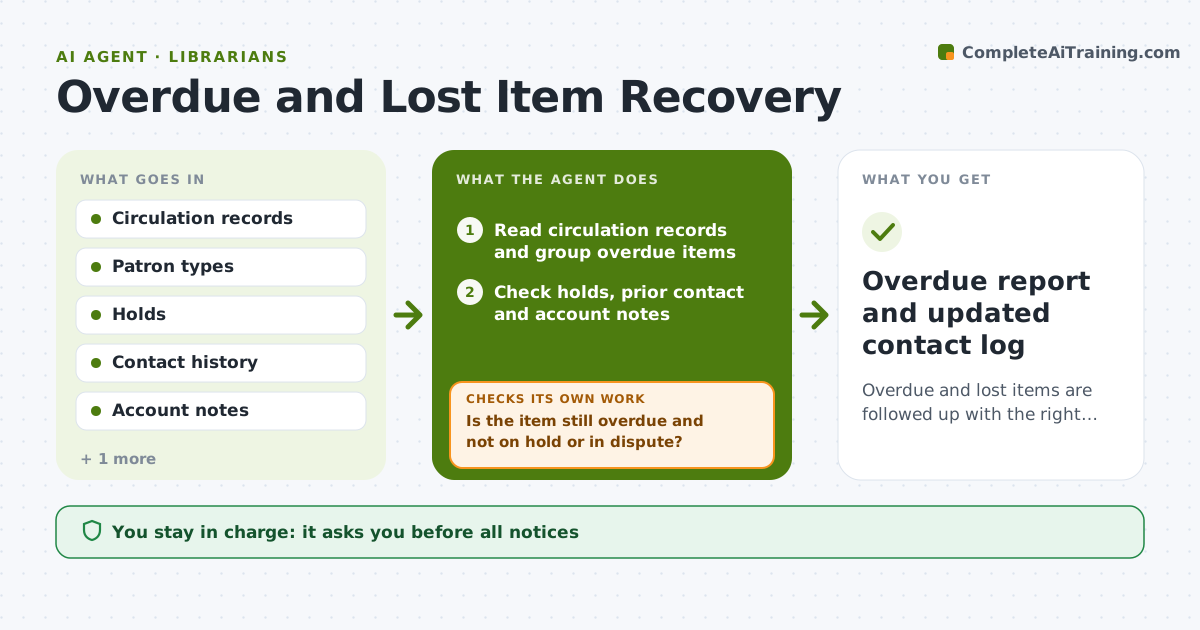
Overdue and lost items are followed up with the right message and no wrongful notices.
What it does
Bulk overdue notices go to everyone, including a patron whose hold was never filled and another who is already in contact about a lost book. This agent reads circulation records and groups overdue items by age and patron type. It checks holds, prior contact and account blocks, and drafts the right notice for each case, such as a friendly reminder, a second notice or a lost-item bill. Before each next step, it rechecks returns so no one is chased for an item already back. Edge case: a patron with a medical note in the account gets a personal call suggestion instead of a form notice. Staff approve notices and any fee decisions.
How it works
Follow the arrows from top to bottom. The orange dashed arrow is the loop: when a check fails, the agent goes back and tries again.
Read the steps as a list
- Overdue run starts
- Read circulation records and group overdue items
- Check holds, prior contact and account notes
- Choose the notice stage for each patron
- Is the item still overdue and not on hold or in dispute?If not: remove it from the list or switch to a personal follow-up. Back to step 2.
- Draft the matching notices
- Staff approve notices and feesThe agent waits here for your OK.
- Send approved notices and log them
- Recheck returns before the next stage
- Was each item returned or still unresolved?If not: move to the next stage or flag for staff. Back to step 4.
- Overdue report and updated contact log
How it decides
It picks a notice stage by days overdue and patron situation, and holds any notice if a return, note or dispute is found.
- Send a first notice at 7 days overdue and a second at 21 days.
- Never send fee notices on items with a dispute or note.
- Mark lost after 45 days and draft a replacement bill.
- Patrons with a care note get a personal follow-up.
Make it yours
Every agent is a starting point. You choose these settings for your own situation.
- Notice timing
- Patron types
- Fee policy
- Contact channels
- Run frequency
What keeps you in control
It always asks you first
- All notices
- Any fee, waiver or lost-item bill
Hard limits
- Do not send notices or charge fees without approval.
- Do not reveal borrowed titles in subject lines.
It stops when
- Done: all items returned, billed or flagged and approved
- Stop: the circulation data looks wrong, so the agent halts and asks staff
Set it up
We guide you through the set-up, step by step
Members get the full set-up guide for this agent. No technical skills needed: you copy, paste and upload.
- One set of instructions to paste into your AI, with the clicks for ChatGPT, Claude, Microsoft 365 Copilot, Gemini and Grok
- The agent then walks you through connecting your own data, one source at a time
- A downloadable copy with the flow chart, the rules and the full guide