AI agent for accounts receivable specialists
Overdue Invoice Collections Agent
Overdue invoices collected with the least friction
What it does
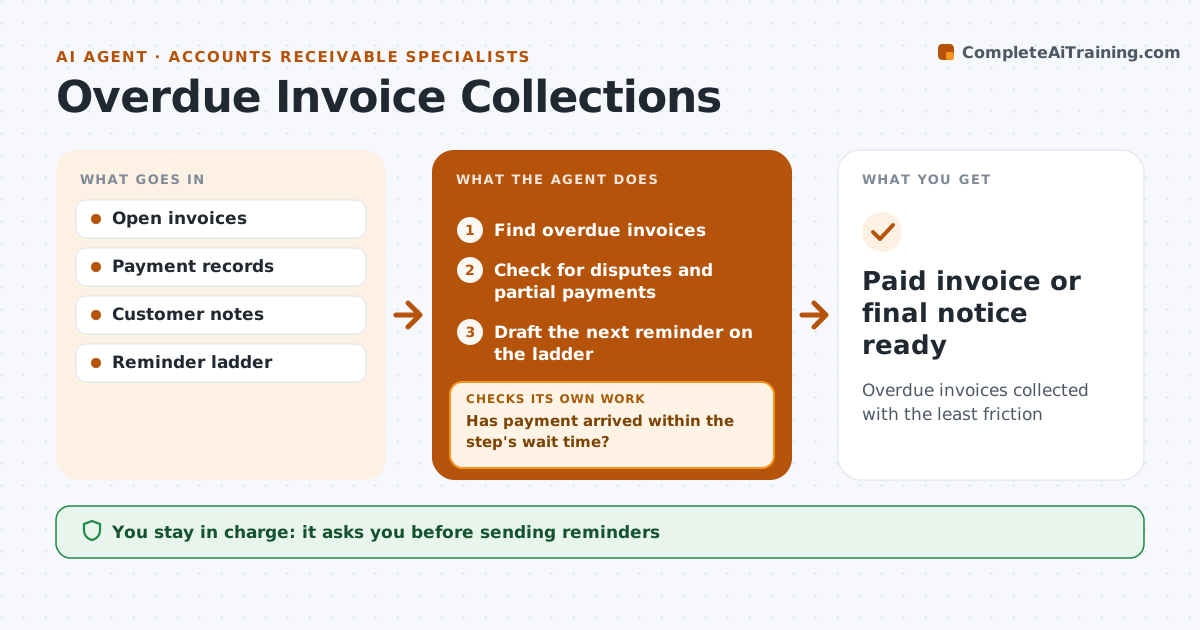
Chasing late payments is awkward, so it often does not happen until invoices are hard to collect. Each day this agent checks open invoices and finds those past due. Before chasing, it checks for a reason such as a dispute or partial payment, and routes those separately. It then follows the reminder ladder you set: a friendly note, a firmer reminder, a phone call script, then a final notice. A long-term customer with a good record gets a softer first step. After each reminder it checks whether payment arrived, and if not, moves to the next step after the set wait. The owner approves each message, or chooses which steps can go without review.
How it works
Follow the arrows from top to bottom. The orange dashed arrow is the loop: when a check fails, the agent goes back and tries again.
Read the steps as a list
- Daily check
- Find overdue invoices
- Check for disputes and partial payments
- Draft the next reminder on the ladder
- Owner approves the messageThe agent waits here for your OK.
- Send and watch for payment
- Has payment arrived within the step's wait time?If not: move to the next ladder step. Back to step 4.
- Paid invoice or final notice ready
How it decides
It moves each invoice up the reminder ladder by days overdue and payment history.
- Disputed invoices leave the ladder
- Good payers get softer first step
- Final notice needs owner approval always
Make it yours
Every agent is a starting point. You choose these settings for your own situation.
- Reminder ladder steps
- Wait time between steps
- Tone
- Steps that need approval
What keeps you in control
It always asks you first
- Sending reminders
- Final notices
- Sending to collections
Hard limits
- Never threatens legal action
- Never adds late fees without approval
It stops when
- Done: invoice paid
- Stop: customer disputes; hand to owner
Set it up
We guide you through the set-up, step by step
Members get the full set-up guide for this agent. No technical skills needed: you copy, paste and upload.
- One set of instructions to paste into your AI, with the clicks for ChatGPT, Claude, Microsoft 365 Copilot, Gemini and Grok
- The agent then walks you through connecting your own data, one source at a time
- A downloadable copy with the flow chart, the rules and the full guide