AI agent for bank branch managers
Override and Fee Waiver Log Review Agent
Review fee waivers and override logs for unusual patterns, ask for explanations and report to the manager
What it does
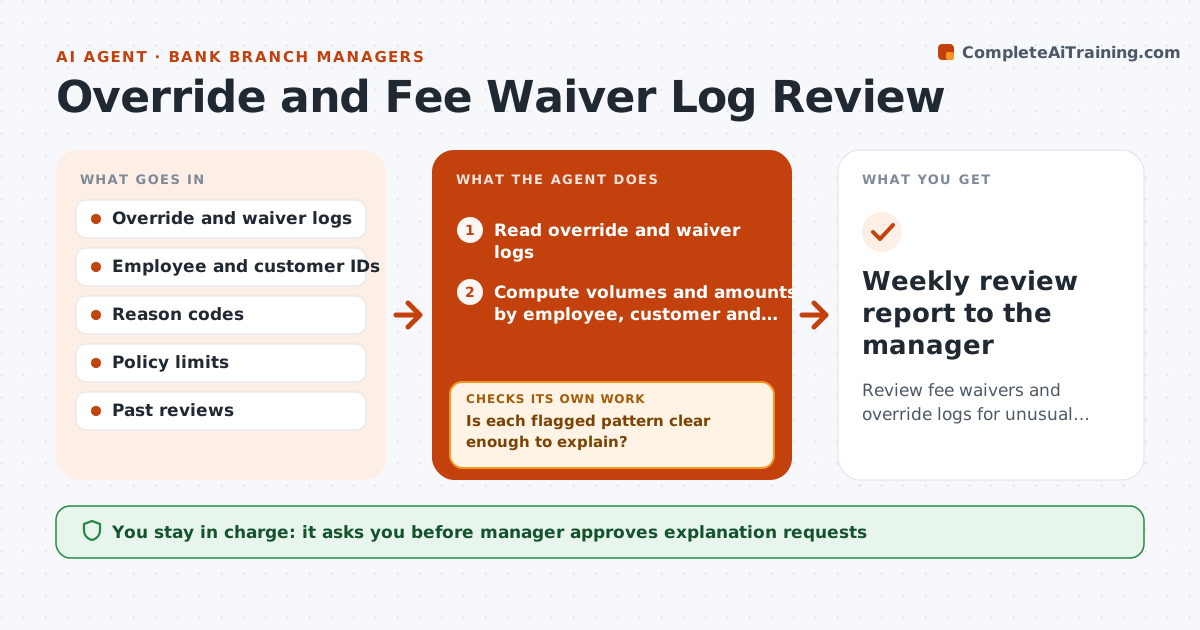
Overrides and fee waivers are granted all day and no one looks for patterns. Each week the agent reads the logs by employee, customer and reason. It compares each employee's volume and amount with the branch norm and flags outliers, such as repeated waivers for the same customer or approvals just under a limit. It drafts requests for explanations and checks each reply against the account facts. If the answer does not explain the pattern, it asks again with a narrower question. It reports to the manager, who decides next steps. Edge case: an employee waived five fees for one customer in a week, and the agent finds the customer had a documented hardship.
How it works
Follow the arrows from top to bottom. The orange dashed arrow is the loop: when a check fails, the agent goes back and tries again.
Read the steps as a list
- Week ends
- Read override and waiver logs
- Compute volumes and amounts by employee, customer and reason
- Flag outliers against norms and limits
- Is each flagged pattern clear enough to explain?If not: Add comparison detail and recompute. Back to step 3.
- Manager approves explanation requestsThe agent waits here for your OK.
- Read each explanation and compare with account facts
- Does the explanation account for the pattern?If not: Ask a narrower follow-up question. Back to step 5.
- Write the findings with evidence
- Weekly review report to the manager
How it decides
Patterns are measured against the branch norm and policy limits; explanations are checked against the account facts.
- Flag a waiver count above twice the branch average
- Flag amounts within 5% below an approval limit
- Flag more than 3 waivers for one customer in a month
- Never reach conclusions about intent
Make it yours
Every agent is a starting point. You choose these settings for your own situation.
- Outlier multiplier (default 2x)
- Limit margin flag (default 5%)
- Review window
- Report recipients
What keeps you in control
It always asks you first
- Manager approves explanation requests
- Manager decides any action involving employees
Hard limits
- Never accuse anyone; report facts only
- Never change a log
It stops when
- Done: every flag is explained or reported
- Stop: a pattern suggests possible misconduct and compliance must be told
Set it up
We guide you through the set-up, step by step
Members get the full set-up guide for this agent. No technical skills needed: you copy, paste and upload.
- One set of instructions to paste into your AI, with the clicks for ChatGPT, Claude, Microsoft 365 Copilot, Gemini and Grok
- The agent then walks you through connecting your own data, one source at a time
- A downloadable copy with the flow chart, the rules and the full guide