AI agent for packaging engineers
Packaging Complaint Pattern Agent
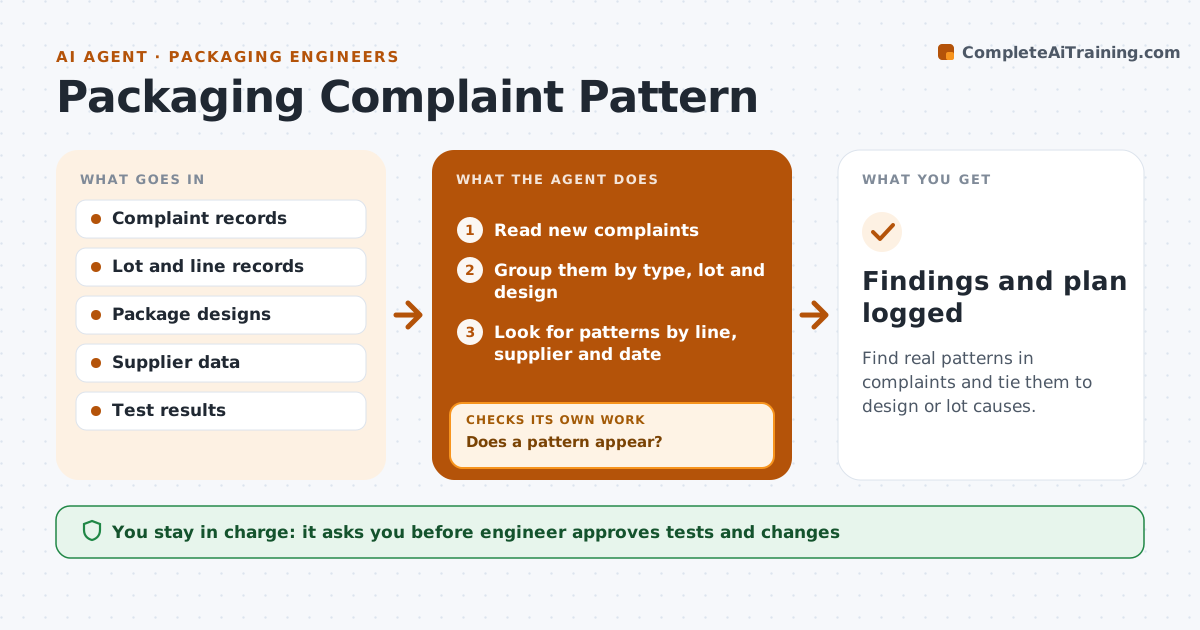
Find real patterns in complaints and tie them to design or lot causes.
What it does
Complaints about hard-to-open packs or leaks arrive one at a time and look like bad luck. This agent groups them by type, links each to the lot and design, and checks for patterns by line, supplier or date. When a pattern appears, it checks lot and design records for a second match before proposing anything. It then proposes a test or a change, with the evidence. The engineer approves. Edge case: three leak complaints from one lot all point to a seal problem on the same day, so the agent looks at line records for that shift first.
How it works
Follow the arrows from top to bottom. The orange dashed arrow is the loop: when a check fails, the agent goes back and tries again.
Read the steps as a list
- Weekly complaint review
- Read new complaints
- Group them by type, lot and design
- Look for patterns by line, supplier and date
- Does a pattern appear?If not: Keep logging and review next week. Back to step 2.
- Check lot and design records for a second match
- Does a second record support the pattern?If not: Mark it as unconfirmed and keep watching. Back to step 4.
- Propose a test or a change
- Engineer approves the test or changeThe agent waits here for your OK.
- Findings and plan logged
How it decides
It treats a pattern as real only when a second source, such as a lot or design record, matches.
- A pattern needs at least 3 complaints
- Require a second matching source before proposing a change
- Rank patterns by safety first, then by volume
- Link every complaint to a lot code
Make it yours
Every agent is a starting point. You choose these settings for your own situation.
- Complaints needed for a pattern (default 3)
- Review frequency
- Types tracked
- Who reviews safety issues
What keeps you in control
It always asks you first
- Engineer approves tests and changes
Hard limits
- Never propose a change on a single complaint
- Never ignore a safety complaint
It stops when
- Done: confirmed patterns have a plan
- Stop: a safety issue appears and the engineer takes over
Set it up
We guide you through the set-up, step by step
Members get the full set-up guide for this agent. No technical skills needed: you copy, paste and upload.
- One set of instructions to paste into your AI, with the clicks for ChatGPT, Claude, Microsoft 365 Copilot, Gemini and Grok
- The agent then walks you through connecting your own data, one source at a time
- A downloadable copy with the flow chart, the rules and the full guide