AI agent for sustainability managers
Packaging EPR Data Agent
A complete, checked packaging data report ready for each EPR deadline
What it does
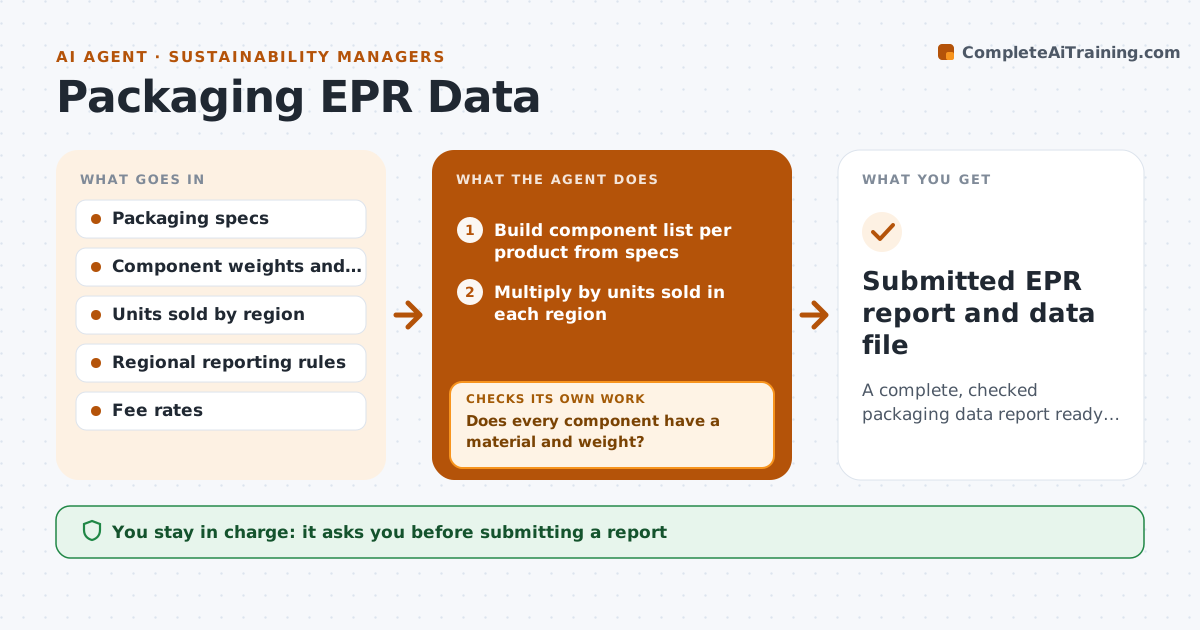
Producer responsibility rules require companies to report how much packaging of each material they sell, and the data is usually gathered in a rush before each deadline. This agent builds the component list per product, with material and weight, from specs and supplier data. It multiplies by units sold in each region. It checks for missing weights or materials and asks suppliers or engineers to fill them, then checks again until the list is complete. A component made of two materials must be reported by main material or split, depending on the rule, so it flags those for a decision. It calculates totals by material category, compares them with last period and explains large changes, then estimates fees. It drafts the report in the required format. The manager approves before anything is submitted.
How it works
Follow the arrows from top to bottom. The orange dashed arrow is the loop: when a check fails, the agent goes back and tries again.
Read the steps as a list
- Reporting period closes
- Build component list per product from specs
- Multiply by units sold in each region
- Does every component have a material and weight?If not: request missing data from suppliers or engineers. Back to step 2.
- Total by material category and estimate fees
- Draft report in the region's format
- Manager approves submissionThe agent waits here for your OK.
- Submitted EPR report and data file
How it decides
It counts a product only when every component has a material and weight, and follows each region's rule for mixed materials.
- Missing weights block the report
- Mixed materials are flagged for a decision
- Fee estimates use the published rates
Make it yours
Every agent is a starting point. You choose these settings for your own situation.
- Regions reported
- Material categories
- Days before deadline to start
- Report format
What keeps you in control
It always asks you first
- Submitting a report
- Choosing how to classify mixed materials
Hard limits
- Never submits reports
- Never estimates weights without marking them
It stops when
- Done: report submitted
- Stop: data gaps remain near deadline; alert manager
Set it up
We guide you through the set-up, step by step
Members get the full set-up guide for this agent. No technical skills needed: you copy, paste and upload.
- One set of instructions to paste into your AI, with the clicks for ChatGPT, Claude, Microsoft 365 Copilot, Gemini and Grok
- The agent then walks you through connecting your own data, one source at a time
- A downloadable copy with the flow chart, the rules and the full guide