AI agent for research and development engineers
Packaging Prototype Test Round Agent
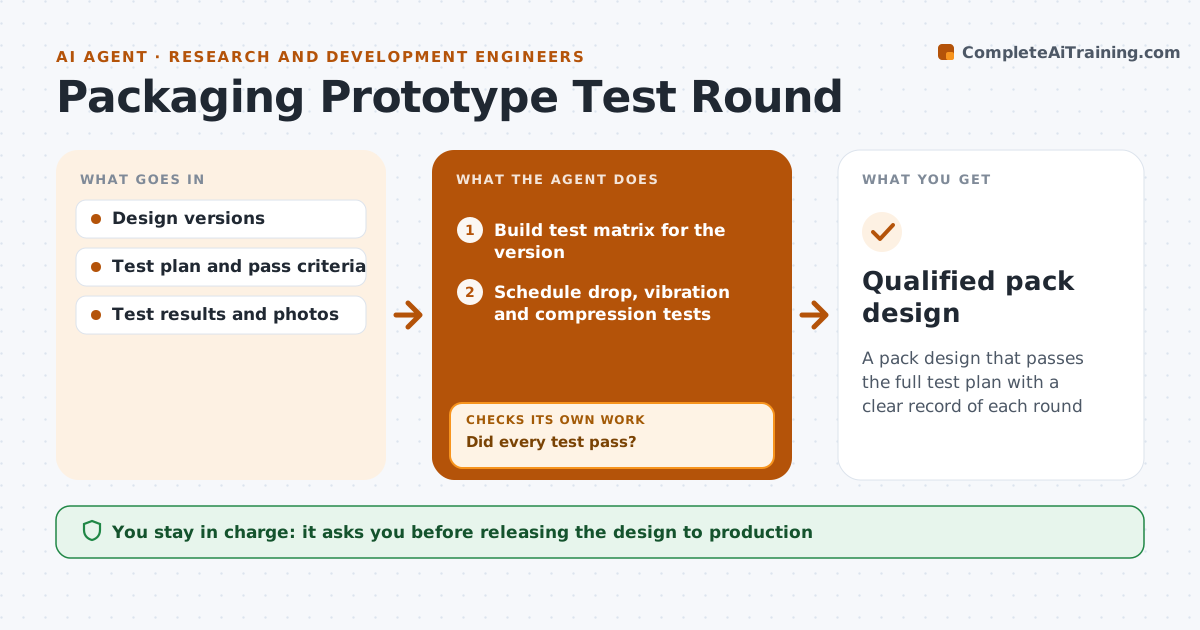
A pack design that passes the full test plan with a clear record of each round
What it does
New packs go through rounds of prototypes and tests such as drop, vibration and compression, and teams lose track of which version passed what. This agent keeps a test matrix for each design version. It schedules the tests, records results and photos, and compares them with pass criteria. When a test fails, it records the failure mode and drafts design notes for the next round. When a new version arrives, it reruns all tests, not only the one that failed, because a fix for drop can hurt compression. It checks that each round fixed earlier failures and broke nothing else. When everything passes, it drafts a qualification summary with the full history. The engineer approves release to production.
How it works
Follow the arrows from top to bottom. The orange dashed arrow is the loop: when a check fails, the agent goes back and tries again.
Read the steps as a list
- Prototype version arrives
- Build test matrix for the version
- Schedule drop, vibration and compression tests
- Record test results and photos
- Did every test pass?If not: log failure modes and draft design notes, then wait for the next version. Back to step 4.
- Did this round fix earlier failures without breaking others?If not: rerun the full matrix on the new version. Back to step 3.
- Draft qualification summary with test history
- Engineer approves releaseThe agent waits here for your OK.
- Qualified pack design
How it decides
A round passes only when every test in the plan meets its criteria for that version.
- Rerun all tests after any design change
- Pass criteria come from the test plan
- Note failure mode, not just pass or fail
Make it yours
Every agent is a starting point. You choose these settings for your own situation.
- Test standards used
- Pass criteria per test
- Report format
- Number of rounds before escalation
What keeps you in control
It always asks you first
- Releasing the design to production
Hard limits
- Never marks a test passed without results
- Never releases a design
It stops when
- Done: design qualified
- Stop: three rounds fail the same test; ask for a design review
Set it up
We guide you through the set-up, step by step
Members get the full set-up guide for this agent. No technical skills needed: you copy, paste and upload.
- One set of instructions to paste into your AI, with the clicks for ChatGPT, Claude, Microsoft 365 Copilot, Gemini and Grok
- The agent then walks you through connecting your own data, one source at a time
- A downloadable copy with the flow chart, the rules and the full guide