AI agent for packaging engineers
Packaging Supplier Defect Action Agent
Every supplier defect is corrected at the source and verified on later deliveries
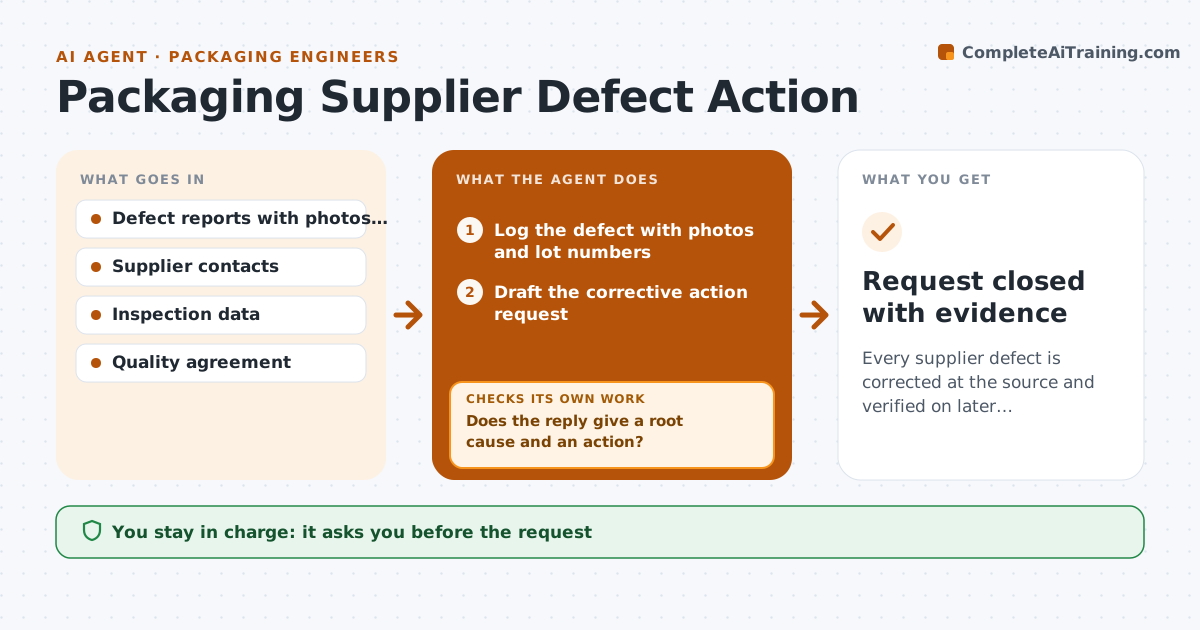
What it does
Supplier defects are reported but the fix is never checked on later deliveries. This agent logs each defect with photos and lot numbers and sends the corrective action request to the supplier. It reviews the supplier's reply for a root cause and a real action. Then it inspects the data from the next deliveries to see whether the defect returned. If it does, the agent escalates and proposes tighter incoming checks. If not, it closes the request after a set number of clean lots. The engineer approves the request and any chargeback. Edge case: the defect recurs only on one production line of the supplier, so the agent narrows the check to lots from that line.
How it works
Follow the arrows from top to bottom. The orange dashed arrow is the loop: when a check fails, the agent goes back and tries again.
Read the steps as a list
- A packaging defect is found
- Log the defect with photos and lot numbers
- Draft the corrective action request
- Engineer approves the request and any chargebackThe agent waits here for your OK.
- Send the request and track the due date
- Review the supplier's reply
- Does the reply give a root cause and an action?If not: return it with questions and wait for a better reply. Back to step 5.
- Inspect data from the next deliveries
- Is the defect absent for the clean-lot count?If not: escalate to the supplier's management and tighten incoming checks. Back to step 8.
- Request closed with evidence
How it decides
A request is closed only when the supplier's action is accepted and the next set of lots shows no repeat.
- Require 3 clean lots before closing
- Reject replies with no root cause
- Tighten incoming checks after one repeat
- Link every defect to a lot
Make it yours
Every agent is a starting point. You choose these settings for your own situation.
- Clean-lot count (default 3)
- Reply deadline
- Escalation contacts
- Tightened inspection level
What keeps you in control
It always asks you first
- The request
- Chargebacks
Hard limits
- Never send a request without approval
- Never close without evidence
It stops when
- Done: request closed after clean lots
- Stop: supplier is replaced
Set it up
We guide you through the set-up, step by step
Members get the full set-up guide for this agent. No technical skills needed: you copy, paste and upload.
- One set of instructions to paste into your AI, with the clicks for ChatGPT, Claude, Microsoft 365 Copilot, Gemini and Grok
- The agent then walks you through connecting your own data, one source at a time
- A downloadable copy with the flow chart, the rules and the full guide