AI agent for payroll administrators
Paid Leave Accrual Audit Agent
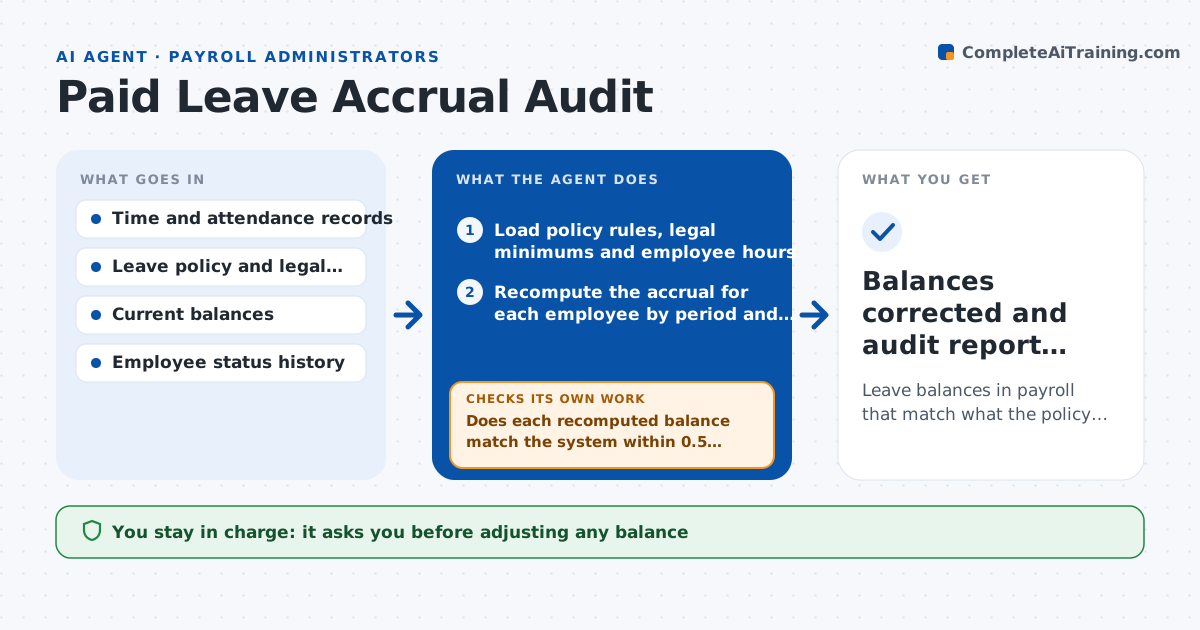
Leave balances in payroll that match what the policy and law say each employee has earned
What it does
When a state adds a paid sick leave law or the company changes its policy, accrual formulas change and the payroll system balances drift. Employees complain, and wrong balances turn into wrong payouts. This agent recomputes sick and vacation accruals for each employee from the hours worked and the current policy, including caps, carryover limits, waiting periods and tenure tiers. It compares the result with the balances in the payroll system and lists differences by employee. It proposes corrections with the reason and recomputes the totals to confirm the system would then match. It also checks that a correction does not push a balance above a cap. Payroll approves the adjustments and any employee notice. Edge case: an employee moved from part time to full time mid-year, and the agent applies each rate to its own period.
How it works
Follow the arrows from top to bottom. The orange dashed arrow is the loop: when a check fails, the agent goes back and tries again.
Read the steps as a list
- A rule changes or the quarterly audit date arrives
- Load policy rules, legal minimums and employee hours
- Recompute the accrual for each employee by period and rate
- Apply caps, carryover limits and waiting periods
- Read the balances in the payroll system
- Does each recomputed balance match the system within 0.5 hour?If not: list differences by employee and look for rule, hours or status causes. Back to step 3.
- Draft correcting adjustments with the reason
- Recompute total balances after the proposed adjustments
- Do adjusted balances respect caps and match the recomputed totals?If not: revise the adjustments so no cap is broken and retotal. Back to step 7.
- Payroll approves the adjustments and any employee noticeThe agent waits here for your OK.
- Balances corrected and audit report filed
How it decides
It recomputes from hours and policy, treats any difference above a small tolerance as an error to correct, and stops a correction that would break a cap or carryover rule.
- Treat differences of 0.5 hour or less as rounding
- Use the more generous of policy and legal minimum
- Apply each rate to the period it was in force
- Escalate differences over 8 hours per employee
Make it yours
Every agent is a starting point. You choose these settings for your own situation.
- Policy and legal rules by state
- Tolerance (default 0.5 hour)
- Audit frequency (default quarterly)
- Escalation limit (default 8 hours)
What keeps you in control
It always asks you first
- Adjusting any balance
- Notices to employees
Hard limits
- Never changes balances itself
- Does not interpret law beyond the rules provided
- Keeps the calculation for each employee
It stops when
- Done: balances match recomputed amounts
- Stop: hours data is incomplete
Set it up
We guide you through the set-up, step by step
Members get the full set-up guide for this agent. No technical skills needed: you copy, paste and upload.
- One set of instructions to paste into your AI, with the clicks for ChatGPT, Claude, Microsoft 365 Copilot, Gemini and Grok
- The agent then walks you through connecting your own data, one source at a time
- A downloadable copy with the flow chart, the rules and the full guide