AI agent for ux researchers
Participant Screening Fraud Check Agent
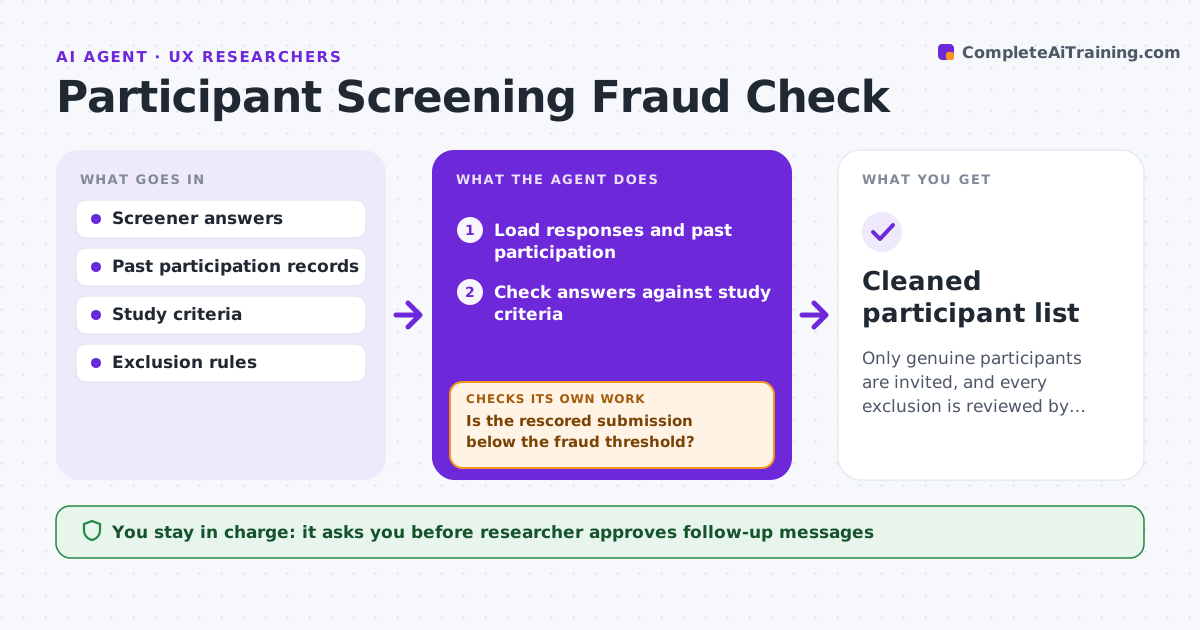
Only genuine participants are invited, and every exclusion is reviewed by you.
What it does
Half of the people who passed your screener describe themselves as senior buyers and give identical sentences. You only find out in the session. This agent checks each submission before invites go out. It compares screener answers across submissions, flags impossible combinations such as a job title and company size that do not fit, repeated phrases, duplicate emails or phone numbers, and checks past participation in your panel. For doubtful cases, it adds a follow-up question and rescores after the answer. You approve each exclusion. Edge case: two people at the same company with similar answers may be real colleagues, so they are marked for review, not excluded.
How it works
Follow the arrows from top to bottom. The orange dashed arrow is the loop: when a check fails, the agent goes back and tries again.
Read the steps as a list
- Screener responses arrive
- Load responses and past participation
- Check answers against study criteria
- Compare answers across submissions for copies and duplicates
- Score fraud signals for each submission
- Draft a follow-up question for doubtful cases
- Researcher approves the follow-up messagesThe agent waits here for your OK.
- Collect answers and rescore
- Is the rescored submission below the fraud threshold?If not: Mark for exclusion and list the evidence. Back to step 5.
- Researcher approves each exclusionThe agent waits here for your OK.
- Cleaned participant list
How it decides
It scores each submission for fraud signals, such as impossible combinations and copied text, and asks a follow-up for scores above a threshold.
- Flag a submission with 2 or more signals
- Treat identical free text across 2 people as high risk
- Check against the panel for earlier paid sessions in 90 days
- Send a follow-up before excluding
Make it yours
Every agent is a starting point. You choose these settings for your own situation.
- Fraud signals used
- Threshold for follow-up
- Panel lookback (default 90 days)
- Study criteria
What keeps you in control
It always asks you first
- Researcher approves follow-up messages
- Researcher approves each exclusion
Hard limits
- Never reject anyone without approval
- Never share applicant data outside the study
It stops when
- Done: list cleaned and approved
- Stop: fewer than needed participants remain
Set it up
We guide you through the set-up, step by step
Members get the full set-up guide for this agent. No technical skills needed: you copy, paste and upload.
- One set of instructions to paste into your AI, with the clicks for ChatGPT, Claude, Microsoft 365 Copilot, Gemini and Grok
- The agent then walks you through connecting your own data, one source at a time
- A downloadable copy with the flow chart, the rules and the full guide