AI agent for corporate counsels
Partner Agreement Redline Review Agent
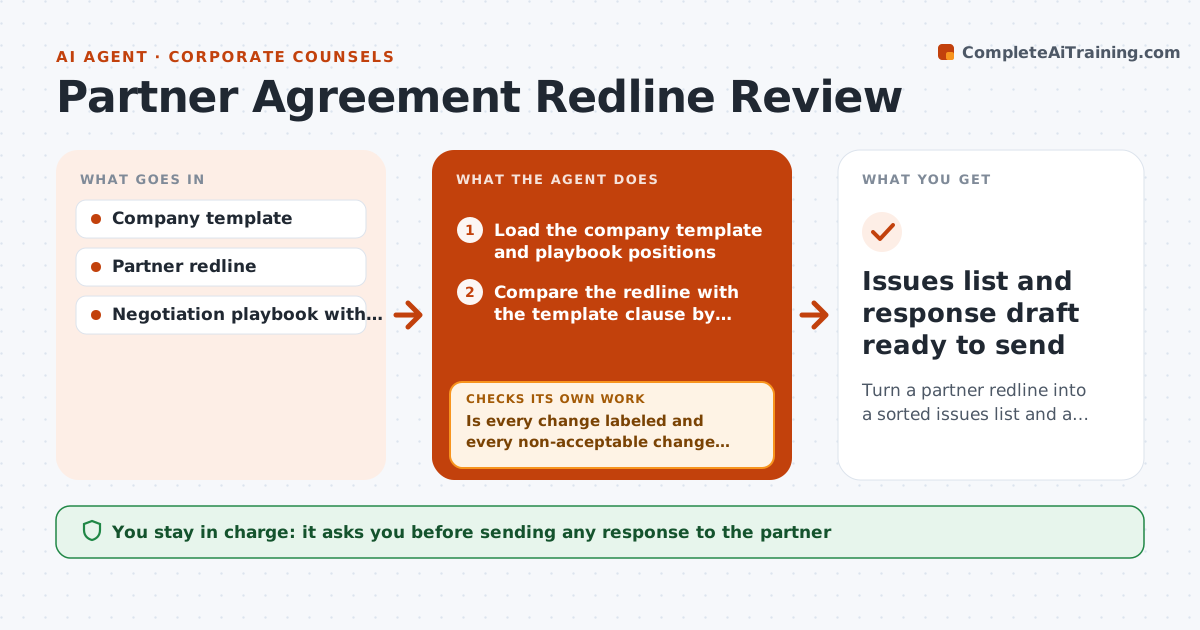
Turn a partner redline into a sorted issues list and a proposed response draft
What it does
When a partner returns a marked-up agreement, BD must know which changes matter before legal gets involved. This agent compares the partner's redline with the company template clause by clause. It labels each change against the playbook of standard positions, such as revenue share range, exclusivity, term length and liability cap: within range is acceptable, within fallback gets a suggested counter, and anything else goes to legal. Exclusivity and governing law changes always go to legal, and unlimited liability is never acceptable. It drafts responses using approved fallback language. It then checks every change is labeled and every non-acceptable change has an answer; clauses that moved and show as unlabeled are matched by topic. BD and legal approve the response, and the agent never signs or sends. Edge case: a governing law change always goes to legal regardless of the playbook.
How it works
Follow the arrows from top to bottom. The orange dashed arrow is the loop: when a check fails, the agent goes back and tries again.
Read the steps as a list
- Partner redline received
- Load the company template and playbook positions
- Compare the redline with the template clause by clause
- Label each change against the playbook
- Draft responses using approved fallback language
- Is every change labeled and every non-acceptable change answered?If not: match unlabeled clauses to the closest playbook topic or mark for legal. Back to step 4.
- Build an issues list sorted by risk
- BD lead and legal approve the response draftThe agent waits here for your OK.
- Issues list and response draft ready to send
How it decides
Each change is compared with the playbook position. Within range is acceptable, within fallback is a suggested counter, and anything else goes to legal.
- Exclusivity and governing law changes always go to legal
- Revenue share within playbook range is acceptable
- Unlimited liability is never acceptable
Make it yours
Every agent is a starting point. You choose these settings for your own situation.
- Playbook positions and fallbacks
- Clause types that always go to legal
- Output format (issues table or comments in the document)
What keeps you in control
It always asks you first
- Sending any response to the partner
- Accepting any change outside the playbook
Hard limits
- Never signs or sends agreements
- Never gives legal advice; marks legal items for counsel
It stops when
- Done: response draft approved
- Stop: no playbook exists for this agreement type
Set it up
We guide you through the set-up, step by step
Members get the full set-up guide for this agent. No technical skills needed: you copy, paste and upload.
- One set of instructions to paste into your AI, with the clicks for ChatGPT, Claude, Microsoft 365 Copilot, Gemini and Grok
- The agent then walks you through connecting your own data, one source at a time
- A downloadable copy with the flow chart, the rules and the full guide