AI agent for channel partner managers
Partner Onboarding Progress Agent
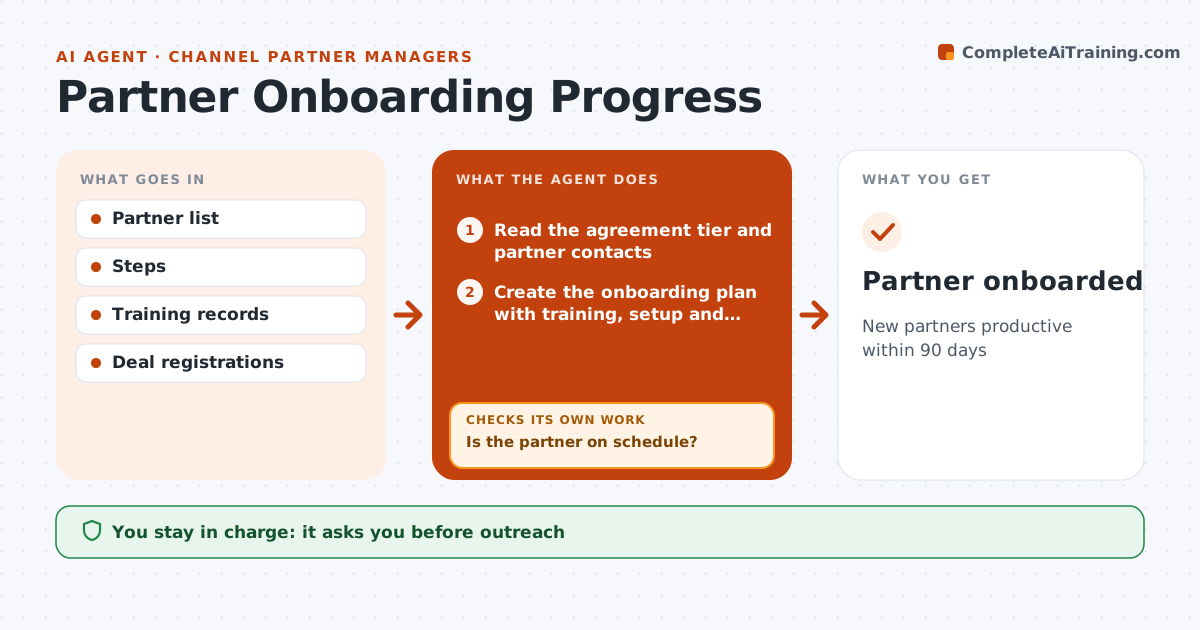
New partners productive within 90 days
What it does
New partners need training, portal access and a first deal before they become productive, and many stall quietly after signing. When a partner signs, this agent reads the agreement tier and partner contacts and creates an onboarding plan with training, setup and first-deal targets. It tracks progress weekly from the partner portal and CRM and confirms training through certification records, not just enrollments. When a partner stalls for more than 14 days, it finds the blocking step and drafts help, such as a training session or a setup call. The partner manager approves all outreach. It then checks whether the partner has registered a first deal by day 90; if not, it flags the partner for a closer look. A first registered deal marks onboarding as complete. Edge case: when a partner's main contact leaves, the agent asks for a new contact and resends pending steps.
How it works
Follow the arrows from top to bottom. The orange dashed arrow is the loop: when a check fails, the agent goes back and tries again.
Read the steps as a list
- Partner signs the agreement
- Read the agreement tier and partner contacts
- Create the onboarding plan with training, setup and first deal targets
- Track progress weekly from the portal and CRM
- Is the partner on schedule?If not: find the blocked step and draft an outreach note with help offered. Back to step 4.
- Partner manager approves outreachThe agent waits here for your OK.
- Has the partner registered a first deal by day 90?If not: propose a revised plan with a joint call. Back to step 3.
- Partner onboarded
How it decides
It tracks each step and flags stalls.
- Stalls over 14 days flagged
- Training confirmed by records
- First deal target 90 days
Make it yours
Every agent is a starting point. You choose these settings for your own situation.
- Steps
- Stall threshold
- Target days
- Messages
What keeps you in control
It always asks you first
- Outreach
Hard limits
- No commitments
- Partner data protected
It stops when
- Done: onboarded
- Stop: partner exits
Set it up
We guide you through the set-up, step by step
Members get the full set-up guide for this agent. No technical skills needed: you copy, paste and upload.
- One set of instructions to paste into your AI, with the clicks for ChatGPT, Claude, Microsoft 365 Copilot, Gemini and Grok
- The agent then walks you through connecting your own data, one source at a time
- A downloadable copy with the flow chart, the rules and the full guide