AI agent for auto mechanics
Parts Fitment and Ordering Agent
The right part ordered the first time at a good price and delivery time
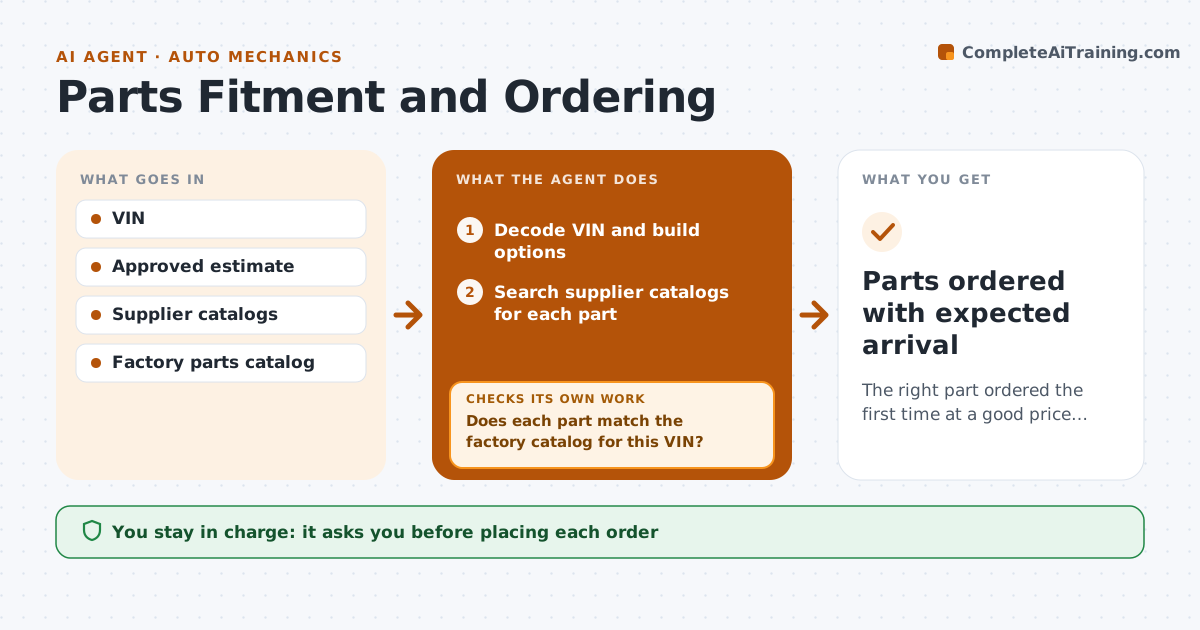
What it does
Ordering by year, make and model often brings the wrong part because of mid-year changes and option packages, and a wrong part can leave a car on a lift for a day. Once the estimate is approved, this agent decodes the VIN and its build options, then searches several supplier catalogs for each part with fitment notes. Before ordering, it checks every part number against the factory catalog for that VIN. If fitment is unclear, it asks the mechanic for a photo or measurement and searches again. It then compares price, stock and delivery time. When the car is already on a lift, delivery time beats price; otherwise price wins. The parts person approves each order, and the agent adds arrival times to the job. Edge case: a part listed for both engines but with different connectors is flagged before ordering.
How it works
Follow the arrows from top to bottom. The orange dashed arrow is the loop: when a check fails, the agent goes back and tries again.
Read the steps as a list
- Estimate approved
- Decode VIN and build options
- Search supplier catalogs for each part
- Does each part match the factory catalog for this VIN?If not: ask the mechanic for a photo or measurement and search again. Back to step 3.
- Compare price, stock and delivery time
- Parts person approves the orderThe agent waits here for your OK.
- Place approved order and add arrival time to the job
- Parts ordered with expected arrival
How it decides
It orders only when the part number matches the VIN's build data, then picks by delivery time when the car is on a lift and by price otherwise.
- Factory catalog match comes first
- Delivery time beats price when the car is on a lift
- Connector and package variants are flagged
Make it yours
Every agent is a starting point. You choose these settings for your own situation.
- Preferred supplier list
- Spending limit per order
- Delivery versus price priority
- Return policy rules
What keeps you in control
It always asks you first
- Placing each order
- Any order above the spending limit
Hard limits
- No orders without approval
- Never exceeds the set spending limit
It stops when
- Done: all parts ordered with arrival times
- Stop: no supplier has the part, offer used or dealer options to the parts person
Set it up
We guide you through the set-up, step by step
Members get the full set-up guide for this agent. No technical skills needed: you copy, paste and upload.
- One set of instructions to paste into your AI, with the clicks for ChatGPT, Claude, Microsoft 365 Copilot, Gemini and Grok
- The agent then walks you through connecting your own data, one source at a time
- A downloadable copy with the flow chart, the rules and the full guide