AI agent for auto mechanics
Core Return and Parts Return Tracker Agent
Recover every core and return credit owed to the shop.
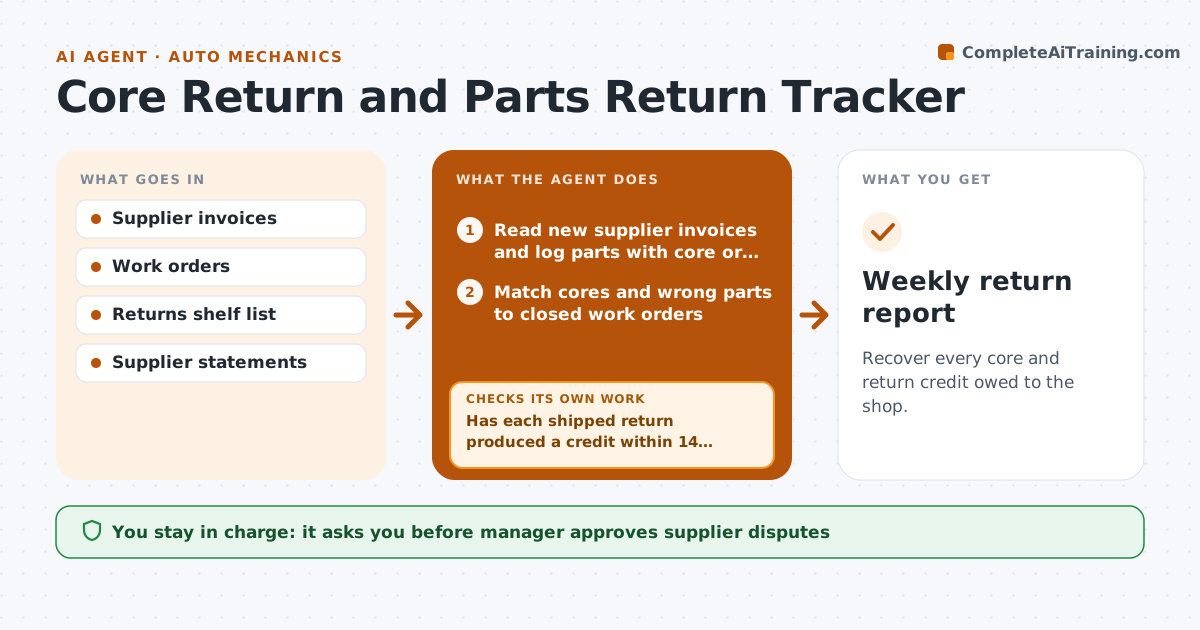
What it does
A shop pays core charges on alternators and starters, then forgets to ship them back before the deadline, and suppliers do not remind anyone. The agent logs every part bought with core or return terms: part, supplier, invoice, amount and return deadline. As work orders close, it matches old parts to open cores and wrong or unused parts to returns. It reminds the team before the deadline, checks that each return shipped, and then compares supplier statements to see that the credit has arrived. If a credit is missing after the stated period, it chases the supplier with the invoice, tracking number and the amount. Edge case: a supplier statement that applies one credit to the wrong invoice. The manager approves supplier disputes.
How it works
Follow the arrows from top to bottom. The orange dashed arrow is the loop: when a check fails, the agent goes back and tries again.
Read the steps as a list
- Weekly return check
- Read new supplier invoices and log parts with core or return terms
- Match cores and wrong parts to closed work orders
- List returns due within 5 days
- Remind the parts counter and check the tracking for shipped returns
- Compare supplier statements with the return log
- Has each shipped return produced a credit within 14 days?If not: draft a chase message with the invoice, tracking number and amount. Back to step 5.
- Check whether credits were applied to the right invoices
- Manager approves supplier disputesThe agent waits here for your OK.
- Update the log with credits received and amounts lost
- Weekly return report
How it decides
A part with core terms is open until a credit appears on a statement. A return is overdue when the deadline is within 5 days or passed, or a credit is late by more than 14 days.
- Remind 5 days before a return deadline
- Chase when a credit is 14 days late
- Check the credit amount against the invoice
- Write off a credit only with approval
Make it yours
Every agent is a starting point. You choose these settings for your own situation.
- Suppliers and terms
- Reminder lead time (default 5 days)
- Credit delay before chasing (default 14 days)
- Statement frequency
- Report recipients
What keeps you in control
It always asks you first
- Manager approves supplier disputes
- Manager approves any write-off
Hard limits
- Never write off or dispute credits itself
- Keep tracking numbers on file
It stops when
- Done: all returns credited or written off
- Stop: supplier statement is missing, ask the supplier
Set it up
We guide you through the set-up, step by step
Members get the full set-up guide for this agent. No technical skills needed: you copy, paste and upload.
- One set of instructions to paste into your AI, with the clicks for ChatGPT, Claude, Microsoft 365 Copilot, Gemini and Grok
- The agent then walks you through connecting your own data, one source at a time
- A downloadable copy with the flow chart, the rules and the full guide