AI agent for auto mechanics
Recall and Service Bulletin Check Agent
Make sure every repair order lists the open recalls and relevant bulletins before work starts.
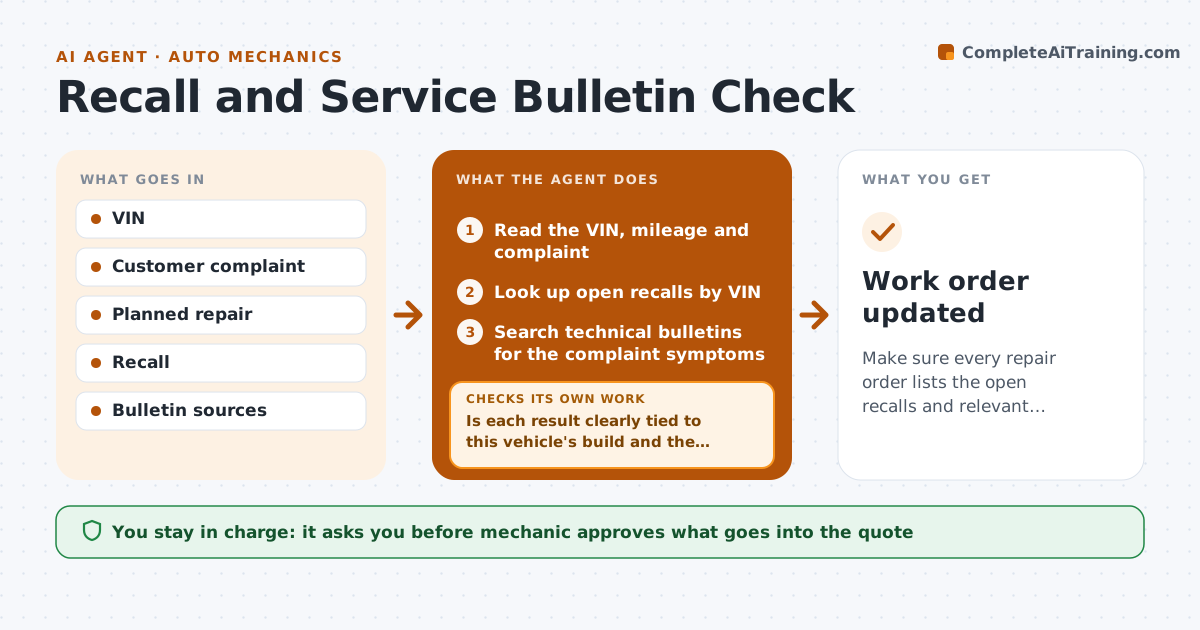
What it does
A mechanic replaces a part for a rattle, and later the customer learns there was an open recall for the same part, which would have been free. When a work order opens, the agent looks up the vehicle by VIN for open recalls and for technical service bulletins that match the customer's complaint. It compares what it finds with the planned repair, to see whether the recall covers the same part or affects safety, and notes the relevant ones in the estimate. If the lookup returns unclear or conflicting results, such as a recall that applies only to certain build dates, it checks a second source and the build date from the VIN. The mechanic decides what goes into the quote. Edge case: a recall whose parts are not yet available. The agent notes this and suggests telling the customer.
How it works
Follow the arrows from top to bottom. The orange dashed arrow is the loop: when a check fails, the agent goes back and tries again.
Read the steps as a list
- Work order is opened
- Read the VIN, mileage and complaint
- Look up open recalls by VIN
- Search technical bulletins for the complaint symptoms
- Is each result clearly tied to this vehicle's build and the complaint?If not: decode the VIN build date and check a second source. Back to step 3.
- Compare relevant items with the planned repair
- Note recall coverage, parts availability and bulletin steps
- Draft estimate notes for the mechanic
- Mechanic approves what is added to the quoteThe agent waits here for your OK.
- Does the final estimate include every relevant open recall?If not: add the missing item to the notes and ask the mechanic again. Back to step 6.
- Work order updated
How it decides
A recall or bulletin is relevant if it matches the VIN's build and affects a system in the complaint or the planned repair. Unclear matches get a second source check.
- Include any open safety recall for the VIN
- Include bulletins only if they match the complaint symptoms
- Check the build date when a recall covers only certain builds
- Note when recall parts are on backorder
Make it yours
Every agent is a starting point. You choose these settings for your own situation.
- Recall and bulletin sources
- Which items to add by default
- Customer notice wording
- Shop system fields
- Second source used
What keeps you in control
It always asks you first
- Mechanic approves what goes into the quote
- Mechanic approves telling the customer about backorders
Hard limits
- Never state that a recall applies without a VIN match
- Do not order parts itself
It stops when
- Done: work order notes complete
- Stop: VIN cannot be decoded, ask the front desk to confirm it
Set it up
We guide you through the set-up, step by step
Members get the full set-up guide for this agent. No technical skills needed: you copy, paste and upload.
- One set of instructions to paste into your AI, with the clicks for ChatGPT, Claude, Microsoft 365 Copilot, Gemini and Grok
- The agent then walks you through connecting your own data, one source at a time
- A downloadable copy with the flow chart, the rules and the full guide