AI agent for game designers
Patch Notes Assembly Agent
Accurate, complete patch notes with no leaks
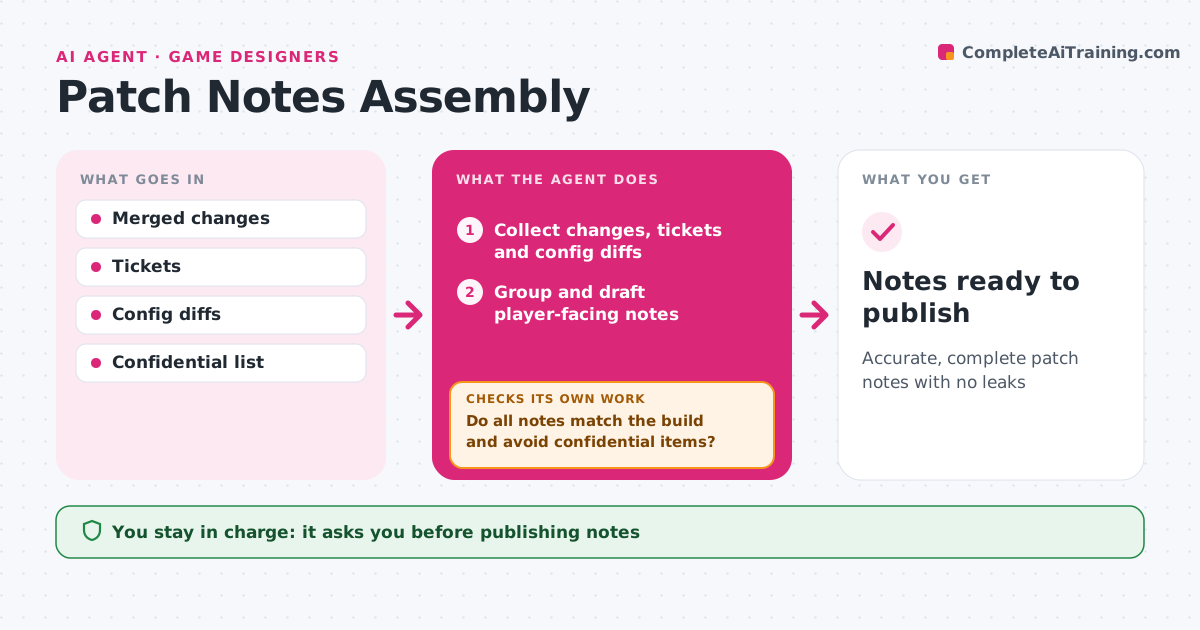
What it does
Patch notes are often written in a rush on release day, and players spot every wrong number. Before each update, this agent collects the merged changes, closed tickets and balance config changes for the release candidate. It groups them into features, balance changes, fixes and known issues, and drafts player-facing notes in plain language with exact numbers for every balance change. It then checks every line against the final build and config, and confirms that nothing marked confidential is mentioned. Any mismatch is corrected or removed, and the notes are rechecked. Once clean, it drafts versions in each platform's format, then checks that the platform versions still say the same thing. The designer and community lead approve before anything is published. Edge case: a fix reverted at the last minute is removed from the notes even though its ticket says closed.
How it works
Follow the arrows from top to bottom. The orange dashed arrow is the loop: when a check fails, the agent goes back and tries again.
Read the steps as a list
- Release candidate chosen
- Collect changes, tickets and config diffs
- Group and draft player-facing notes
- Check notes against the final build and config
- Do all notes match the build and avoid confidential items?If not: correct or remove items and recheck. Back to step 3.
- Draft versions for each platform format
- Do platform versions match the master notes?If not: fix the differing version. Back to step 6.
- Designer and community lead approveThe agent waits here for your OK.
- Notes ready to publish
How it decides
Each note must match the final build and config; confidential items are removed.
- Reverted changes are removed
- Balance notes use exact numbers
- Confidential items never appear
Make it yours
Every agent is a starting point. You choose these settings for your own situation.
- Note categories
- Tone
- Platform formats
- Confidential list
What keeps you in control
It always asks you first
- Publishing notes
Hard limits
- Never publishes notes
- Never mentions confidential content
It stops when
- Done: notes approved
- Stop: release candidate rejected
Set it up
We guide you through the set-up, step by step
Members get the full set-up guide for this agent. No technical skills needed: you copy, paste and upload.
- One set of instructions to paste into your AI, with the clicks for ChatGPT, Claude, Microsoft 365 Copilot, Gemini and Grok
- The agent then walks you through connecting your own data, one source at a time
- A downloadable copy with the flow chart, the rules and the full guide