AI agent for innovation strategists
Patent Landscape Search Agent
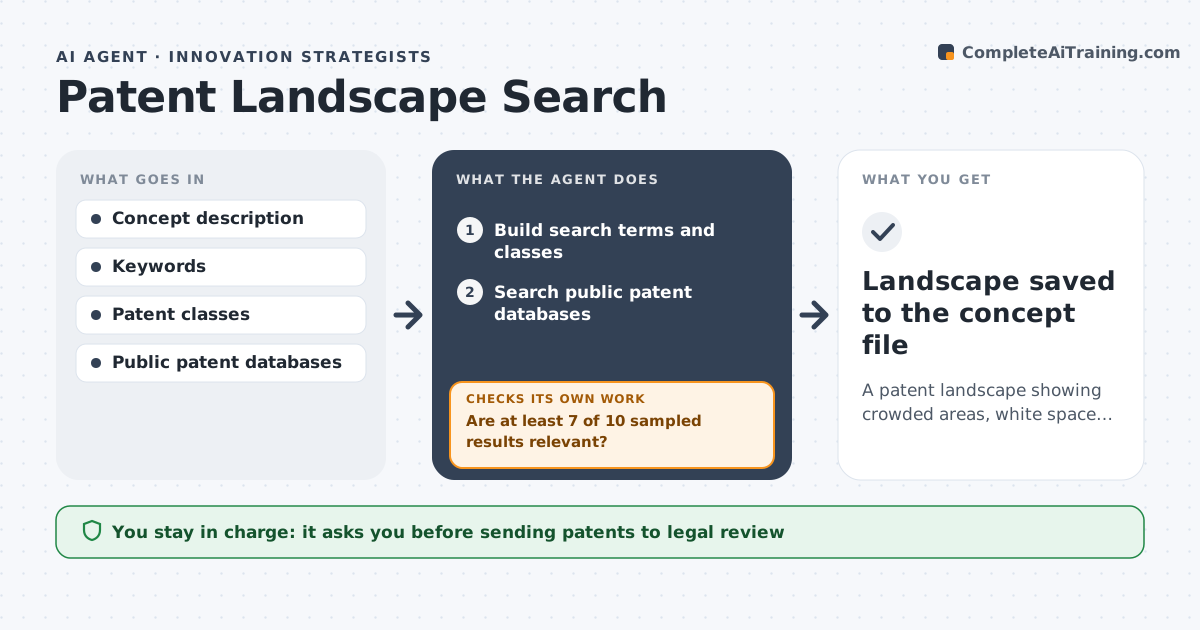
A patent landscape showing crowded areas, white space and patents for legal review
What it does
Before investing in a new concept, innovation teams need to know who holds patents in the area and where white space exists. This agent turns the concept into search terms and patent classes and runs searches in public patent databases. It reads a sample of ten top results to check relevance; if fewer than seven are on topic, it refines the terms and classes and searches again. It then groups results by owner, technology theme and date, and shows owners with five or more filings as key players. It maps crowded and open areas and lists patents that look close to the concept for legal review. Expired patents are marked open but still listed. The strategist approves the landscape and decides whether to involve patent counsel. Edge case: a key patent has expired, so the agent marks it as open but still lists it.
How it works
Follow the arrows from top to bottom. The orange dashed arrow is the loop: when a check fails, the agent goes back and tries again.
Read the steps as a list
- Concept enters exploration
- Build search terms and classes
- Search public patent databases
- Are at least 7 of 10 sampled results relevant?If not: refine terms and classes and search again. Back to step 2.
- Group by owner, theme and date
- Draft landscape and list close patents
- Strategist approves and decides on legal reviewThe agent waits here for your OK.
- Landscape saved to the concept file
How it decides
It accepts the search only when a sample of results is mostly relevant, then groups patents by owner and theme.
- Expired patents marked as open
- Close patents always go to legal review
- Owners with five or more filings shown as key players
Make it yours
Every agent is a starting point. You choose these settings for your own situation.
- Databases searched
- Relevance sample size
- Date range
- Grouping themes
What keeps you in control
It always asks you first
- Sending patents to legal review
- Sharing outside the team
Hard limits
- Not a legal freedom-to-operate opinion
- Public databases only
It stops when
- Done: landscape saved
- Stop: concept dropped
Set it up
We guide you through the set-up, step by step
Members get the full set-up guide for this agent. No technical skills needed: you copy, paste and upload.
- One set of instructions to paste into your AI, with the clicks for ChatGPT, Claude, Microsoft 365 Copilot, Gemini and Grok
- The agent then walks you through connecting your own data, one source at a time
- A downloadable copy with the flow chart, the rules and the full guide