AI agent for biochemists
Pathway Model Sanity Check Agent
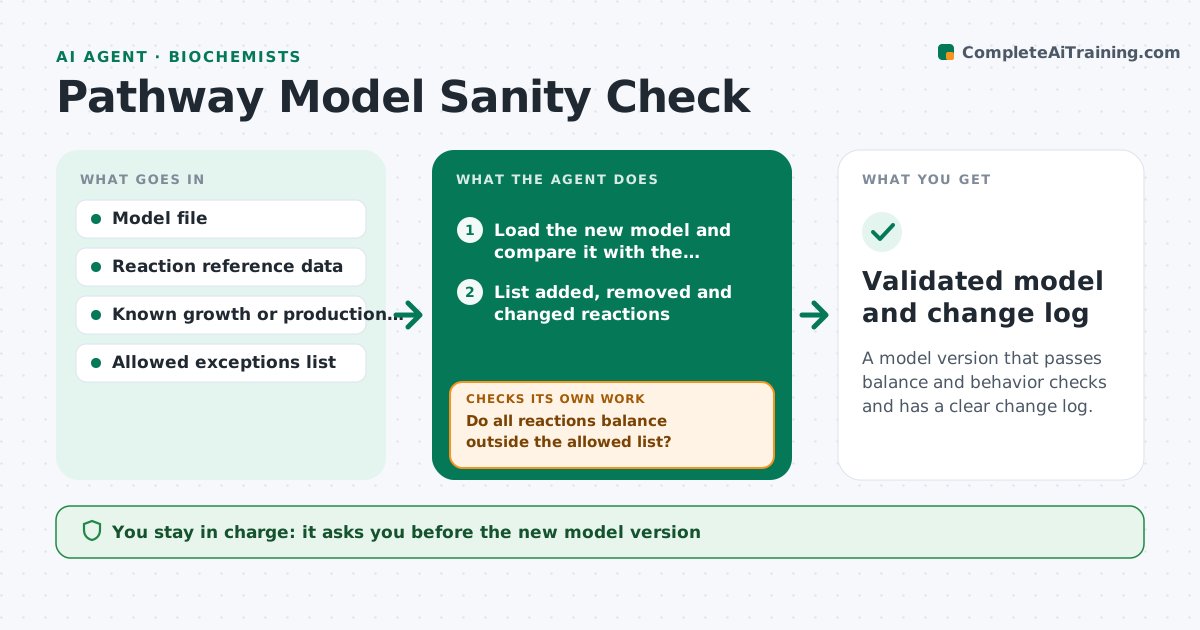
A model version that passes balance and behavior checks and has a clear change log.
What it does
Adding one reaction to a metabolic model can let it create mass or energy from nothing, and nobody notices until a result looks too good. This agent runs after every model change. It performs mass balance and charge checks, tests for energy-generating cycles, and confirms the model still grows or produces what it should on known conditions. It finds the reactions that break the checks, ranks likely causes such as a wrong stoichiometry or a reversibility flag, and proposes a fix for each. It reruns the checks after each fix until they pass or the limit is reached. You approve the new model version. Edge case: reactions that are intentionally unbalanced, like exchange reactions, are on an allowed list.
How it works
Follow the arrows from top to bottom. The orange dashed arrow is the loop: when a check fails, the agent goes back and tries again.
Read the steps as a list
- Model change saved
- Load the new model and compare it with the previous version
- List added, removed and changed reactions
- Run mass and charge balance checks
- Do all reactions balance outside the allowed list?If not: identify the unbalanced reactions and propose stoichiometry fixes, then rerun. Back to step 4.
- Test for energy-generating cycles
- Run known growth or production conditions
- Do results match expected behavior?If not: find the reactions that cause the difference, propose fixes and rerun. Back to step 6.
- Write the report with each fix and its effect
- Scientist approves the new model versionThe agent waits here for your OK.
- Validated model and change log
How it decides
It accepts a model when every non-exchange reaction balances, no infinite energy cycle exists and known conditions reproduce expected results.
- Net atom imbalance on a reaction: propose corrected stoichiometry from the reference
- Cycle producing energy with no input: find the reversible reaction to constrain
- Growth differs from the known value by more than 10 percent: trace to the latest change
- Exchange or sink reaction: skip balance check if on the allowed list
Make it yours
Every agent is a starting point. You choose these settings for your own situation.
- Allowed exceptions list
- Growth tolerance (default 10 percent)
- Known conditions to test
- Maximum fix rounds
- Model format
What keeps you in control
It always asks you first
- The new model version
- Any change to the allowed exceptions list
Hard limits
- Never overwrite the previous version
- Never add reactions without approval
It stops when
- Done: all checks pass
- Stop: fix limit of 10 rounds reached
Set it up
We guide you through the set-up, step by step
Members get the full set-up guide for this agent. No technical skills needed: you copy, paste and upload.
- One set of instructions to paste into your AI, with the clicks for ChatGPT, Claude, Microsoft 365 Copilot, Gemini and Grok
- The agent then walks you through connecting your own data, one source at a time
- A downloadable copy with the flow chart, the rules and the full guide