AI agent for laboratory managers
Seed Lot and Sample Inventory Reconciliation Agent
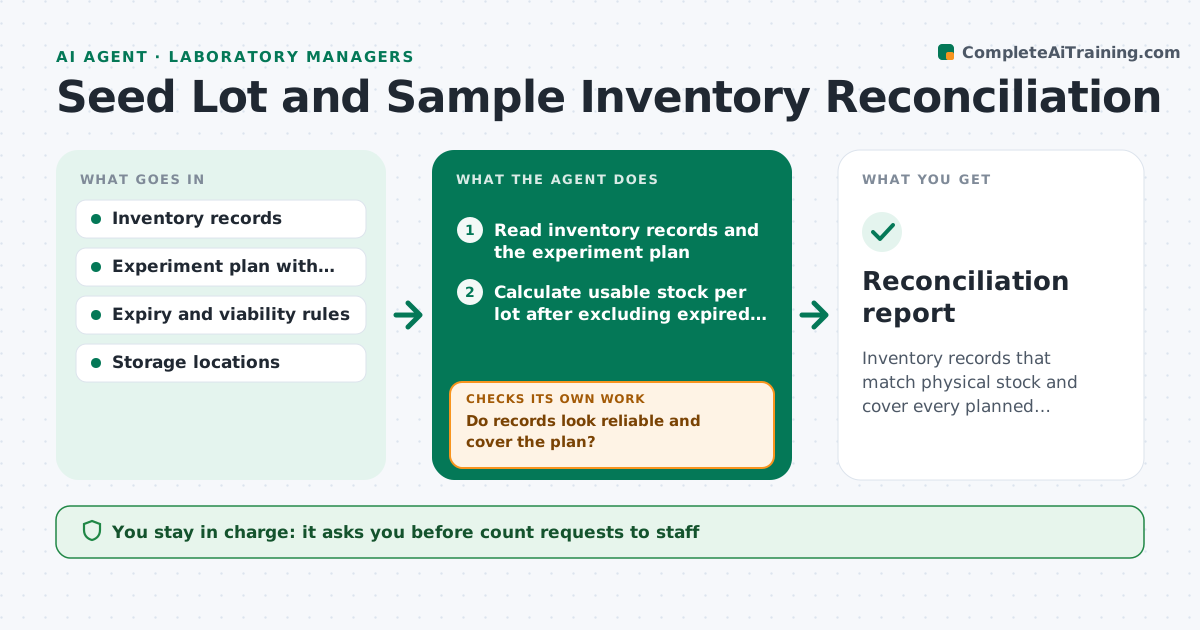
Inventory records that match physical stock and cover every planned experiment before it starts.
What it does
The experiment is planned for Monday and the lot listed in the inventory is empty or expired. This agent compares inventory records to the plan of coming experiments and plantings. It flags shortages, lots past their expiry or viability date, and records that look wrong such as negative quantities or duplicates. It asks for physical counts by drafting a short list per storage location, then updates the records with the numbers returned and checks again against the plan. If a shortage remains, it drafts an order request or a substitution suggestion. You approve orders and disposal. Edge case: lots held for retention cannot be used even when stock looks sufficient.
How it works
Follow the arrows from top to bottom. The orange dashed arrow is the loop: when a check fails, the agent goes back and tries again.
Read the steps as a list
- Weekly run or experiment approaching
- Read inventory records and the experiment plan
- Calculate usable stock per lot after excluding expired and retained lots
- Compare usable stock to planned needs
- Do records look reliable and cover the plan?If not: draft a physical count request by location and wait for the counts. Back to step 3.
- Scientist approves the count requestThe agent waits here for your OK.
- Update records with returned counts
- Is every planned experiment covered by usable stock?If not: propose a substitution lot or draft an order request. Back to step 3.
- List expired lots and disposal candidates
- Scientist approves orders and disposalThe agent waits here for your OK.
- Reconciliation report
How it decides
Required quantity is compared to usable stock, where expired or retained lots are excluded. Shortfalls and doubtful records trigger a count request.
- Count differs from record by more than 5 percent: investigate and update the record
- Lot past expiry or viability date: exclude from usable stock
- Lot is retained for audit: never count as usable
- Shortage of 20 percent or more: draft an order and a substitution option
Make it yours
Every agent is a starting point. You choose these settings for your own situation.
- Viability or expiry rules
- Count discrepancy threshold (default 5 percent)
- Review schedule
- Storage locations to include
- Order contact
What keeps you in control
It always asks you first
- Count requests to staff
- Orders and disposal
Hard limits
- Never dispose of or order anything without approval
- Never count retained lots as usable
It stops when
- Done: stock covers plan and records match
- Stop: shortage cannot be covered before start date
Set it up
We guide you through the set-up, step by step
Members get the full set-up guide for this agent. No technical skills needed: you copy, paste and upload.
- One set of instructions to paste into your AI, with the clicks for ChatGPT, Claude, Microsoft 365 Copilot, Gemini and Grok
- The agent then walks you through connecting your own data, one source at a time
- A downloadable copy with the flow chart, the rules and the full guide