AI agent for biochemists
Plate Layout Design and Check Agent
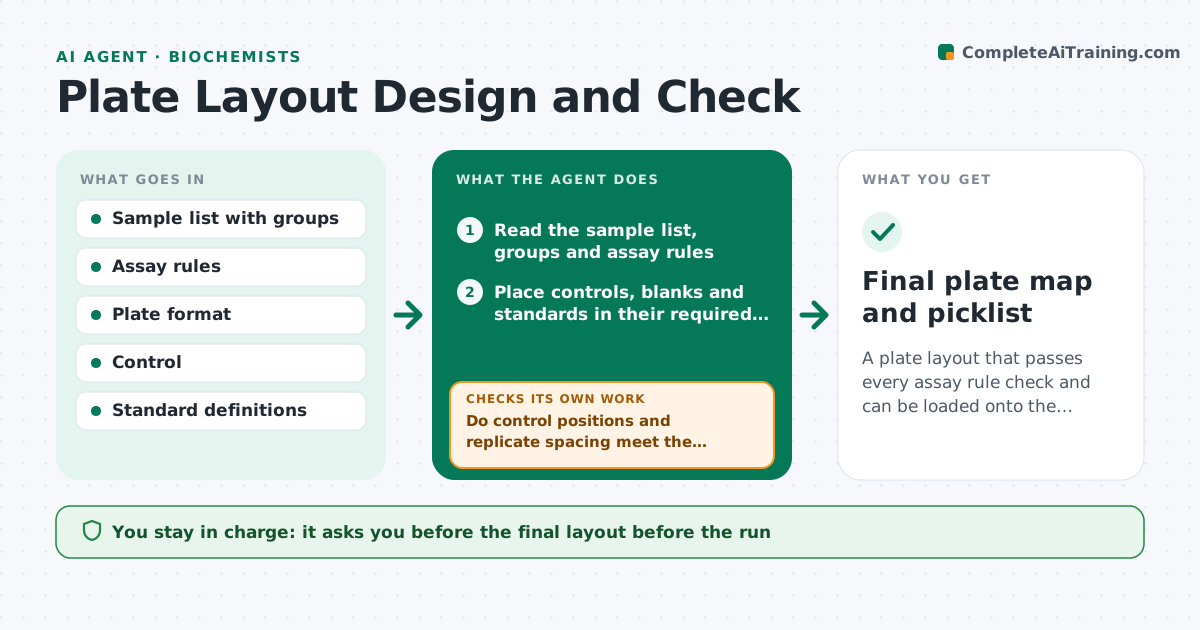
A plate layout that passes every assay rule check and can be loaded onto the plate without manual rework.
What it does
A bad plate map can ruin a run: controls in the wrong wells, all of one treatment on the edge, or replicates side by side. This agent builds a layout from the sample list and assay rules. It randomizes sample positions where the rules allow and places controls, blanks and standards in the required wells. It then checks the layout against the assay rules for control placement, replicate spread, edge positions and plate balance. If a check fails, it reworks the layout and checks again, up to a limit. It outputs a plate map and a picklist for the robot or the bench. You approve the layout before the run. Edge case: when a sample count does not fill a plate, empty wells are filled with buffer to prevent edge drying.
How it works
Follow the arrows from top to bottom. The orange dashed arrow is the loop: when a check fails, the agent goes back and tries again.
Read the steps as a list
- Sample list ready
- Read the sample list, groups and assay rules
- Place controls, blanks and standards in their required wells
- Randomize the remaining samples within the rules
- Do control positions and replicate spacing meet the rules?If not: reshuffle the affected samples and rebuild. Back to step 3.
- Is any group concentrated on the edge or in one column?If not: rebalance the groups across the plate and recheck. Back to step 4.
- Fill empty edge wells with buffer if the plate is not full
- Generate the plate map and the picklist
- Scientist approves the layoutThe agent waits here for your OK.
- Final plate map and picklist
How it decides
A layout is accepted when controls are in their required positions, replicates are spread by the minimum distance and no group is concentrated on the edge.
- Edge wells: no more than 1 treatment group over 30 percent there
- Replicates must be at least 3 wells apart
- Standards curve always in the first two columns
- Plate not full: fill outer wells with buffer
Make it yours
Every agent is a starting point. You choose these settings for your own situation.
- Plate format (default 96-well)
- Control and standard positions
- Minimum replicate spacing
- Edge rules
- Maximum layout attempts
What keeps you in control
It always asks you first
- The final layout before the run
Hard limits
- Never place a control outside its required well
- Never change the sample list
It stops when
- Done: layout passes every check
- Stop: 20 tries without a valid layout, report which rule conflicts
Set it up
We guide you through the set-up, step by step
Members get the full set-up guide for this agent. No technical skills needed: you copy, paste and upload.
- One set of instructions to paste into your AI, with the clicks for ChatGPT, Claude, Microsoft 365 Copilot, Gemini and Grok
- The agent then walks you through connecting your own data, one source at a time
- A downloadable copy with the flow chart, the rules and the full guide