AI agent for medical records clerks
Patient Authorization Expiry Agent
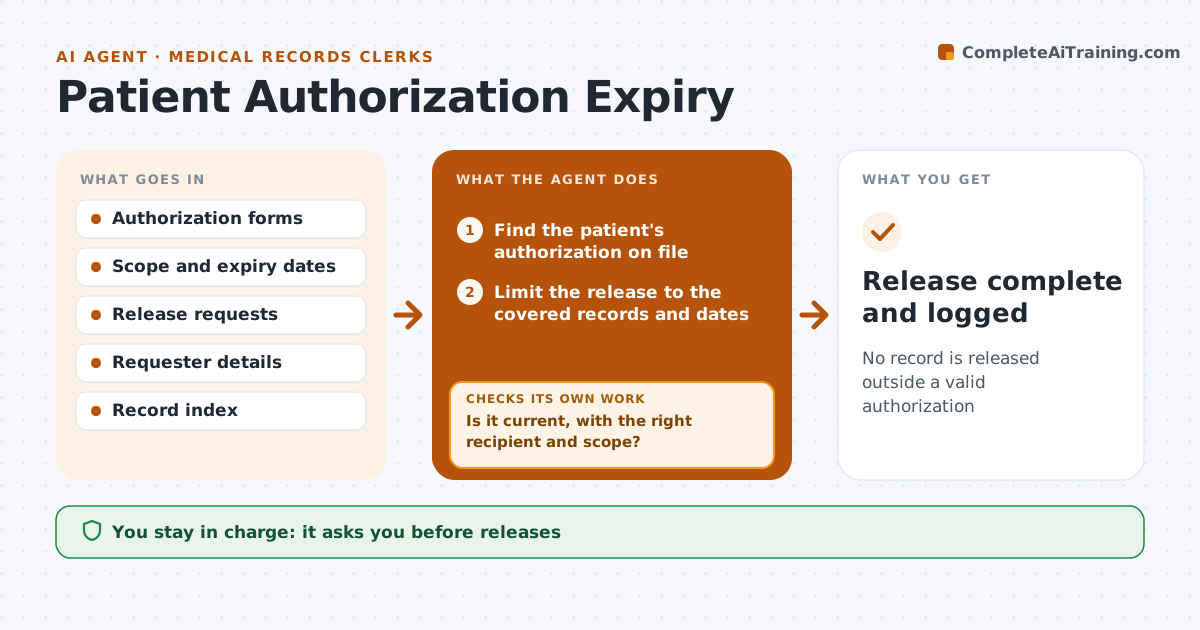
No record is released outside a valid authorization
What it does
Release authorizations expire, and records can end up sent after the date. This agent tracks each authorization's scope and date. When a release request arrives, it checks the request against the authorization for scope, recipient and date. Invalid ones block the release. It asks for renewals ahead of expiry and checks the returned form for completeness. After release, it logs what was sent. The clerk approves renewals and releases. Edge case: the authorization covers only a hospital stay, but the request asks for the full chart, so the agent limits the release to the covered dates.
How it works
Follow the arrows from top to bottom. The orange dashed arrow is the loop: when a check fails, the agent goes back and tries again.
Read the steps as a list
- A release request arrives or an authorization nears expiry
- Find the patient's authorization on file
- Is it current, with the right recipient and scope?If not: block the release and request a new or corrected authorization. Back to step 2.
- Limit the release to the covered records and dates
- Clerk approves the releaseThe agent waits here for your OK.
- Prepare and send the release package
- Log what was sent, to whom and when
- Does the log match the authorization scope?If not: recall or correct the package and notify the clerk. Back to step 3.
- Release complete and logged
How it decides
A release is allowed only when the authorization is current, names the recipient and covers the requested records and dates.
- Block any release after the expiry date
- Limit to the dates and record types named
- Ask for renewal 30 days before expiry
- Record every release with the authorization used
Make it yours
Every agent is a starting point. You choose these settings for your own situation.
- Renewal lead time (default 30 days)
- Record types covered
- Release channels
- Who approves
What keeps you in control
It always asks you first
- Releases
- Renewal requests
Hard limits
- Never release without a valid authorization
- Never share records by an unsecured route
It stops when
- Done: release logged within scope
- Stop: no authorization exists
Set it up
We guide you through the set-up, step by step
Members get the full set-up guide for this agent. No technical skills needed: you copy, paste and upload.
- One set of instructions to paste into your AI, with the clicks for ChatGPT, Claude, Microsoft 365 Copilot, Gemini and Grok
- The agent then walks you through connecting your own data, one source at a time
- A downloadable copy with the flow chart, the rules and the full guide