AI agent for medical practice managers
Patient Complaint Resolution Agent
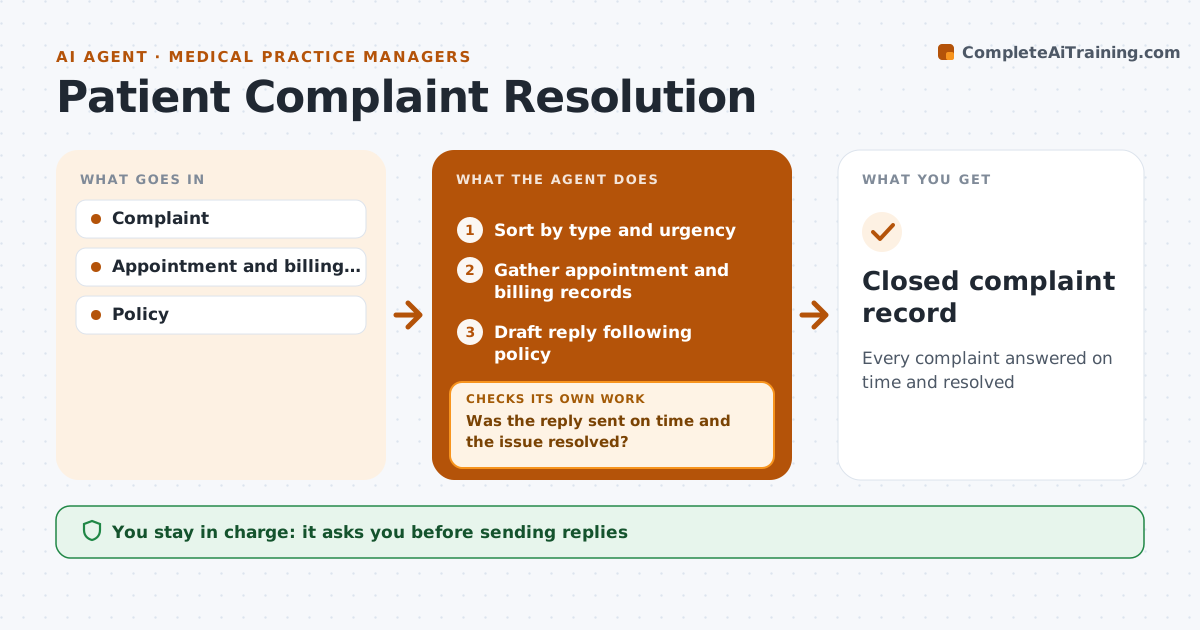
Every complaint answered on time and resolved
What it does
Patient complaints can be about billing, wait times, staff or care, and slow or uneven handling makes them worse. This agent logs each complaint, sorts it by type and urgency, and gathers related records such as appointment times and billing history. Clinical concerns go straight to the lead clinician. For the rest, it drafts a reply that follows the practice's complaint policy and the required response time. The manager approves every reply before it is sent. Afterward, the agent checks that the reply went out on time and that the patient's issue was actually resolved, for example that a billing correction was made. If not, it reminds the manager and checks again before closing the record. Decisions about staff and care stay with people. Edge case: a complaint that suggests a patient was harmed is escalated as an incident, not handled as a routine complaint.
How it works
Follow the arrows from top to bottom. The orange dashed arrow is the loop: when a check fails, the agent goes back and tries again.
Read the steps as a list
- Complaint received
- Sort by type and urgency
- Gather appointment and billing records
- Draft reply following policy
- Manager approves replyThe agent waits here for your OK.
- Was the reply sent on time and the issue resolved?If not: remind manager and redraft. Back to step 4.
- Closed complaint record
How it decides
It sorts by urgency and type and sets response deadlines from policy.
- Clinical concerns go to clinicians
- Harm suggests incident
- Response times from policy
Make it yours
Every agent is a starting point. You choose these settings for your own situation.
- Response deadlines
- Complaint types
- Letter templates
What keeps you in control
It always asks you first
- Sending replies
- Refunds
Hard limits
- Never shares health data outside approved channels
It stops when
- Done: closed
- Stop: legal threat; escalate
Set it up
We guide you through the set-up, step by step
Members get the full set-up guide for this agent. No technical skills needed: you copy, paste and upload.
- One set of instructions to paste into your AI, with the clicks for ChatGPT, Claude, Microsoft 365 Copilot, Gemini and Grok
- The agent then walks you through connecting your own data, one source at a time
- A downloadable copy with the flow chart, the rules and the full guide