AI agent for compensation analysts
Pay Transparency Posting Compliance Agent
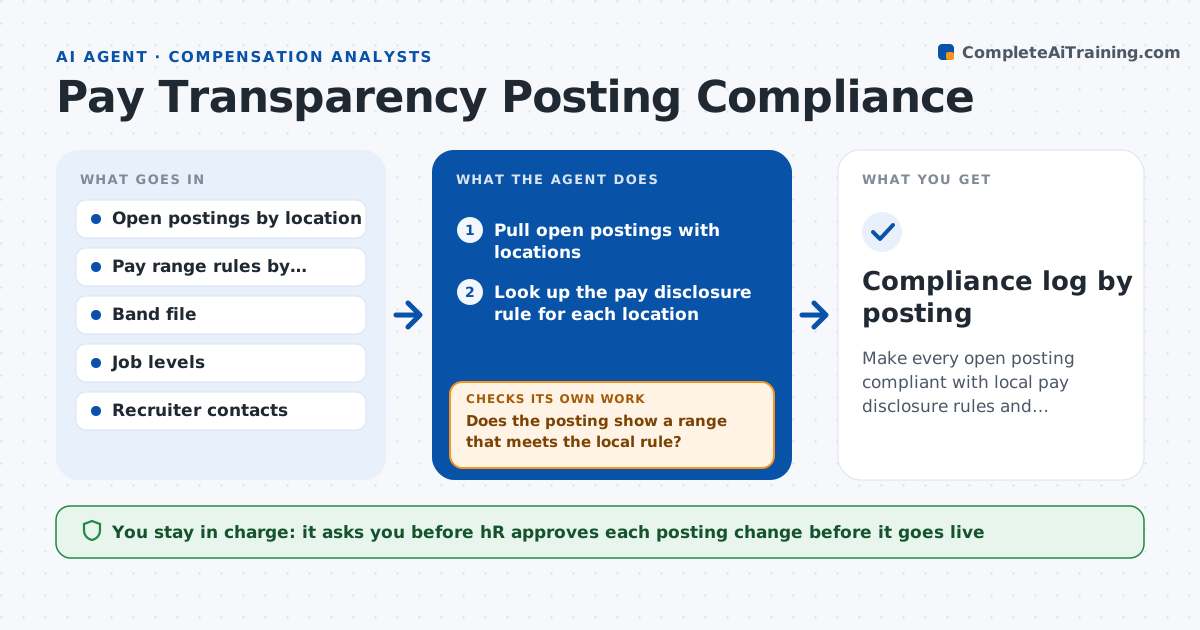
Make every open posting compliant with local pay disclosure rules and consistent with the bands
What it does
Recruiters post jobs in a dozen states, and several now require a pay range in the posting. This agent scans all open postings by location and checks each against the pay range rules for that place, including what must be shown and how wide a range may be. It compares the posted range with the company's band file and flags postings with no range, a range outside the band or a range that is too wide. It drafts a corrected range with the band reference and rechecks the posting after the recruiter updates it. It keeps a log by posting and date. HR approves before any posting change goes live. Edge case: a remote role open to several states is checked against the strictest rule among them.
How it works
Follow the arrows from top to bottom. The orange dashed arrow is the loop: when a check fails, the agent goes back and tries again.
Read the steps as a list
- Daily scan or new posting created
- Pull open postings with locations
- Look up the pay disclosure rule for each location
- Does the posting show a range that meets the local rule?If not: Flag the posting and note the missing or noncompliant element. Back to step 3.
- Compare the posted range with the band file
- Draft a corrected range with the band reference
- HR approves before any posting change goes liveThe agent waits here for your OK.
- Send the correction to the recruiter and log it
- Does the updated posting now pass all checks?If not: Redraft the range and notify the recruiter again. Back to step 4.
- Compliance log by posting
How it decides
It flags a posting when no range is shown, the range is outside the band or the width exceeds the local rule. It uses the strictest rule for multi-state roles.
- Apply the strictest rule when a role is open to several states
- Flag ranges wider than the local rule allows
- Flag ranges outside the band for the level
- Treat a missing range as the highest priority
Make it yours
Every agent is a starting point. You choose these settings for your own situation.
- Jurisdictions monitored (default every state with open roles)
- Maximum range width (default the local rule)
- Scan frequency (default daily)
- Recruiter notification channel (default email)
What keeps you in control
It always asks you first
- HR approves each posting change before it goes live
Hard limits
- Never change a live posting without HR approval
- Never invent a range outside the band
- Keep the rule table dated and sourced
It stops when
- Done: Every posting passes and is logged
- Stop: Rule is unclear for a jurisdiction, so hand to HR and legal
Set it up
We guide you through the set-up, step by step
Members get the full set-up guide for this agent. No technical skills needed: you copy, paste and upload.
- One set of instructions to paste into your AI, with the clicks for ChatGPT, Claude, Microsoft 365 Copilot, Gemini and Grok
- The agent then walks you through connecting your own data, one source at a time
- A downloadable copy with the flow chart, the rules and the full guide