AI agent for accounts receivable specialists
Payment Plan Tracking Agent
Every payment plan followed, with misses caught within days
What it does
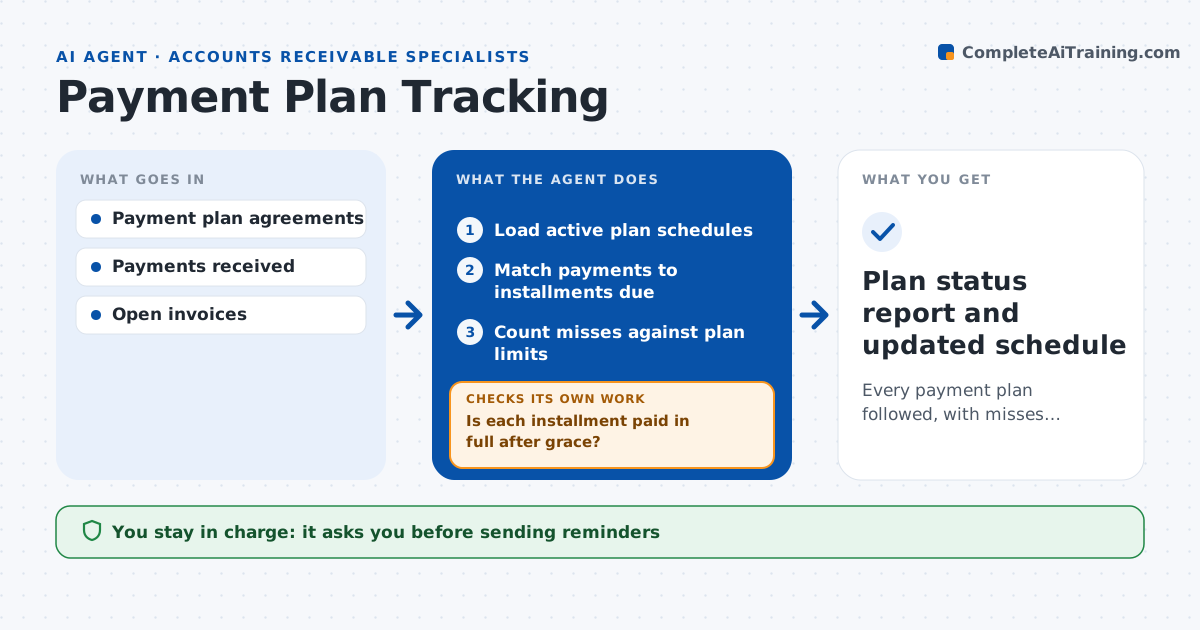
Customers on payment plans pay in installments, and missed or short payments are easy to lose among normal receipts. This agent keeps each plan on track. It builds the schedule from the signed agreement, checks every incoming payment against the installment due, and allocates it to the right invoices. When a payment is late or short, it waits the grace period, then checks again. If money is still missing, it drafts a reminder and counts the miss against the number the plan allows. Tiny shortfalls are noted without a reminder. When misses reach the plan limit, it marks the plan breached and prepares a summary of payments, misses and contact history. The specialist decides what happens next, such as a new plan or collections. Edge case: a customer pays two installments at once, so the agent moves the next due date instead of flagging a miss.
How it works
Follow the arrows from top to bottom. The orange dashed arrow is the loop: when a check fails, the agent goes back and tries again.
Read the steps as a list
- Payments posted for the day
- Load active plan schedules
- Match payments to installments due
- Is each installment paid in full after grace?If not: draft a reminder and recheck after the next posting. Back to step 3.
- Count misses against plan limits
- Specialist decides on breached plansThe agent waits here for your OK.
- Plan status report and updated schedule
How it decides
It compares payments to the schedule after the grace period and counts misses against the plan's limit.
- Paid within grace period (default 5 days): on track
- Short by under $10: note, no reminder
- Misses reach plan limit: mark as breached and escalate
Make it yours
Every agent is a starting point. You choose these settings for your own situation.
- Grace period in days
- Number of misses before breach
- Reminder wording
- Small shortfall that is ignored
What keeps you in control
It always asks you first
- Sending reminders
- Ending or changing a plan
Hard limits
- Never changes plan terms
- Never sends to collections without approval
It stops when
- Done: all plans checked for the day
- Stop: agreement terms missing
Set it up
We guide you through the set-up, step by step
Members get the full set-up guide for this agent. No technical skills needed: you copy, paste and upload.
- One set of instructions to paste into your AI, with the clicks for ChatGPT, Claude, Microsoft 365 Copilot, Gemini and Grok
- The agent then walks you through connecting your own data, one source at a time
- A downloadable copy with the flow chart, the rules and the full guide