AI agent for accountants
Payroll Journal Entry Tie-Out Agent
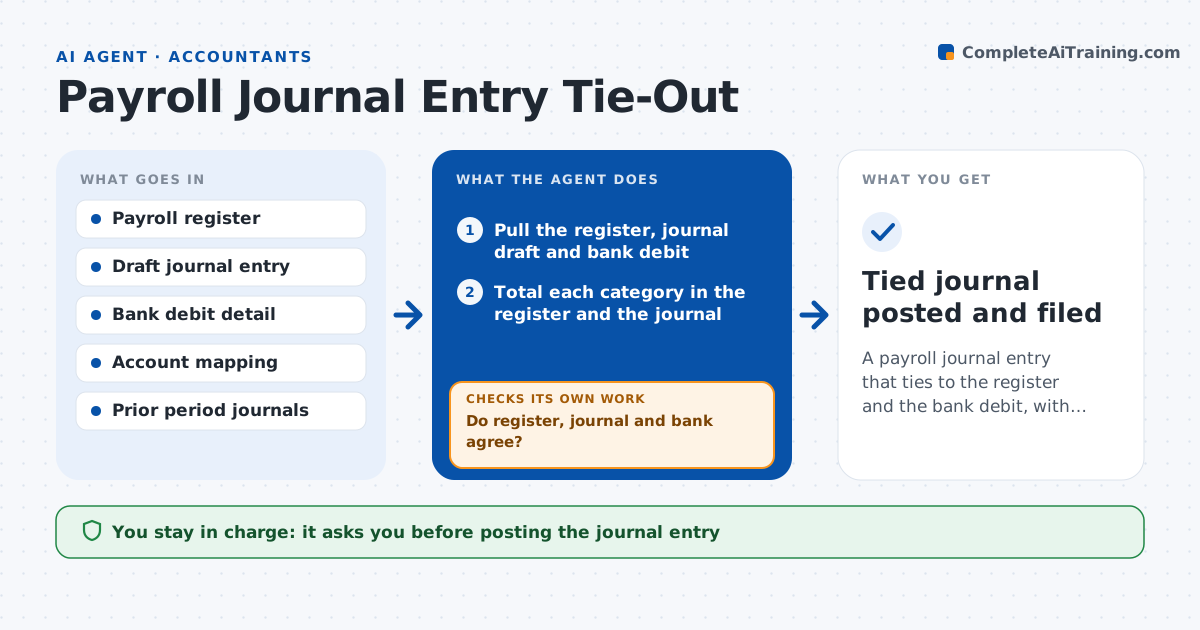
A payroll journal entry that ties to the register and the bank debit, with differences explained
What it does
After each payroll run, accounting posts a journal entry for wages, taxes, benefits and liabilities. The register, the journal and the bank debit should all agree, but they rarely do on the first try. Finding the difference by hand takes hours. This agent compares the three sources line by line: earnings, employer taxes, employee withholdings, benefit deductions and net pay. It finds the lines that differ, then looks for the usual causes, such as a deduction mapped to the wrong account, a timing difference between pay date and debit date, or a voided check. It proposes a fix, applies it in a draft and reruns the comparison, repeating until the three agree. The accountant approves posting. Edge case: a bank debit includes a one-time tax payment, so the agent separates it before matching.
How it works
Follow the arrows from top to bottom. The orange dashed arrow is the loop: when a check fails, the agent goes back and tries again.
Read the steps as a list
- A payroll run finishes
- Pull the register, journal draft and bank debit
- Total each category in the register and the journal
- Compare totals with the bank debit
- Do register, journal and bank agree?If not: list the lines that differ and test mapping, timing and voided check causes. Back to step 3.
- Draft a corrected journal entry for each cause found
- Rerun the comparison using the corrected draft
- Are all categories now tied within rounding?If not: look for a second cause, compare with prior period patterns, and correct again. Back to step 6.
- Write a tie-out report with the explanation for each fix
- Accountant approves postingThe agent waits here for your OK.
- Tied journal posted and filed
How it decides
It treats the sources as tied when each category agrees within a cent difference of rounding, and it traces any other difference to a mapping, timing or voiding cause.
- Tolerate differences of $0.05 or less as rounding
- Separate non-payroll items from the bank debit
- Check account mapping first when a single category differs
- Escalate unexplained differences over $500
Make it yours
Every agent is a starting point. You choose these settings for your own situation.
- Rounding tolerance (default $0.05)
- Escalation limit (default $500)
- Account mapping file
- Pay frequency schedule
What keeps you in control
It always asks you first
- Posting the journal entry
- Any change to account mapping
Hard limits
- Never posts the entry itself
- Never changes the register
- Records the cause of each difference
It stops when
- Done: three sources agree
- Stop: a source file is missing or the difference cannot be explained
Set it up
We guide you through the set-up, step by step
Members get the full set-up guide for this agent. No technical skills needed: you copy, paste and upload.
- One set of instructions to paste into your AI, with the clicks for ChatGPT, Claude, Microsoft 365 Copilot, Gemini and Grok
- The agent then walks you through connecting your own data, one source at a time
- A downloadable copy with the flow chart, the rules and the full guide