AI agent for radiographers
Pediatric Protocol Review Agent
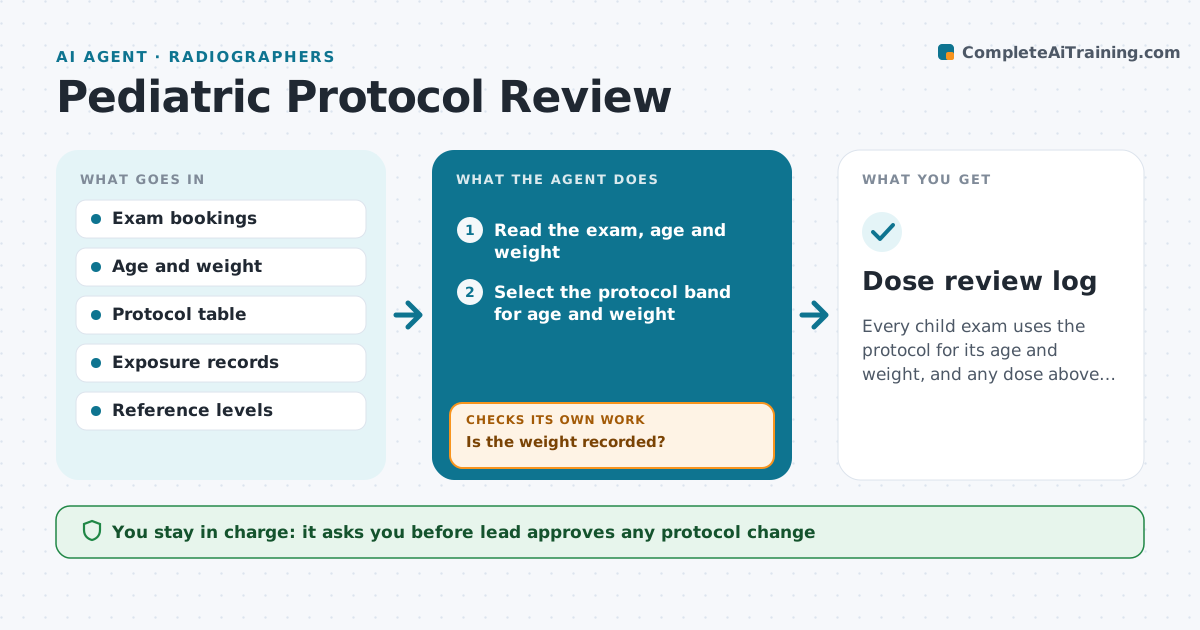
Every child exam uses the protocol for its age and weight, and any dose above reference is reviewed.
What it does
Child exams use adult settings unless someone checks weight-based protocols. For booked child exams, the agent checks age and weight, selects the matching protocol from the department's table, and sends it to the technologist. After the exam it compares the exposure actually used with the reference level. If the dose exceeds the reference, it flags the study for review. It keeps a log of flagged studies and any repeats. The lead approves protocol changes. Edge case: a child whose weight is not recorded, where the agent asks for a measured weight rather than using age alone.
How it works
Follow the arrows from top to bottom. The orange dashed arrow is the loop: when a check fails, the agent goes back and tries again.
Read the steps as a list
- Child exam booked
- Read the exam, age and weight
- Is the weight recorded?If not: Ask for a measured weight before the exam. Back to step 2.
- Select the protocol band for age and weight
- Send the protocol to the technologist
- After the exam read the exposure record
- Compare the exposure with the reference level
- Is the dose within the reference?If not: Flag the study and note the settings used. Back to step 4.
- Add flagged studies to the review list
- Lead approves any protocol changeThe agent waits here for your OK.
- Dose review log
How it decides
It picks the protocol by weight band first and age second, and flags any exposure above the reference level.
- Use weight bands first
- Flag an exposure above 110% of reference
- Repeat exposures are always listed
- Ask for a measured weight if none is recorded
Make it yours
Every agent is a starting point. You choose these settings for your own situation.
- Weight bands
- Reference levels
- Flag threshold (default 110%)
- Exams covered
What keeps you in control
It always asks you first
- Lead approves any protocol change
Hard limits
- Never set machine parameters itself
- Do not treat the reference as a clinical limit
It stops when
- Done: protocol checked and dose reviewed
- Stop: weight cannot be obtained and the technologist decides
Set it up
We guide you through the set-up, step by step
Members get the full set-up guide for this agent. No technical skills needed: you copy, paste and upload.
- One set of instructions to paste into your AI, with the clicks for ChatGPT, Claude, Microsoft 365 Copilot, Gemini and Grok
- The agent then walks you through connecting your own data, one source at a time
- A downloadable copy with the flow chart, the rules and the full guide