AI agent for judges
Pending Ruling Aging Watch Agent
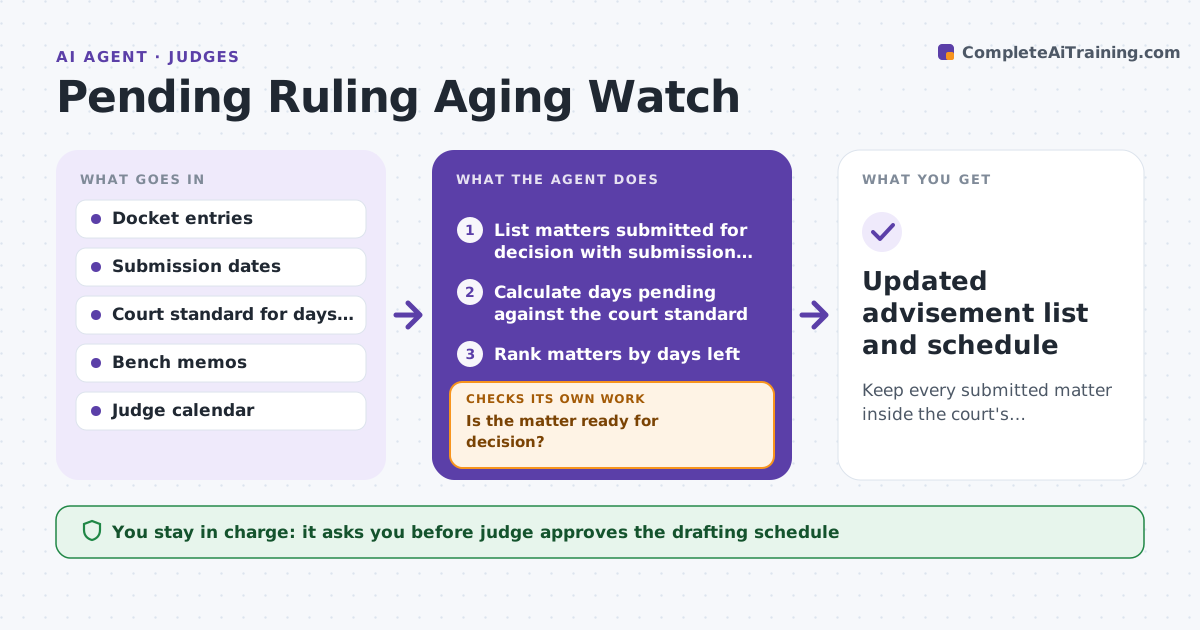
Keep every submitted matter inside the court's reporting deadline with a realistic drafting plan.
What it does
Fully briefed motions can sit under advisement for months, and many courts report any matter pending longer than a set number of days. The risk is that a matter crosses the line without anyone noticing. Each week the agent scans the docket for matters submitted for decision, calculates days pending against the court standard, and ranks them. For each at-risk matter it checks whether the record is complete and whether a bench memo exists, then proposes a drafting slot on the judge's calendar. New filings reset the clock, so it re-reads the docket and re-plans. The judge approves the schedule and any status report sent to the chief judge. Edge case: a supplemental brief filed on day 70 restarts the count, and the agent shows both dates.
How it works
Follow the arrows from top to bottom. The orange dashed arrow is the loop: when a check fails, the agent goes back and tries again.
Read the steps as a list
- Weekly docket scan
- List matters submitted for decision with submission dates
- Calculate days pending against the court standard
- Rank matters by days left
- Check record completeness and bench memo status for each at-risk matter
- Is the matter ready for decision?If not: Request the missing brief or memo from chambers staff and re-check next scan. Back to step 5.
- Find open slots on the judge's calendar
- Propose a drafting slot for each ready matter
- Judge approves the schedule and any status reportThe agent waits here for your OK.
- Did a new filing reset a matter's clock?If not: Recalculate days pending and re-plan the schedule. Back to step 2.
- Updated advisement list and schedule
How it decides
It ranks matters by days left before the reporting deadline. It schedules drafting time only for matters that are ready, and asks for missing items on the others first.
- Matters within 14 days of the reporting deadline go to the top
- A new supplemental filing restarts the count from its date
- A matter without a bench memo needs memo time added to its slot
- Matters over the deadline are flagged for a status report
Make it yours
Every agent is a starting point. You choose these settings for your own situation.
- Court standard in days (default 90)
- Warning window before the deadline (default 14 days)
- Scan day and time
- Drafting time per matter type
What keeps you in control
It always asks you first
- Judge approves the drafting schedule
- Judge approves any status report to the chief judge
Hard limits
- Never decides or drafts the substance of a ruling
- Never sends a report without the judge's approval
It stops when
- Done: all matters scheduled or decided
- Stop: docket data unavailable, so the judge is told
Set it up
We guide you through the set-up, step by step
Members get the full set-up guide for this agent. No technical skills needed: you copy, paste and upload.
- One set of instructions to paste into your AI, with the clicks for ChatGPT, Claude, Microsoft 365 Copilot, Gemini and Grok
- The agent then walks you through connecting your own data, one source at a time
- A downloadable copy with the flow chart, the rules and the full guide