AI agent for embedded systems engineers
Peripheral Driver Bring-Up Agent
Get a new peripheral working on the board with a documented driver
What it does
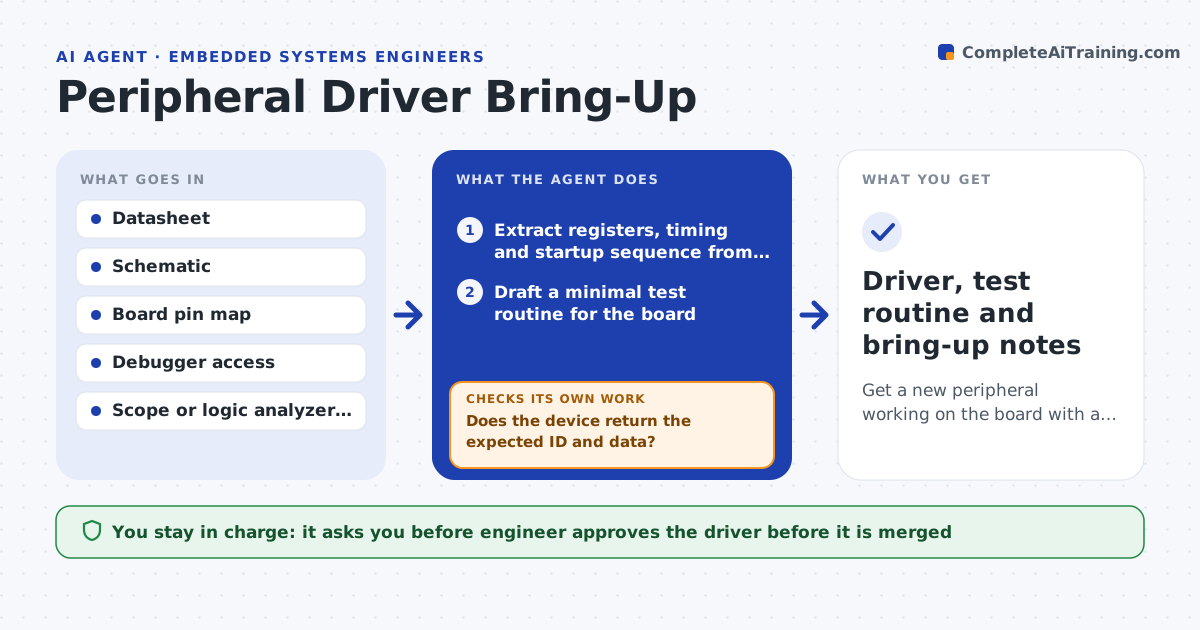
Bringing up an SPI sensor, a display or a motor driver on a new board means reading the datasheet, writing test code, probing signals and adjusting. This agent follows that same loop. It reads the datasheet and board schematic and extracts register addresses, timing limits and the startup sequence. It drafts a small test routine, runs it on the board, and reads the resulting signals from a scope or logic analyzer. It compares the timing and values with the datasheet and adjusts clock speed, delays or settings. It repeats until the peripheral responds correctly, then drafts the driver. The engineer approves the driver. Edge case: the chip ID reads correctly but data is wrong, so the agent checks the clock phase before changing anything else.
How it works
Follow the arrows from top to bottom. The orange dashed arrow is the loop: when a check fails, the agent goes back and tries again.
Read the steps as a list
- New peripheral to bring up
- Extract registers, timing and startup sequence from the datasheet
- Draft a minimal test routine for the board
- Flash and run it, capturing signals
- Compare signals with datasheet timing and expected values
- Does the device return the expected ID and data?If not: adjust clock, mode, delays or pin settings, and rerun. Back to step 3.
- Run read, write and error-case tests
- Do all tests pass at full speed over 100 repeats?If not: lower the speed or add a delay, retest, and record the limit. Back to step 3.
- Draft the driver with comments on timing choices
- Engineer approves the driverThe agent waits here for your OK.
- Driver, test routine and bring-up notes
How it decides
It compares each captured signal with the datasheet limit and changes the one setting that explains the difference, starting with the simplest.
- Check power and reset lines before changing software
- Change one setting per attempt
- Check clock polarity and phase when the ID is right but data is wrong
- Accept speed only when 100 repeats pass without error
Make it yours
Every agent is a starting point. You choose these settings for your own situation.
- Maximum bus speed to try
- Number of repeats (default 100)
- Language and driver style
- Test equipment available
- Naming and comment style
What keeps you in control
It always asks you first
- Engineer approves the driver before it is merged
- Engineer approves any hardware rework suggestion
Hard limits
- Never change power rail settings without the engineer
- Never claim success from one passing read
It stops when
- Done: the driver passes all tests at the chosen speed
- Stop: signals show a hardware fault, so rework is needed
Set it up
We guide you through the set-up, step by step
Members get the full set-up guide for this agent. No technical skills needed: you copy, paste and upload.
- One set of instructions to paste into your AI, with the clicks for ChatGPT, Claude, Microsoft 365 Copilot, Gemini and Grok
- The agent then walks you through connecting your own data, one source at a time
- A downloadable copy with the flow chart, the rules and the full guide