AI agent for product marketing managers
Persona Evidence Refresh Agent
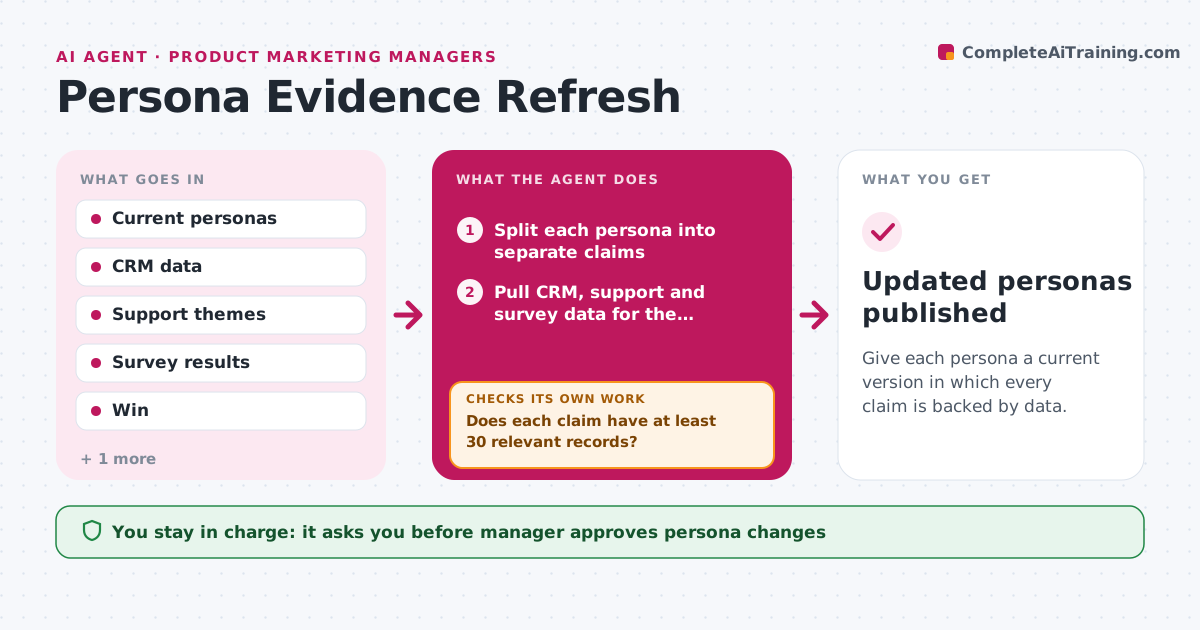
Give each persona a current version in which every claim is backed by data.
What it does
A persona written three years ago describes 'Mid-market Mike' who no longer buys the product the way it did. The agent takes each persona claim, such as role, goals, pain points, buying triggers or channels, and tests it against current data from the CRM, support tickets and survey results. It marks each claim as supported, weak or contradicted, and shows the numbers and examples behind each. When the evidence for a claim is weak, it goes back to gather more, for instance more closed deals or more survey rows, before proposing a change. It then drafts revised persona text with the evidence next to each change, and highlights new traits that appear in the data but not in the persona. Edge case: a segment too small to support any conclusion. The manager approves persona changes.
How it works
Follow the arrows from top to bottom. The orange dashed arrow is the loop: when a check fails, the agent goes back and tries again.
Read the steps as a list
- Persona review starts
- Split each persona into separate claims
- Pull CRM, support and survey data for the persona's segment
- Test each claim against the data
- Does each claim have at least 30 relevant records?If not: widen the date range or segment and gather more data. Back to step 3.
- Mark each claim supported, weak or contradicted
- Find traits in the data that the persona does not mention
- Draft the revised persona with evidence beside each change
- Does every changed line cite its evidence?If not: add the source and numbers or remove the change. Back to step 8.
- Manager approves persona changesThe agent waits here for your OK.
- Updated personas published
How it decides
A claim is supported with at least 30 relevant records and a clear pattern. Claims with fewer records are weak, and more data is gathered before change.
- Require 30 records before judging a claim
- Mark a claim contradicted when data goes against it in 60 percent of records
- Propose a new trait when it appears in 25 percent of records
- Keep the persona's original wording where the data supports it
Make it yours
Every agent is a starting point. You choose these settings for your own situation.
- Personas included
- Minimum records (default 30)
- Data sources
- Review schedule
- Evidence format
What keeps you in control
It always asks you first
- Manager approves persona changes
- Manager approves sharing personas externally
Hard limits
- Never use customer names in public persona text
- Show evidence for each claim
It stops when
- Done: personas updated with evidence
- Stop: CRM data is missing key fields, list what is needed
Set it up
We guide you through the set-up, step by step
Members get the full set-up guide for this agent. No technical skills needed: you copy, paste and upload.
- One set of instructions to paste into your AI, with the clicks for ChatGPT, Claude, Microsoft 365 Copilot, Gemini and Grok
- The agent then walks you through connecting your own data, one source at a time
- A downloadable copy with the flow chart, the rules and the full guide